











DOWNLOAD IS NOT SUPPORTED IN WEB STORE!
Use the latest version of 9Apps to download APK&OBB file of games in one click!
DOWNLOAD 9APPS



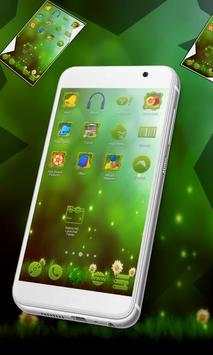
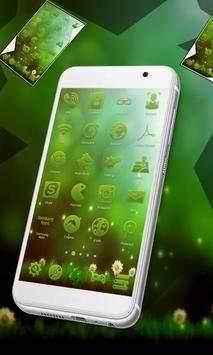
Check out this new Nature HD Launcher theme for free!
This is a launcher theme.
How to install Nature HD Launcher:
Open app, press "Apply theme" and follow instructions.
Manually change icons:
1.On the home screen: long press on the icon you want to edit we drag your icon to icon
"pencil"
click on the application icon From iconPacks Nature HD theme. Next, select the desired icon and you are done!
2.Edit icons in the menu: Long press on the icon you want to edit Menu Edit icon, From iconPacks
Nature HD theme
Next, select the desired icon.
Done!
Features:
100
icons that support automatic change!
Beautiful HD icons that are awesome on any screen
Bugs and errors:
If the theme failed, please change the theme to default first, then try it again.
If you have any other errors, bugs or suggestions please contact us at this email: [email protected]
If you are an Android phone user, then you definitely love to make your gadget more interesting, attractive and appealing.
Nevertheless, Nature HD Launcher theme is here to make your android smartphone more attractive.
The theme is uniquely designed to make the use of Nature HD Launcher even easier.
If you love simplicity and attractive themes then Nature HD Launcher theme is the app you need to install on your mobile.
Nature will invade your gadget and make your icons look brilliant and so eco! Enjoy it and download it for free from Google Play Store!




- 2.2: Smaller app size
- 2.1: New Launcher 2017 update


