
DOWNLOAD IS NOT SUPPORTED IN WEB STORE!
Use the latest version of 9Apps to download APK&OBB file of games in one click!
DOWNLOAD 9APPS

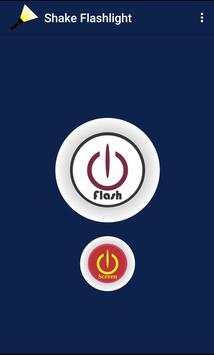

The Shake Flashlight application was created to provide a simple use of the flashlight thanks to the flash devices provided. With a simple inteface I have intuitive, facilitating its use.
If your mobile device has flash you can make use of this simple application, which in addition to being able to manipulate the application with the buttons, you can manipulate it by shaking your device.
When shaking the device you can turn on or off the flashlight, without the need to press any buttons, when performing tasks that require it.
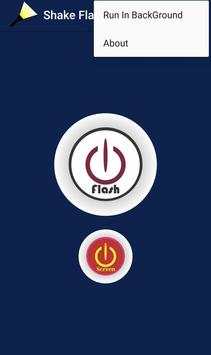
In the menu you will find the option Run in BackGround if you activate this option the application will continue to work even after closing it, to use it you just have to shake the device and the flash will activate.
If you want to deactivate the option Run in Background, you only need to enter the application and in the menu press that option to deactivate it. You will see a message that shows that the service has stopped.
Note: When using the Run in Background option you must take into account that it will depend on the device in which it is executed, so that on some devices it may have a slight delay.
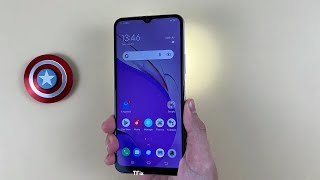


Support for more devices
Effect on flash button
Correction of application output with back key
Service paused resolved



Facebook Lite
4.02.5MB

Candy Crush Saga
4.491.1MB

ShopClues
3.816.4MB

Mushroom Takeover
4.569.0MB

Temple Run 2
4.4122.1MB

Quikr: Homes, Jobs, Cars Etc
4.120.8MB

Dearmet: Video Chat, Live Talk
4.043.4MB

imo beta -video calls and chat
4.394.0MB

Talking Tom Cat
3.963.0MB

Offline Music Mp3 Player- Muso
4.535.9MB