










DOWNLOAD IS NOT SUPPORTED IN WEB STORE!
Use the latest version of 9Apps to download APK&OBB file of games in one click!
DOWNLOAD 9APPS

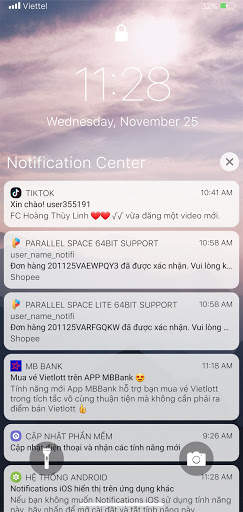
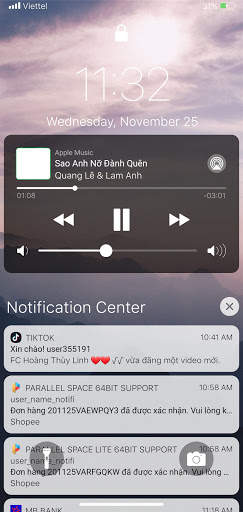
Lock Screen & Notification iOS 14 make your phone looks like lock screen on iOS 14. Beautifully designed, luxury, look like brand new iphoneX, iphone11 Pro, iphone 12 with iOS 14 theme, you get speed, beauty and elegance iOS 14 design without lost Android customization.
How to use notification iOS
- Tap a single notification or a group of notifications to view all of them for that app.
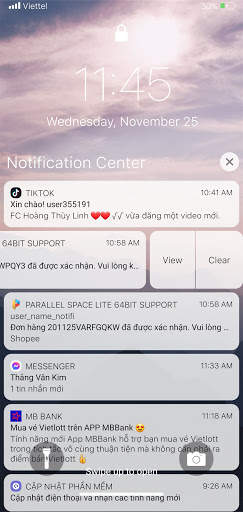
- Swipe left or right over notifications to manage, view, or clear the notifications.
- Click to group notifications to expand or collapse notification.
- Manage alerts for specific apps.
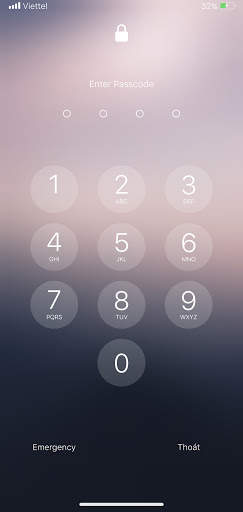
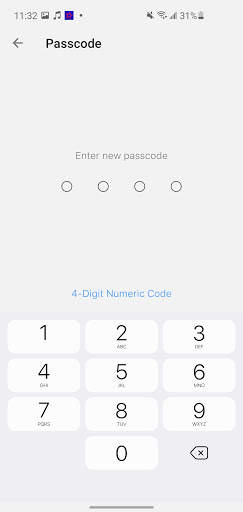
Set up a passcode
- On your phone, open Lock Screen & Notification ap.
- Tap Passcode option.
- Enable Passcode and Enter a six-digit passcode.
- Enter your passcode again to confirm it and activate it.
Lock Screen & Notification features:
- Display notifications with iOS 14 style on your lock screen
- Passcode protect your privacy.
- Smooth animation make android look like iOS 14
- Swipe left over notifications to manage, view, or clear the notifications.
- Beautifully clock and time
- Group notification click to expand click to collapse.
- Turn on flash light without unlock.
- Quick open camera on lock screen


- Update logic
- Fixed critical issues


