

DOWNLOAD IS NOT SUPPORTED IN WEB STORE!
Use the latest version of 9Apps to download APK&OBB file of games in one click!
DOWNLOAD 9APPS
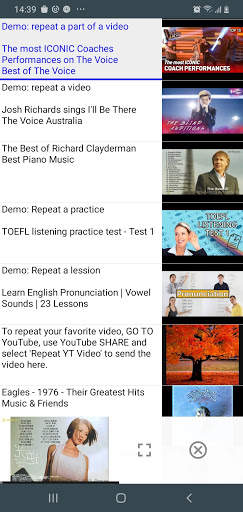
You can repeat a YouTube video, and repeat a part of the video.
How to repeat a YouTube video?
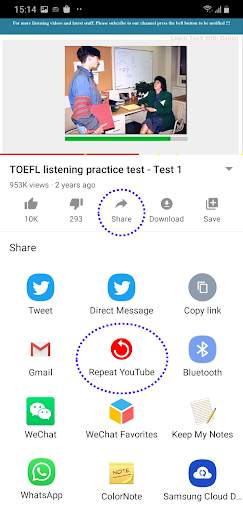
When watching a video on YouTube or YouTube music, if you want to repeat the video or a part of the video for several times:
1. On YouTube screen, click 'Share' icon;
2. In the share menu, select 'Repeat YT Video app.
Then the App will start to repeat the video.
How to repeat a part of a YouTube video?
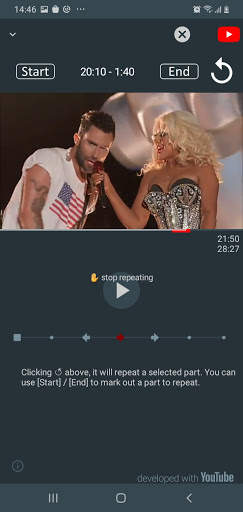
When watching a video in this App, using 'Start' and 'End' to mark out the part of the video. When clicking 'End' or 'Replay', the App will repeat the selected portion of the video.
The Repeat YouTube Video App is a third party app, and developed with YouTube. All the video contents are provided by YouTube services https://www.youtube.com/yt/copyright/
YouTube and the YouTube logo, trademark, and trade dress are registered trademarks owned by Google Inc.
Privacy Policy
We don't collect any kind of personal information.



![[3 Hours Loop] 4K Gradient Mood Lights Purple Orange | Smooth LED Lights for Background screenshot 4](https://i.ytimg.com/vi/PQoLr7eVLUI/mqdefault.jpg)

bug fixes



Temple Run 2
4.4122.1MB

imo beta -video calls and chat
4.394.0MB

Stickman Fighting
3.059.6MB

ShopClues
3.816.4MB

Talking Tom Cat
3.963.0MB

Dearmet: Video Chat, Live Talk
4.043.4MB

Facebook Lite
4.02.5MB

Quikr: Homes, Jobs, Cars Etc
4.120.8MB

Offline Music Mp3 Player- Muso
4.535.9MB

Candy Crush Saga
4.491.1MB