









DOWNLOAD IS NOT SUPPORTED IN WEB STORE!
Use the latest version of 9Apps to download APK&OBB file of games in one click!
DOWNLOAD 9APPS
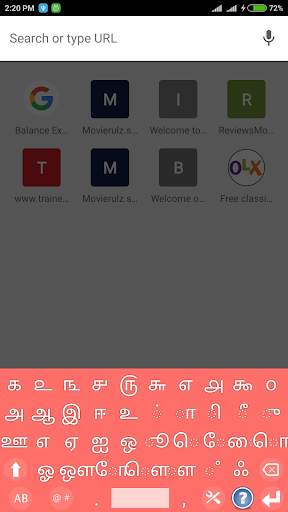
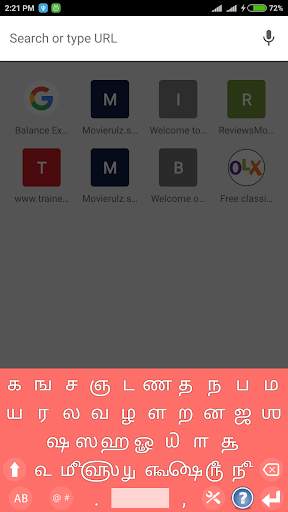
Tamil Keyboard is a best typing interface with dynamic key layout.
This Tamil Keyboard can be used for all kinds of applications where Tamil (தமிழ்) text is required.
Tamil Keyboard app is used for messaging, searching, social media and other applications through android devices.
Installation Process:
1. Download and install this application on your Android Device.
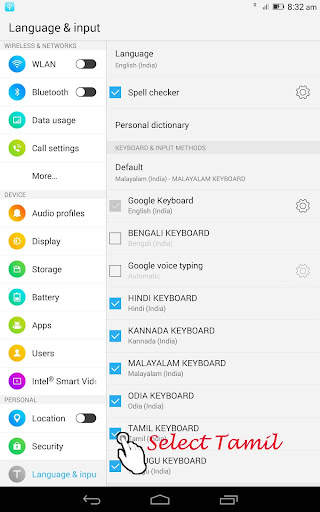
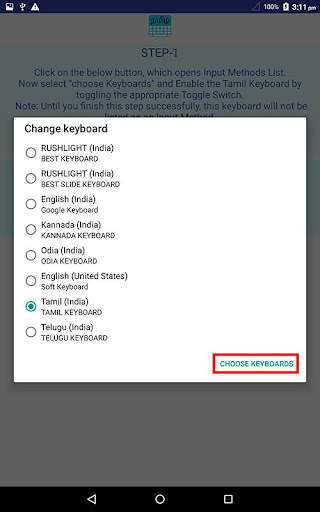
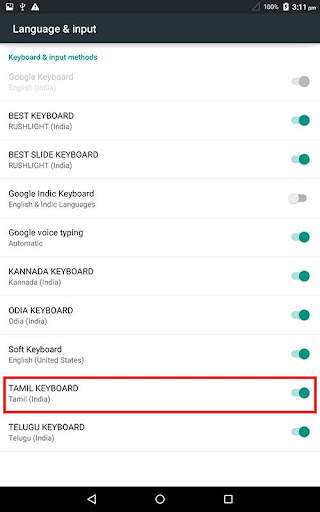
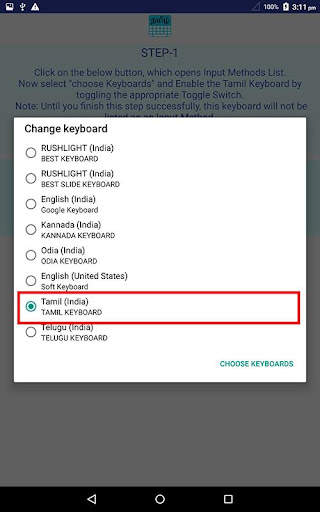
2. Go to "Settings"->"Language & input" -> Current Keyboard -> Choose Keyboards & Enable Tamil Keyboard -> Check the "Tamil Keyboard".
3. Now open any messaging app and make focus on to text editor area.
4. Select "Tamil Keyboard" from "Choose Input Method" available on the Notification bar.
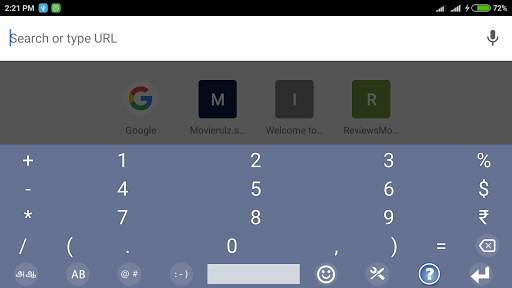
5. Now you can enjoy the features of Tamil Keyboard App.
It has 2 special features:
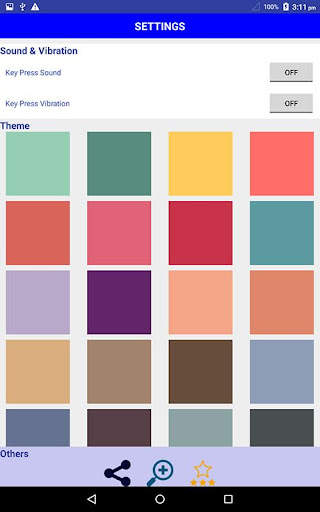
1. Settings: sound, vibrate, and options to select English keyboard layout.
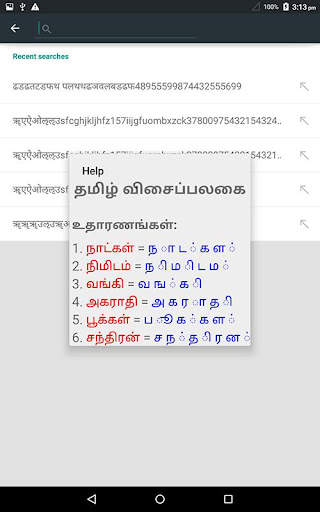
2. Help: Info on typing process with examples.
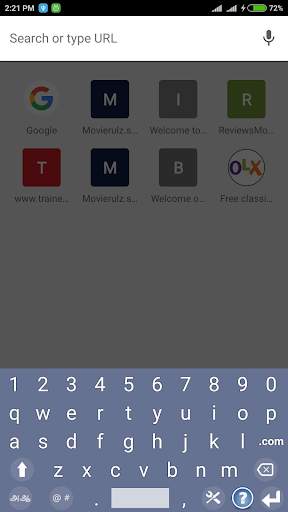
3. swipe left and right to change among english, tamil (தமிழ்), and numeric keyboards.
4. Best color themes.
5. Best fit to various screen sizes.
6. Clear TEXT View.
7. Best for Typing Tamil (தமிழ்)Text.
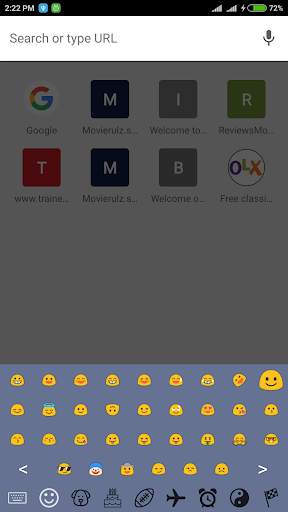
8. Added Emoji support
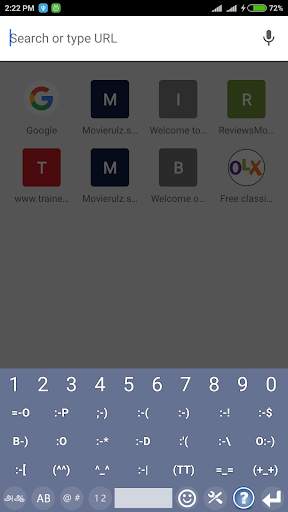
9. Added Text Emoji support
10. Added many more special characters
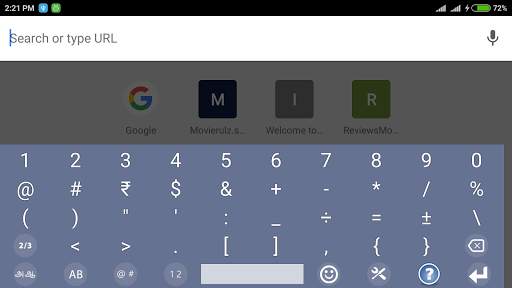
11. Added separate numeric keyboard
12. Added few more tamil characters for complete language support.
There is feature of switching option among English, Tamil (தமிழ்), and Numeric-Symbolic layouts.
This is an Ad-supported and cost-free application.
Note1: If some one has problem with this application, please clear data/cache in "settings".
Note2: Device must have Tamil font to view text clearly, otherwise text appears like boxes.





New Features:
1. Added Emoji support
2. Added Text Emoji support
3. Added many more special characters
4. Added separate numeric keyboard
5. Added few more tamil characters for complete language support.