









DOWNLOAD IS NOT SUPPORTED IN WEB STORE!
Use the latest version of 9Apps to download APK&OBB file of games in one click!
DOWNLOAD 9APPS
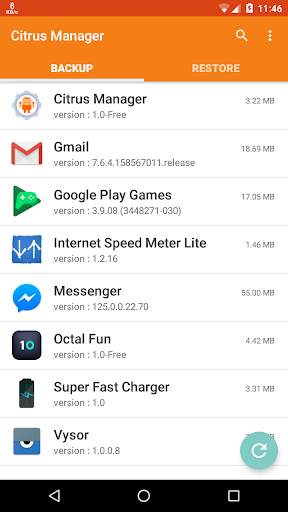
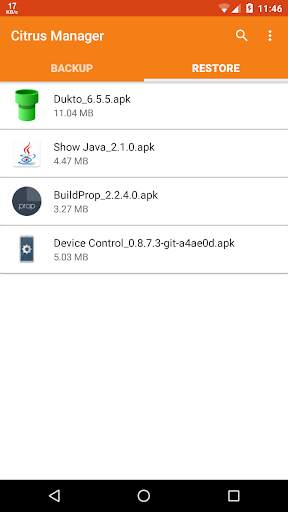
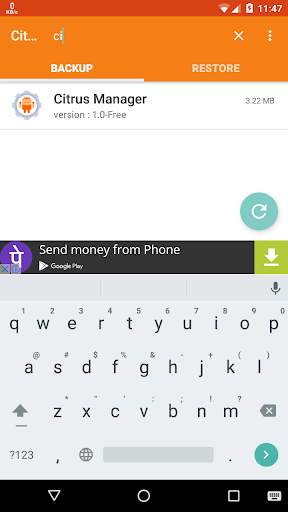
Sideloader for Fire TV gives you the power to Sideload APK Files to Amazon devices, such as Firestick, Fire TV, and Kindle Fire.
Also enjoy the ability to Sideload to any Android device!
- How to Use Fire Sideloader to Sideload APKs on Fire TV & Firestick
1) Install the Sideloader for Fire TV app onto your Android phone or tablet
2) Now install the ES File Explorer app onto your Android smartphone / tablet.
Then install ES File Explorer on your Firestick / Fire TV / Android TV Box.
3) Launch the ES File Explorer app *on your Firestick / Fire TV*, then select "Network".
Now select "Remote Manager".
Then use the Fire TV Remote to select the blue button in ES File Explorer to Start the FTP server.
The File Server lets us Sideload APK files to our Fire device.
4) On your Android smartphone or tablet, launch Sideloader for FIre TV.
5) Using the "Backup" tab of Sideloader for Fire TV, select an app you want to sideload to your Fire device or Android TV Box.
Then press "Backup" to export the APK file so we can sideload it.
6)
Now, press the "Restore" tab of the Sideloader for Fire TV app.
7)
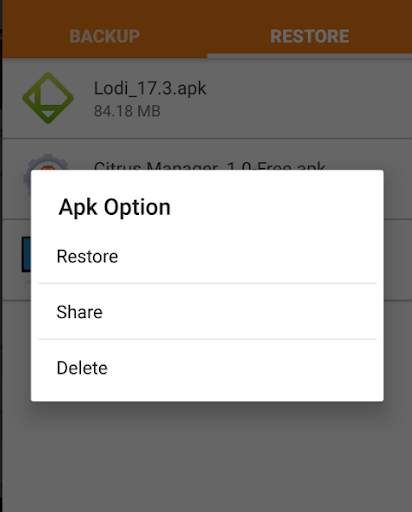
Then press the app you want to sideload (the same one we just "Backed up")
9)
Press "Share"
10)
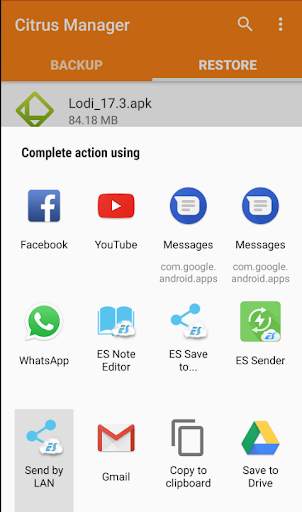
In the "Share" dialog, select "Send by LAN" (this has the blue and white "ES File Explorer" icon).
11)
Your Android device now attempts to find your Fire device on your WiFi network.
Both devices must be on the same WiFi network for this to work!
12)
On your Android phone or tablet, now select the Device that appears in the "Send to.." window
13)
Now on your Firestick / Fire TV / Android TV Box, on your screen you will see a prompt asking if you'd like to Accept the file transfer.
Select "Accept" or "Yes".
14)
Watch the file transfer progress on your Android device and/or the Fire device, since they both display the Sideload progress bar.
15)
Once the sideload is complete (transfer finished), select "Open File" on your Fire device to launch the APK file (for example: Kodi, Aptoide TV, or CetusPlay).
- How to Export APK Files,
Backup Apps, and Restore Apps with Sideloader for Fire TV
1) Easily take backups of your apps and restore them using the Backup / Restore tabs of the Sideloader for Fire TV app.
This is particularly useful for storing multiple Kodi forks or XBMC builds on one device.
2)
To back up APK files, use the "Backup" tab of Sideloader for Fire TV.
3)
For restoring files, use the "Restore" tab of the Sideloader for Fire TV app for TV & smart devices
With Sideloader for Fire TV, it's easy to Sideload apps to Fire TV & Fire Stick.
Additionally, this app makes it a breeze to install Kodi, sideload Kodi, or even Back up your Kodi APK file!
Bug Fixes


