









DOWNLOAD IS NOT SUPPORTED IN WEB STORE!
Use the latest version of 9Apps to download APK&OBB file of games in one click!
DOWNLOAD 9APPS

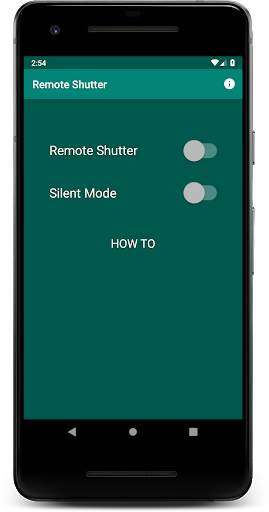
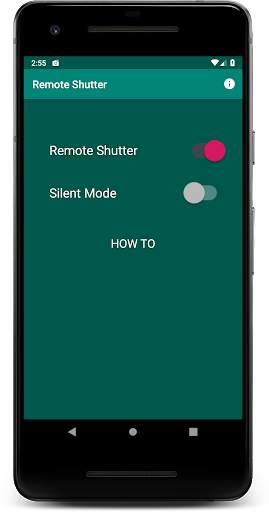
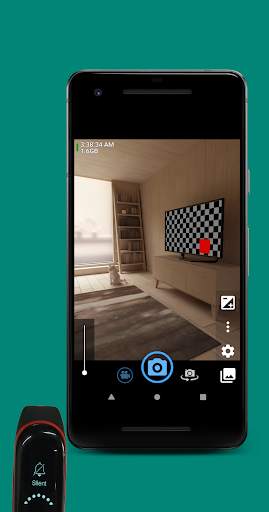
Works for any smart device, smartband, smartwatch that can mute/unmute your phone: Mi Band 3, (Android) Wear OS watches, etc. No pairing required!
No Ads. No Premium.
1. Turn on Remote Shutter.
2. (Optional) Turn on silent mode to force your phone on silent mode (will turn off shutter sound)
3. Open one of these camera apps:
•
Open Camera (https://play.google.com/store/apps/details?id=net.sourceforge.opencamera)
,
•
Bacon Camera (https://play.google.com/store/apps/details?id=com.fgnm.baconcamera)
,
•
Night Selfie Camera (https://play.google.com/store/apps/details?id=hu.kiti.development.camerademo)
,
•
Circle Camera (https://play.google.com/store/apps/details?id=com.camera.at.circle)
,
•
Free Camera (https://play.google.com/store/apps/details?id=net.sourceforge.freecamera)
4. To take photo or record video, mute/unmute your phone from your smart device: Mi Band 3, (Android) Wear OS watch, etc.
Launcher icon is created using Launcher Icon Generator by Roman Nurik.
Feature Graphic is created using Android Feature Graphic Generator by Litrik De Roy.
Special thanks: Lukito H, Erdiavin P, Willem P.



v1.0.1
• Show "HOW TO" description. Could be hidden/shown by tapping the "HOW TO" text.
v1.0.0
• Tested works for Mi Band 3, but should also works on any smartband/smartwatch/smart device which has function to mute/unmute your phone.


