










DOWNLOAD IS NOT SUPPORTED IN WEB STORE!
Use the latest version of 9Apps to download APK&OBB file of games in one click!
DOWNLOAD 9APPS

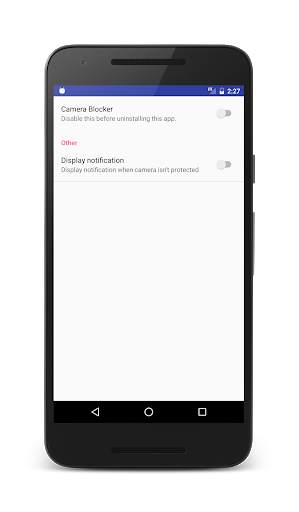
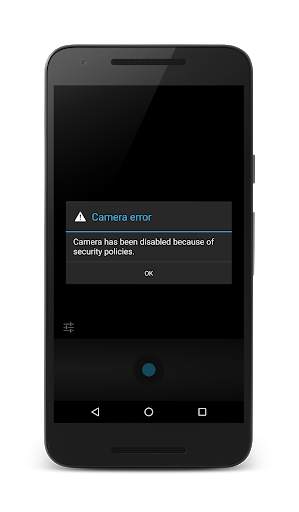
Trustworthy app for those who want to be able to simply block/unblock the built-in camera(s) across the whole system for all apps.
No permissions required accept Device Administrator, which is mandatory for changing system settings. But no fear, this app does nothing but toggling android’s camera device policy using the standard devicePolicyManager.setCameraDisabled method.
You can review the source code on https://github.com/jurijalbegger/camerablocker
Recommended usage:
- Turn blocking on. This will block your camera outlasting reboots, updates and other changes. You must disable this to uninstall the app.
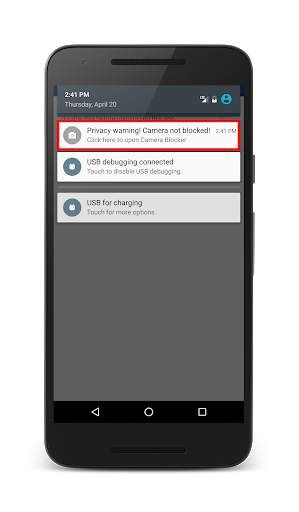
- When you want to make photos/videos, turn blocking off temporarily. An ongoing notification will remind you about this open privacy risk (this functionality must be enabled!)
- Then turn blocking on again and protect yourself from spying eyes!
Info:
While the camera app is open, no other app can use the camera, because it's already used by the camera app.
Version 1.2.5:
The app is now compatible with older devices.
Version 1.2.0:
It's now easier to uninstall the app.
Added icons to the preferences.
Version 1.1.1:
You can now use the back button to exit.
Version 1.0.0:
You can now optionally display a notification while the camera isn't protected.


