











DOWNLOAD IS NOT SUPPORTED IN WEB STORE!
Use the latest version of 9Apps to download APK&OBB file of games in one click!
DOWNLOAD 9APPS
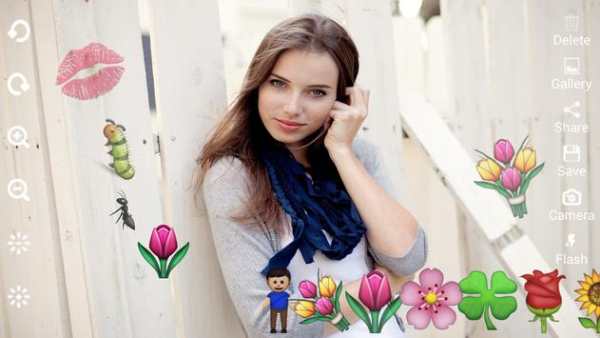

My Emoji Camera let you draw more than 200 emoji and smiley on capture image or your exist pictures from gallery.
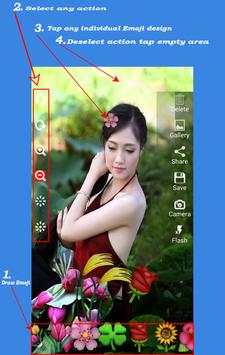
How to use My Emoji Camera
When My Emoji Camera application is launch you can capture a new image and can edit before capture OR you can select image from your phone gallery for drawing emoji art.
1.
At screen bottom select emoji and smiley from gallery
2.
Select any action like Rotate (left, right), Zoom-In, Zoom-Out, Increase decrease transparency and tap on individual emoji art and see the effect
3.
If you don’t like any emoji you can delete it by delete action and then tap emoji
4.
Once all editing is done you can save it or share by your favorite app
Features
✔ More than 200 emoji and smiley design art
✔ Can also select existent picture from gallery to draw emoji art
✔ Can rotate (left, right), Zoom-In, Zoom-Out, Increase decrease transparency, on two method
✔ 1st you can rotate (left, right), Zoom-In, Zoom-Out using gesture pinch
✔ 2nd You can
rotate (left, right), Zoom-In, Zoom-Out using from tool menu which is more easy then gesture pinch
✔ On finger drag emoji
✔ Save edit picture in SD Card
✔ Share edit image by your favorite app
✔ Front camera supported
✔ Flashlight supported
✔ More Emoji art added soon
✔ All feature and art absolutely FREE….


