
DOWNLOAD IS NOT SUPPORTED IN WEB STORE!
Use the latest version of 9Apps to download APK&OBB file of games in one click!
DOWNLOAD 9APPS

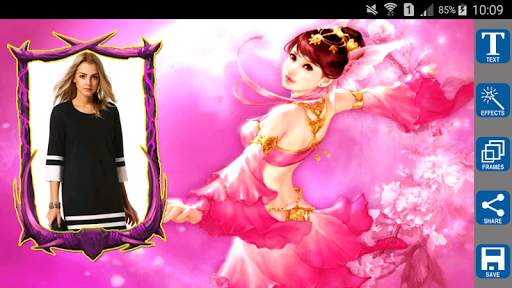






Fantasy Photo Frames
STEPS:
✔Select any photo / picture from Gallery (or) Take a picture using Camera and embed the photo of your choice into beautiful Fantasy Photo Frames.
✔You can easily apply different color, photo effects or fonts to your pictures with Fantasy Photo Frames.
✔Share your images via WhatsApp, Telegram, Line, Facebook, Twitter, email and other social networks.
NOTE:
Once you select the picture from Camera or Gallery, Choose the Photo Frame, then selected picture is placed at left side of the frame by default, Please drag the selected picture as per the photo frame (Center or Right Side).
Key Features:
✔ Select a photo or picture from gallery or capture it with your camera phone in real time.
✔ You can add text to the frame, Can change the size, color and font of the text at any time.
✔ You can Rotate, scale, zoom in, zoom out or drag the photo to fit the frame as you like.
✔ More than 30 Fantasy Photo frames are available in this app.
✔ Fantasy Photo Frames app supports all screen resolutions of mobile and tablet devices.
✔ Save your image to SD card.
✔ Share your images via WhatsApp, Telegram, Line, Facebook, Twitter, email and other social networks.
✔ Save your new edited Fantasy Frame images and share it instantly on social networks.
✔ Fantasy Photo Frames is very easy to use.
✔ Fantasy Photo Frames does not require internet connection.
✔ Fantasy Photo Frames is completely free download.
Download Fantasy Photo Frames App now.