













DOWNLOAD IS NOT SUPPORTED IN WEB STORE!
Use the latest version of 9Apps to download APK&OBB file of games in one click!
DOWNLOAD 9APPS

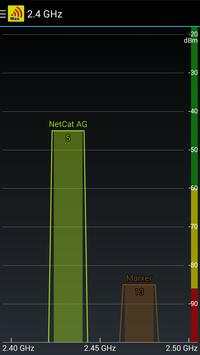
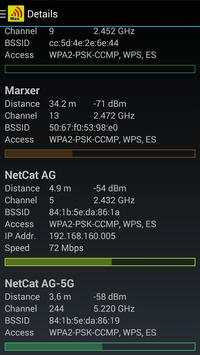
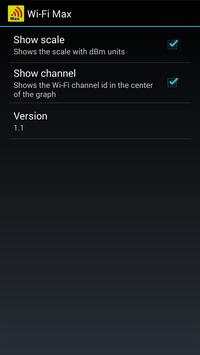
Professional but yet easy to use WiFi scanner and analyzer that lets you maximize the throughput of your WiFi network. Note that this app does not need more access rights than necessary!
Here are the 4 steps of the WiFi Max procedure:
Step 1: Make sure that your WiFi access point does not interfere with other access points.
Start the WiFi Max App and see how it scans the WiFi network. Make sure that the painted graphs do not overlap. Consult the user manual of your WiFi access point and change its channel if necessary.
Step 2: Choose a good position for your access point.
Position your mobile device at the location where you use it at most. Start the WiFi Max App and touch the graph of your WiFi channel. Your mobile device will start "beeping". Change the location of your access point (e.g. put it onto a cupboard etc.) until the device beeps as high as possible. The higher the beep the better.
Step 3: Optimize the orientation of the antenna.
Set up your mobile device as described in step 2 and change the direction of the antenna of your access point (if possible). The higher the beep of the mobile device the better.
Step 4: That's it! Enjoy the maximized throughput of your WiFi network!
- Support for 5 GHz networks
- List with more details
- Scanning is now possible without enabling Wi-Fi if "Always allow scanning" is enabled in the advanced Wi-Fi settings (only for Android 4.3 or higher)
- Bugfix


