













DOWNLOAD IS NOT SUPPORTED IN WEB STORE!
Use the latest version of 9Apps to download APK&OBB file of games in one click!
DOWNLOAD 9APPS

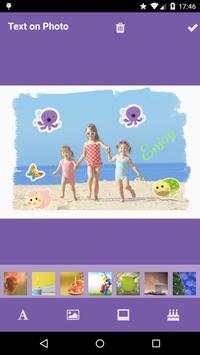




A simple but useful application to create cool photo cards with text, backgrounds, frames and stickers. You can unleash your creativity with this powerful app.
How to use Text Over Photo App?
1. Choose your photo from gallery or pick any backgrounds that are bundled with the app.
2. Add text with different fonts and color. There are around 20 different and elegant fonts to choose. Also you can change the text color with the color picker tool.
3. Add Stickers to the photo. You have different varieties of stickers available to select.
4. Add different frames to the photo. These different kind of frames will completely alter the look of a image.
5. Flip and delete the stickers and text added to the photo cards.
5. Save and share your creativity with the world through social network such as Instagram, Facebook, Twitter and etc.
Minor Changes


