
DOWNLOAD IS NOT SUPPORTED IN WEB STORE!
Use the latest version of 9Apps to download APK&OBB file of games in one click!
DOWNLOAD 9APPS
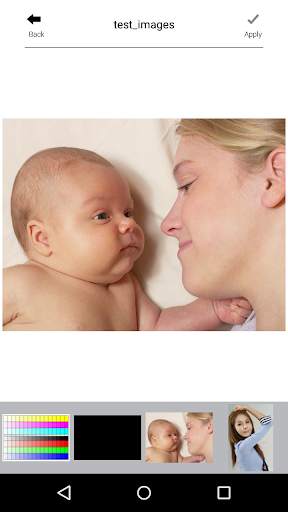
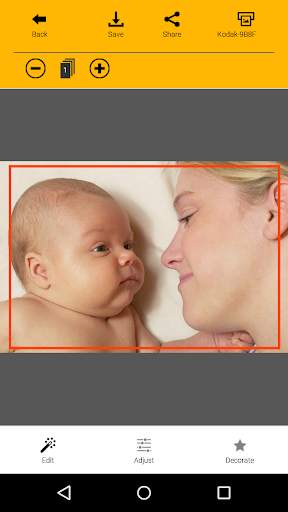
Thank you for purchasing KODAK Instant Printer.
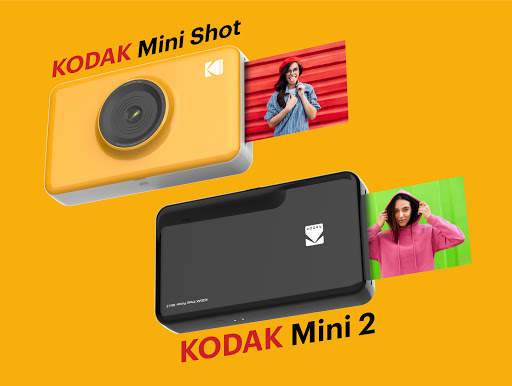
Supported Models :
-Kodak Minishot Camera
-Kodak Mini2 Printer
Easily print amazing photos with KODAK Instant Camera and Printer.
The "KODAK"
Instant Camera and photo printer can be used to print images from smartphones by connecting Bluetooth to the device.
You can take and edit pictures on smartphones or tablets. It will instantly print your precious moments!
[How to Use]
1. Make sure you recharge the printer before you use it.
2. Make sure the Adapter is connected properly.
3. Turn on the printer/Camera.
4. Go to Bluetooth setting and find the printer’s MAC address.
The MAC address is placed inside the printer’s door.
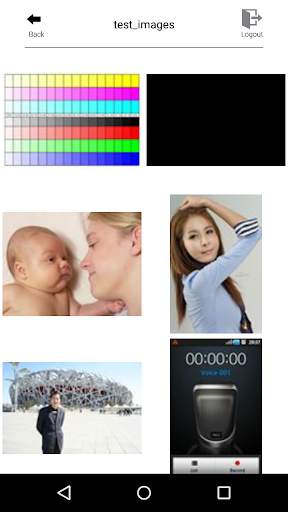
5. Select an image from the Gallery or take a photo with your smartphone.
6. Once image has been selected, edit the image with your personal preference.
7. Now press print button located on top of the printer when editing is completed.
8. When you print for the first time, it may need to update the firmware. Please follow the instruction shown on the screen of your smartphone.
9. It will take about a minute to fully print. Please do not pull the photo until it is completely printed.





Candy Crush Saga
4.491.1MB

Quikr – Search Jobs, Mobiles,
4.120.8MB

Offline Music Mp3 Player- Muso
4.535.9MB

imo Panggilan Video & Teks
4.394.0MB

Facebook Lite
4.02.5MB

Mushroom Takeover
4.569.0MB

Temple Run 2
4.4122.1MB

ShopClues
3.816.4MB

Dearmet: Video Chat, Live Talk
4.043.4MB

Talking Tom Cat
3.963.0MB