dishpointer on 9Apps

Free download latest dishpointer for Android here and enjoy it with your phone. Below you can download a list of top and latest apps related to dishpointer . 9APPS is a fast, safe app store. With 9APPS, you can save a lot of time on searching and downloading apps.

#1 उपग्रह खोजक प्रो (डिसपॉइंटर)

उपग्रह खोजक प्रो (डिसपॉइंटर)
Rating: star 4.0 | Version: 6.1.5 | Size: 37.9MB
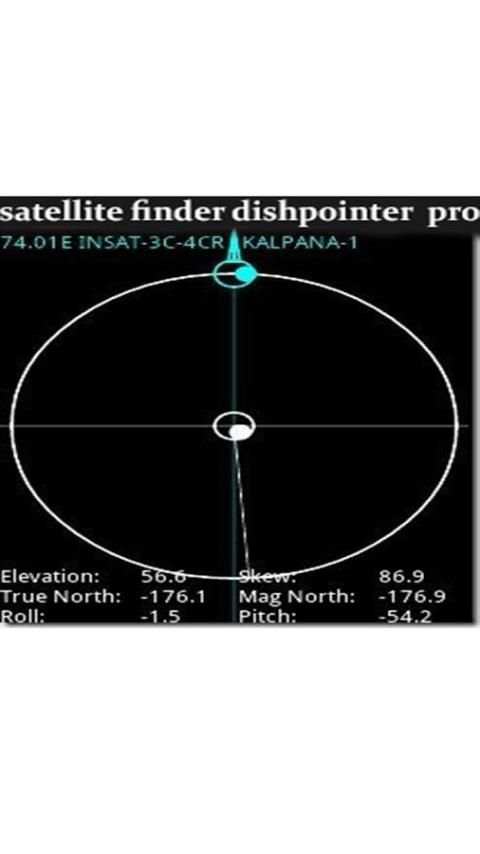
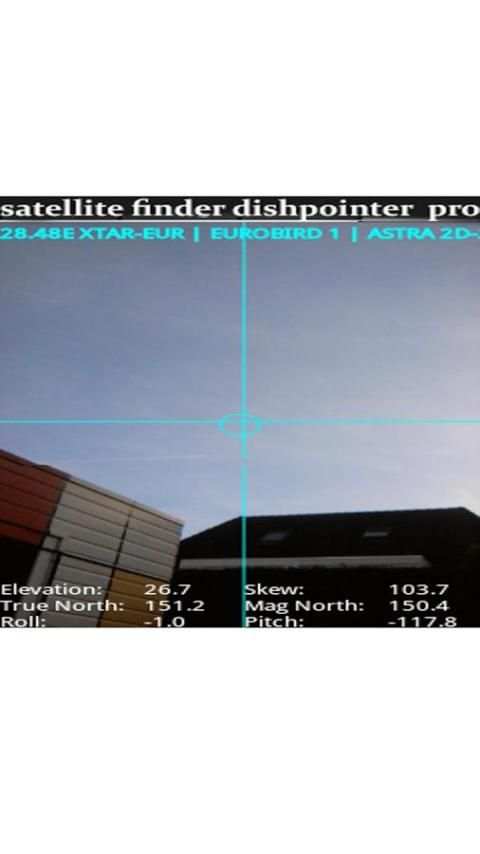
उपग्रह खोजक प्रो (डिसपॉइंटर) स्क्रीनशॉट 1 उपग्रह खोजक प्रो (डिसपॉइंटर) स्क्रीनशॉट 2 उपग्रह खोजक प्रो (डिसपॉइंटर) स्क्रीनशॉट 3

उपग्रह खोजक प्रो (डिश पॉइंटर) एक उपकरण है जो होगा:
कहीं भी पकवान स्थापित करने में आपकी मदद करें।
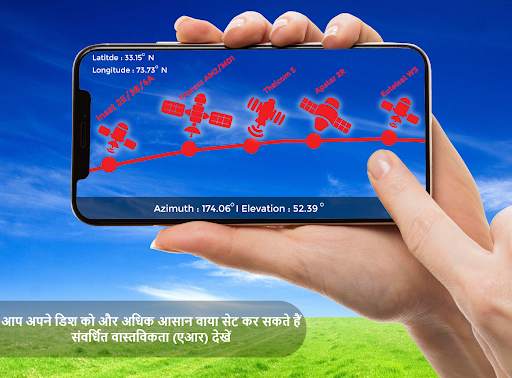
संवर्धित वास्तविकता का उपयोग करते हुए उपग्रह डिश एंटेना के संरेखण में सहायता करता है।
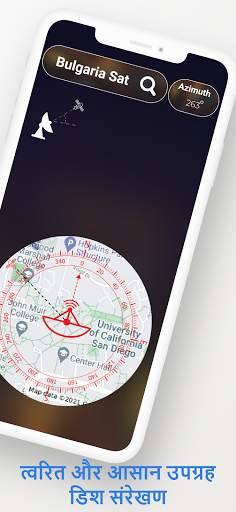
यह कम्पास में भी बनाया गया है जो आपको उचित उपग्रह स्थिति खोजने में मदद करेगा।
यह कैमरे के दृश्य पर उपग्रहों की स्थिति दिखाने के लिए संवर्धित वास्तविकता का उपयोग करता है।
स्वचालित रूप से GPS का उपयोग करके स्थानीय स्थिति निर्धारित करता है।
डिश एंटीना संरेखित करने के लिए आवश्यक सभी मूल्यों की गणना करता है।
यह अज़ीमुथ सेटर आपको कम से कम परेशानी के साथ अपने पकवान को इंगित करने में मदद करता है।
यह डिशपॉइंट ऐप आपको अपने स्थान और चयनित उपग्रह के आधार पर अपने उपग्रह डिश को संरेखित करने में मदद करता है।
यह उपग्रह खोजक ऐप आपको क्षैतिज और लंबवत दिशा दिखाता है जिसमें आप अपने उपग्रह डिश को संरेखित करने जा रहे हैं। आपके स्थान के आधार पर निम्नलिखित उपग्रह उपलब्ध हैं:
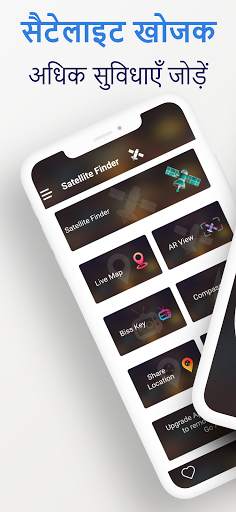
अतिरिक्त सुविधाये? तीन अतिरिक्त उपयोगी विशेषताएं:
लाइव अर्थ मैप: इस लाइव अर्थ मैप में पृथ्वी के चार दृश्य जैसे नॉर्मल व्यू, हाइब्रिड व्यू, सैटेलाइट व्यू और टेरेन व्यू हैं
आपको स्थानों की बेहतर समझ प्रदान करें। यह यातायात प्रवाह का भी संकेत देता है।
एआर-डिस्प्ले: आपको अब तक की सबसे अच्छी संवर्धित वास्तविकता प्रौद्योगिकी मिलेगी। वास्तविक समय में अपने स्थान के लिए सभी उपलब्ध उपग्रहों को देखने के लिए अपने फ़ोन के कैमरे को इंगित करें। होम विंडो के बस (एआर डिस्प्ले) बटन पर टैप करें।
Biss Key Finder: यह फीचर एन्क्रिप्टेड सैटेलाइट चैनलों की biss की के लिए तेजी से सर्च करने के लिए है। कुंजी स्वचालित रूप से अद्यतन प्राप्त करते हैं।
इस एप्लिकेशन का उपयोग कैसे करें:
1. आपको यह सुनिश्चित करने के लिए करना होगा कि आपके फोन में इंटरनेट कनेक्शन और जीपीएस चालू हो।
यदि आप स्थान में सर्वोत्तम सटीकता प्राप्त करना चाहते हैं - आपको बाहरी होना चाहिए, या कम से कम एक खिड़की के करीब आना चाहिए;
2. सैटेलाइट फाइंडर बटन पर क्लिक करके वांछित सैटेलाइट का चयन करें, फिर सैटेलाइट नेम और अंत में सर्च बार पर क्लिक करें। सॅटॅलाइट की एक सूची
अपने इच्छित का चयन करने के लिए प्रकट होगा। आपको अपने स्थान के लिए गणना की गई अक्षांश और देशांतर के साथ अपने चयनित सैटलाइट का अज़ीमथ मिलेगा।
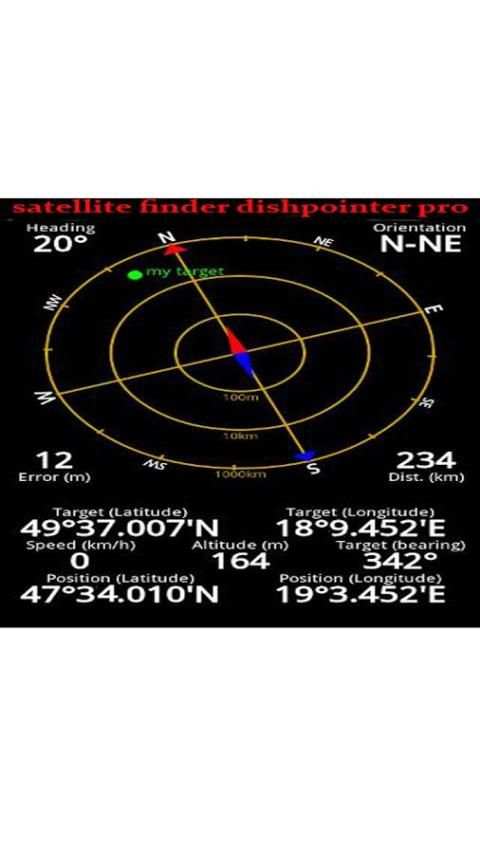
3. परिकलित मूल्यों के तहत अज़ीमुथ कोण के चित्रमय प्रतिनिधित्व के साथ एक कम्पास है। दिगंश कोण की गणना चुंबकीय झुकाव के साथ की जाती है।
याद रखें - हर बार जब आप कम्पास का उपयोग करते हैं - आपको इसे जांचना चाहिए।
ध्यान दें:
सैटेलाइट फाइंडर प्रो (डिशपॉइंटर) आपके अजीमथ को प्राप्त करने के लिए आपके फोन सेंसर का उपयोग करता है इसलिए उपग्रह की स्थिति की गणना आपके मोबाइल सेंसर की सटीकता पर निर्भर करती है।

...

👉 For More Detail of उपग्रह खोजक प्रो (डिसपॉइंटर)

#2 dishpointer satellite finder

dishpointer satellite finder
Rating: star 3.0 | Version: 14.2.3 | Size: 3.3MB
dishpointer satellite finder स्क्रीनशॉट 1 dishpointer satellite finder स्क्रीनशॉट 2

dishpointer satellite finder, an Android satellite finder. / dishpointer satellite finder azimuth
The Lite version is slimmed down version of the full SatFinder, which has additional functionality such as Target Satellite view dish network azimuth .
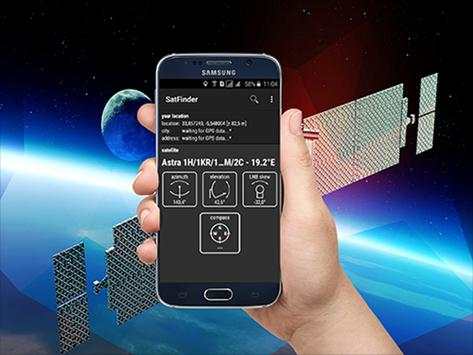
SatFinder dishpointer satellite finder is a tool for finding TV satellites and aligning satellite dishes. Use your Augmented Reality Camera view to see and target satellites in the sky. It can be used anywhere in the world since all major TV satellites are in the database compass .
*New feature: Ability to manually enter Location latitude and longitude details in case Location cannot be automatically determined in case of "no connectivity" dishpointer satellite finder azimuth
How to use this app: dish network dishpointer satellite finder
1. First of all, you should enable GPS and Internet on your phone. Remember – in most cases it is impossible to receive GPS signal inside buildings. So if you want to get very accurate location – please go near windows or go even outside compass .
In current app version location should be found quite immediately. So if you stuck with ‘no location’ message please make ensure that you got enabled all required features/permissions.
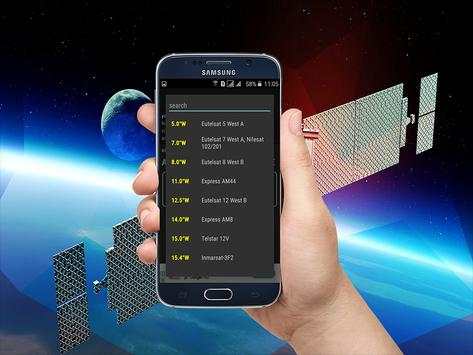
2. If app found your location, you must select desired satellite. To do this you must find icon with magnification glass and tap it. On the list you will find all satellites with elevation angle above zero degrees. Remember: satellite name doesn’t affect the calculation of angles. Important thing is satellite position azimuth .
3. The azimuth, elevation and skew angle is calculated for your location and chosen satellite. Under calculated values there is a compass with graphical representation of azimuth angle. The azimuth angle is calculated with magnetic inclination. Remember – every time you use compass – you should calibrate it. Green line represents your phone azimuth. So if on compass green and red indicators are on each other – front of the phone should show you direction to the satellite. If the compass value is correct – phone azimuth value will go green.
The antenna or satellite dish adjustment steps: dishpointer satellite finder azimuth
1- choose a satellite and authorize geolocation to determine the direction of the antenna orientation.
2- Show satellite in augmented reality with your camera and make sure there are no obstacles and validate the location of your antenna.
3. Check that the support of your antenna is vertical.
4. Calculate the polarization and adjust the rotation of the LNB (the head of your antenna)
5. Set the elevation
6- Search orientation with visual and sound assistant
7- Fine adjustments.
Dish Pointer supports:
INTELSAT, INMARSAT, TIANLIAN, EUTELSAT, AMC, LUCH, COSMOS, OPTUS, APSTAR, SUPERBIRD, BEIDOU, JCSAT, CHINASAT, PALAPA, AFRICASAT-2, ABS, KIKU-8, MTSAT, MBSAT, KIZUNA, SINOSAT, ST, HIMAWARI-6, EXPRESS-AM, N-STAR, VINASAT, ZHONGXING, compass, COMS, , FENGYUN, GARUDA, ASIASAT, THAICOM, TELKOM, INDOSTAR, KOREASAT, N-SAT, BSAT, ASTRA, NSS, SES, ASIASTAR, EXPRESS, INSAT, KODAMA, YAMAL, TDRS, CHINASTAR, KAZSAT, RADUGA, HORIZONS, GSAT, ESIAFI, TELSTAR, ELEKTRO, KALPANA, LEASAT, RADUGA-1M, GALAXY, METEOSAT, BONUM, DIRECTV, DP, SKYNET, YAHSAT, SIRIUS, SYRACUSE, AZERSPACE,azimuth, AFRICASAT, NIMIQ, THURAYA, NIGCOMSAT, TURKSAT, HELLAS-SAT, AKSAT, NATO, ARABSAT, EUROBIRD, DFH, HYLAS, ORIZONT, XTAR, BADR, AMOS, COMSATBW, RADUGA-1, RASCOM, THOR, MSG, NILESAT, HISPASAT, ECHOSTAR, AMAZONAS, GOES, BRASILSAT, STAR, QUETZSAT, VENESAT, XM, ICO, SPACEWAY, SKYTERRA, LES, AMSC, GSTAR, SATCOM, MSAT, ANIK, SOLIDARIDAD, SATMEX, MEXSAT, HGS, CIEL, compass
Thank you for using the app "Satellite Director / SatFinder"
dishpointer उपग्रह खोजक, एक Android उपग्रह खोजक। / Dishpointer उपग्रह खोजक दिगंश
लाइट संस्करण पूर्ण SatFinder, जो इस तरह के लक्ष्य सैटेलाइट दृश्य डिश नेटवर्क दिगंश के रूप में अतिरिक्त कार्यक्षमता है के संस्करण नीचे slimmed है।
SatFinder dishpointer उपग्रह खोजक टीवी उपग्रहों को खोजने और सैटेलाइट डिश aligning के लिए एक उपकरण है। आकाश में देखते हैं और उपग्रहों को लक्षित करने के अपने संवर्धित वास्तविकता कैमरा दृश्य का उपयोग करें। यह दुनिया में कहीं भी इस्तेमाल किया जा सकता है, क्योंकि सभी प्रमुख टीवी उपग्रहों डेटाबेस कम्पास में हैं।
* नई सुविधा: मैन्युअल मामले स्थान में स्थान अक्षांश और देशांतर के विवरण दर्ज करने की क्षमता स्वत: "कोई कनेक्टिविटी" dishpointer उपग्रह खोजक दिगंश के मामले में निर्धारित नहीं किया जा सकता है
डिश नेटवर्क dishpointer उपग्रह खोजक: इस एप्लिकेशन का उपयोग कैसे करें
1. सबसे पहले, आप जीपीएस और इंटरनेट आपके फोन पर सक्षम होना चाहिए। याद रखें - ज्यादातर मामलों में यह इमारतों के अंदर जीपीएस संकेत प्राप्त करना असंभव है। तो आप बहुत ही सटीक स्थान प्राप्त करना चाहते हैं - निकट खिड़कियों जाने के लिए या यहां तक ​​कि बाहर कम्पास जाने के लिए कृपया।
वर्तमान एप्लिकेशन संस्करण स्थान में काफी तुरंत पाया जाना चाहिए। तो अगर आप 'कोई स्थान' संदेश के साथ अटक कृपया सुनिश्चित करें कि आप सक्षम हो गया सभी आवश्यक सुविधाएँ / अनुमतियों को बनाते हैं।
2. अगर एप्लिकेशन को आपके स्थान पाया, आप इच्छित उपग्रह का चयन करना होगा। ऐसा करने के लिए आप बढ़ाई गिलास के साथ आइकन पाते हैं और यह नल चाहिए। सूची पर आप शून्य डिग्री से ऊपर ऊंचाई कोण के साथ सभी उपग्रहों को मिलेगा। याद रखें: उपग्रह नाम कोण की गणना को प्रभावित नहीं करता। महत्वपूर्ण बात यह उपग्रह स्थिति दिगंश है।
3. दिगंश, ऊंचाई और तिरछा कोण अपने स्थान को और चुने उपग्रह के लिए गणना की है। मूल्यों की गणना के तहत दिगंश कोण की चित्रमय प्रतिनिधित्व के साथ एक कम्पास है। दिगंश कोण चुंबकीय झुकाव के साथ गणना की है। याद रखें - हर बार जब आप कम्पास का उपयोग करें - आप इसे ठीक करना चाहिए। ग्रीन लाइन अपने फोन दिगंश प्रतिनिधित्व करता है। तो अगर कम्पास पर हरे और लाल संकेतक एक दूसरे पर कर रहे हैं - फोन के सामने तुम उपग्रह को दिशा दिखाना चाहिए। अगर कम्पास मूल्य सही है - फोन दिगंश मूल्य हरी जाना होगा।
एंटीना या उपग्रह डिश समायोजन कदम: dishpointer उपग्रह खोजक दिगंश
1- एक उपग्रह को चुनते हैं और जियोलोकेशन को अधिकृत एंटीना अभिविन्यास की दिशा निर्धारित करने के लिए।
अपने कैमरे के साथ संवर्धित वास्तविकता में 2- उपग्रह दिखाएँ और सुनिश्चित करें कि कोई बाधाएं हैं बनाने के लिए और अपने एंटीना के स्थान मान्य।
3. जाँच करें कि आपके एंटीना के समर्थन खड़ी है।
4. ध्रुवीकरण की गणना और (अपने एंटीना के सिर) LNB के रोटेशन को समायोजित
5. ऊंचाई सेट
6 दृश्य और ध्वनि सहायक के साथ खोज की ओर रुख
7 ठीक समायोजन।
डिश सूचक समर्थन करता है:
इन्टेलसैट, इनमारसैट, TIANLIAN, EUTELSAT, एएमसी, लुक, ब्रह्मांड, Optus, APSTAR, SUPERBIRD, Beidou, JCSAT, CHINASAT, Palapa, AFRICASAT -2, एबीएस, किकू -8, MTSAT, MBSAT, Kizuna, SINOSAT, अनुसूचित जनजाति, HIMAWARI- 6, एक्सप्रेस-एएम, एन-स्टार, VINASAT, Zhongxing, कम्पास, COMS, Fengyun, गरुड़, Asiasat, THAICOM, Telkom, INDOSTAR, KOREASAT, एन-सैट, BSAT, एस्ट्रा, एनएसएस, सत्र, ASIASTAR, एक्सप्रेस, इनसैट , Kodama, यमल, टीडीआर, Chinastar, KAZSAT, Raduga, क्षितिज, जीसैट, ESIAFI, Telstar, ELEKTRO, कल्पना, LEASAT, RADUGA-1M, आकाशगंगा, Meteosat, bonum, DirecTV, डीपी, स्काईनेट, YAHSAT, सीरियस सिरैक्यूज़, AZERSPACE , दिगंश, AFRICASAT, NIMIQ, Thuraya, NIGCOMSAT, TURKSAT, HELLAS-सैट, AKSAT, नाटो, Arabsat, EUROBIRD, DFH, Hylas, Orizont, XTAR, बदर, अमोस, COMSATBW, RADUGA-1, RASCOM, थोर, एम एस जी, NILESAT , HISPASAT, ECHOSTAR, Amazonas, चला जाता है, BRASILSAT, सितारा, QUETZSAT, VENESAT, XM, ICO, SPACEWAY, SkyTerra, लेस, AMSC, Gstar, सैटकॉम, MSAT, अनिक, Solidaridad, SATMEX, MEXSAT, HGS, CIEL, कम्पास
एप्लिकेशन "सैटेलाइट निदेशक / SatFinder" का उपयोग करने के लिए धन्यवाद

...

👉 For More Detail of dishpointer satellite finder
#3 Satellite - Satfinder - Dishpointer

Satellite - Satfinder - Dishpointer
Rating: star 3.0 | Version: 1.0 | Size: 1.9MB
Satellite - Satfinder - Dishpointer स्क्रीनशॉट 1 Satellite - Satfinder - Dishpointer स्क्रीनशॉट 2 Satellite - Satfinder - Dishpointer स्क्रीनशॉट 3

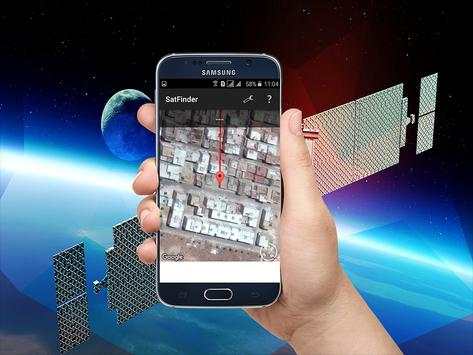
SatFinder (Satellite Finder) is a tool which will help you to set up satellite dish. It will give you azimuth, elevation and LNB tilt for your location (based on GPS) and chosen satellite from list. The result is shown both as numeric data and graphical on google maps. It has also built in compass which will help you to find proper satellite azimuth. It also can use augmented reality to show where is satellite on camera view.
Compass works only on devices with compass sensor (magnetometer).
How to use this app:
1. First of all, you should enable GPS and Internet on your phone. Remember – in most cases it is impossible to receive GPS signal inside buildings. So if you want to get very accurate location – please go near windows or go even outside.
In current app version location should be found quite immediately. So if you stuck with ‘no location’ message please make ensure that you got enabled all required features/permissions.
2. If app found your location, you must select desired satellite. To do this you must find icon with magnification glass and tap it. On the list you will find all satellites with elevation angle above zero degrees. Remember: satellite name doesn’t affect the calculation of angles. Important thing is satellite position.
3. The azimuth, elevation and skew angle is calculated for your location and chosen satellite. Under calculated values there is a compass with graphical representation of azimuth angle. The azimuth angle is calculated with magnetic inclination. Remember – every time you use compass – you should calibrate it. Green line represents your phone azimuth. So if on compass green and red indicators are on each other – front of the phone should show you direction to the satellite. If the compass value is correct – phone azimuth value will go green.

...

👉 For More Detail of Satellite - Satfinder - Dishpointer

#4 dishpointer satellite locator

dishpointer satellite locator
Rating: star 3.0 | Version: 3.2 | Size: 3.2MB
dishpointer satellite locator स्क्रीनशॉट 1 dishpointer satellite locator स्क्रीनशॉट 2 dishpointer satellite locator स्क्रीनशॉट 3

♣... dishpointer satellite locator, an Android satellite finder. / dishpointer satellite locator azimuth
The Lite version is slimmed down version of the full SatFinder, which has additional functionality such as Target Satellite view dish network azimuth .
SatFinder dishpointer satellite locator is a tool for finding TV satellites and aligning satellite dishes. Use your Augmented Reality Camera view to see and target satellites in the sky. It can be used anywhere in the world since all major TV satellites are in the database compass .
♣... New feature: Ability to manually enter Location latitude and longitude details in case Location cannot be automatically determined in case of "no connectivity" dishpointer satellite locator azimuth
♣... How to use this app: dish network dishpointer satellite locator .
-1. First of all, you should enable GPS and Internet on your phone. Remember – in most cases it is impossible to receive GPS signal inside buildings. So if you want to get very accurate location – please go near windows or go even outside compass .
In current app version location should be found quite immediately. So if you stuck with ‘no location’ message please make ensure that you got enabled all required features/permissions.
-2. If app found your location, you must select desired satellite. To do this you must find icon with magnification glass and tap it. On the list you will find all satellites with elevation angle above zero degrees. Remember: satellite name doesn’t affect the calculation of angles. Important thing is satellite position azimuth .
-3. The azimuth, elevation and skew angle is calculated for your location and chosen satellite. Under calculated values there is a compass with graphical representation of azimuth angle. The azimuth angle is calculated with magnetic inclination. Remember – every time you use compass – you should calibrate it. Green line represents your phone azimuth. So if on compass green and red indicators are on each other – front of the phone should show you direction to the satellite. If the compass value is correct – phone azimuth value will go green.
The antenna or satellite dish adjustment steps: dishpointer satellite locator azimuth
-1- choose a satellite and authorize geolocation to determine the direction of the antenna orientation.
-2- Show satellite in augmented reality with your camera and make sure there are no obstacles and validate the location of your antenna.
-3. Check that the support of your antenna is vertical.
-4. Calculate the polarization and adjust the rotation of the LNB (the head of your antenna) dishpointer
-5. Set the elevation
-6- Search orientation with visual and sound assistant
-7- Fine adjustments. dishpointer
♣... Dish Pointer supports: dishpointer satellite locator azimuth
INTELSAT, INMARSAT, TIANLIAN, EUTELSAT, AMC, LUCH, COSMOS, OPTUS, APSTAR, SUPERBIRD,satellite, BEIDOU, JCSAT, CHINASAT, PALAPA, AFRICASAT-2, ABS, KIKU-8, MTSAT, MBSAT,satellite, KIZUNA, SINOSAT, ST, HIMAWARI-6, EXPRESS-AM, N-STAR, VINASAT, ZHONGXING, compass, COMS, , FENGYUN, GARUDA, ASIASAT, THAICOM, TELKOM, INDOSTAR, KOREASAT, N-SAT, BSAT, ASTRA, NSS, SES, ASIASTAR, EXPRESS, INSAT, KODAMA, YAMAL, TDRS, CHINASTAR, KAZSAT, RADUGA, HORIZONS, GSAT, ESIAFI, TELSTAR, ELEKTRO, KALPANA, LEASAT, RADUGA-1M, GALAXY, METEOSAT, BONUM, DIRECTV, DP, SKYNET, YAHSAT, SIRIUS, SYRACUSE, AZERSPACE,azimuth, AFRICASAT, NIMIQ, THURAYA, NIGCOMSAT, TURKSAT, HELLAS-SAT, AKSAT, NATO, ARABSAT, EUROBIRD, DFH, HYLAS, ORIZONT, XTAR, BADR, AMOS, COMSATBW, RADUGA-1, RASCOM, THOR, MSG, NILESAT, HISPASAT, ECHOSTAR, AMAZONAS, GOES, BRASILSAT, STAR, QUETZSAT, VENESAT, XM, ICO, SPACEWAY, SKYTERRA, LES, AMSC, GSTAR, SATCOM, MSAT, ANIK, SOLIDARIDAD, SATMEX, MEXSAT, HGS, CIEL, compass
Thank you for using the app "Satellite Director / SatFinder"

...

👉 For More Detail of dishpointer satellite locator

#5 Satellite Finder Dishpointer pro

Satellite Finder Dishpointer pro
Rating: star 3.0 | Version: 4.1 | Size: 3.1MB
Satellite Finder Dishpointer pro स्क्रीनशॉट 1 Satellite Finder Dishpointer pro स्क्रीनशॉट 2 Satellite Finder Dishpointer pro स्क्रीनशॉट 3

)) Dishpointer Satellite Finder Pro, an Android satellite finder. / Dishpointer azimuth satellite locator
The Lite version is a smaller version of the full version of SatFinder, which has additional features such as satellite vision dish network satellite azimuth.
)) SatFinder Dishpointer Satellite Finder is a tool for finding TV satellites and aligning satellite dishes. Use your Augmented Reality view to see and target satellites in the sky. It can be used anywhere in the world as all major television satellites are in the database compass.
)) New Feature: Ability to manually enter the latitude and longitude location of where the location can not be determined automatically in case of "no connectivity" DishPointer azimuth satellite
)) How to use this application: Dish Network Satellite Finder Dishpointer.
1. First, you must enable GPS and the Internet to your phone. Remember that in most cases it is impossible to receive a GPS signal inside buildings. So if you want to get a very precise location, will close up or even go outside. The current location of the version of the application is to be found right away immediately. So if you are stuck with a message "no position" Satellite manager, make sure you have enabled the functionality / required permissions.
2. If the application has found your location, you must select the desired satellite to do so, you must find the icon with a glass and touch. On the list you will find all the satellites whose elevation angle is greater than zero degrees SatFinder. Remember: the sitting name does not affect the calculation of angles. The satellite position is important.
3. The angle of azimuth, elevation and slope is calculated for your location and selected satellite. According to the calculated values, there is a compass with a graphic representation of the azimuth angle. The azimuth angle is calculated with a magnetic tilt. Remember - each time you use the compass, you need to calibrate. The green line represents the azimuth of your phone. So if the compass, red Satelliteet indicators are green - the front of the phone should show you the direction of satellite If the value of the compass is correct - the value of the azimuth of the phone turns green Setting parable.
advice:
- If your smartphone does not have GPS, you can manually move the "marker" on the card until it points your exact location. Use the zoom for more details Dishpointer.
- The compass is very important to adjust your dish, but if your smartphone does not have one, you can still use the Satellite Pointer application. In this case, it will help you find clues and marks on your satellite card from your place of residence Dishpointer SatFinder. This also allows you to calculate the orientation. You can use a manual compass for good orientation.
- Do not hesitate to recalibrate the compass and avoid too close to the antenna arms, because it is sensitive to metallic elements. Try placing your smartphone when there are fewer SatFinder of magnetic interference SatFinder.
Specific aspects.
-Elevation
-Azimuth
-Distort
- This satellite manager has the ability to get the exact point where you are.
This application has the ability to get a big list of satellites
- The satellite sensor has the ability to change the point where you are on another specific point, by simply dragging a marqueur.Supports of
Thank you to use the application "Satellite Finder Dishpointer pro / SatFinder"

...

👉 For More Detail of Satellite Finder Dishpointer pro

Search Results

1/1

You may like

डाउनलोड वेब स्टोर में समर्थित नहीं है!
एक क्लिक में एपीके एंड ओबीबी फाइलें डाउनलोड करने के लिए 9Apps के नवीनतम संस्करण का प्रयोग करें
DOWNLOAD 9APPS