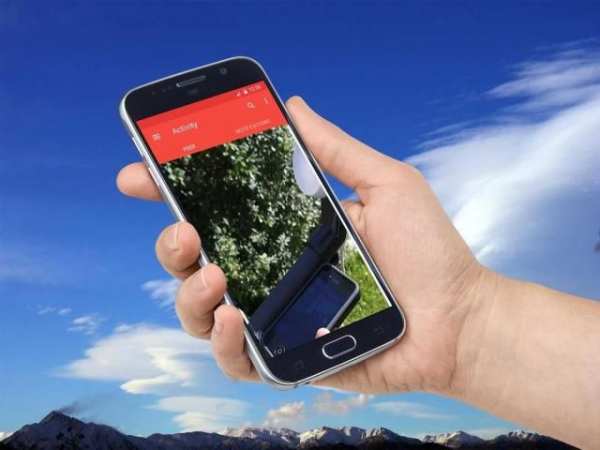
dishpointer on 9Apps

Free download latest dishpointer for Android here and enjoy it with your phone. Below you can download a list of top and latest apps related to dishpointer . 9APPS is a fast, safe app store. With 9APPS, you can save a lot of time on searching and downloading apps.

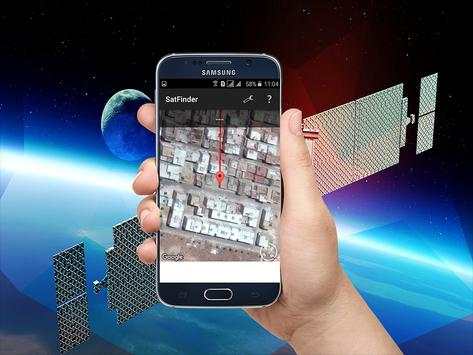
#1 مكتشف الأقمار الصناعية برو
مكتشف الأقمار الصناعية برو
Rating: star 4.0 | Version: 6.1.5 | Size: 37.9MB
مكتشف الأقمار الصناعية برو 1 تصوير الشاشة مكتشف الأقمار الصناعية برو 2 تصوير الشاشة مكتشف الأقمار الصناعية برو 3 تصوير الشاشة

Satellite Finder PRO (Dish Pointer) هي الأداة التي سوف:
تساعدك على إعداد الطبق في أي مكان.
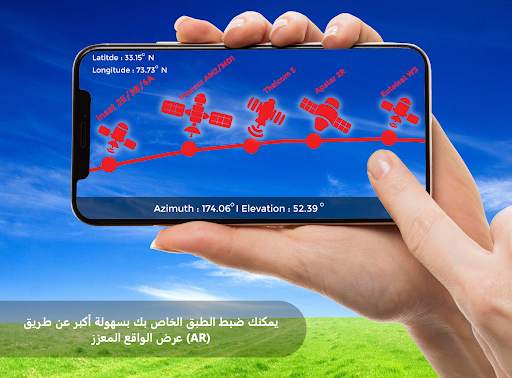
يساعد في محاذاة هوائيات طبق الأقمار الصناعية باستخدام الواقع المعزز.
وقد بنيت أيضا في البوصلة التي سوف تساعدك على العثور على موقف الأقمار الصناعية المناسبة.
ويستخدم الواقع المعزز لإظهار موقف الأقمار الصناعية على عرض الكاميرا.
يحدد الموقع المحلي باستخدام GPS تلقائيًا.
يحسب كل القيم اللازمة لمواءمة هوائي الطبق.
يساعدك أداة ضبط السمت هذه في توجيه طبقك بأقل قدر من المتاعب.
هذا التطبيق dishpointer يساعدك على محاذاة طبق الأقمار الصناعية الخاصة بك على أساس موقعك والقمر الصناعي المحدد.
هذا التطبيق مكتشف الأقمار الصناعية يظهر لك الاتجاه الأفقي والرأسي الذي ستقوم بمحاذاة طبق الأقمار الصناعية الخاص بك. بناءً على موقعك ، تتوفر الأقمار الصناعية التالية:
ميزات إضافية؟ ثلاث ميزات إضافية مفيدة:
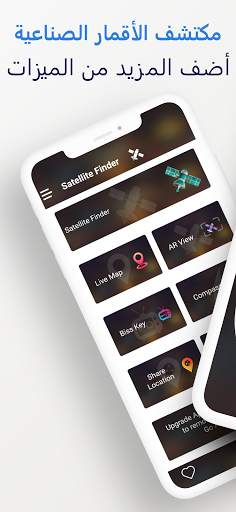
خريطة Live Earth: تحتوي خريطة Live Earth على عرض الأرض الأربعة مثل العرض العادي وطريقة العرض المختلط وعرض القمر الصناعي وعرض التضاريس إلى
يعطيك فهمًا أفضل للأماكن. كما أشار إلى تدفق حركة المرور.
عرض AR: ستحصل على واحدة من أفضل تكنولوجيا الواقع المعزز حتى الآن. وجّه كاميرا هاتفك للنظر في جميع الأقمار الصناعية المتاحة لموقعك في الوقت الفعلي. فقط اضغط على زر (AR العرض) من النافذة الرئيسية.
Biss Key Finder: هذه الميزة هي للبحث السريع عن مفاتيح biss للقنوات الفضائية المشفرة. تحصل المفاتيح على التحديثات تلقائيًا.
كيفية استخدام هذا التطبيق:
1. كل ما عليك القيام به للتأكد من أن اتصال الإنترنت ونظام تحديد المواقع في هاتفك قيد التشغيل.
إذا كنت تريد الحصول على أفضل دقة في الموقع - يجب أن تكون في الهواء الطلق ، أو على الأقل تقترب من النافذة ؛
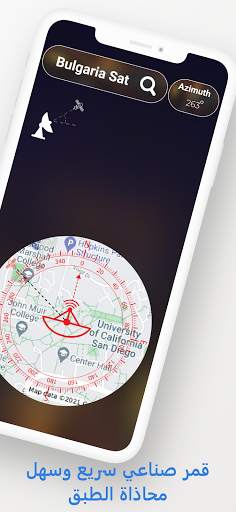
2. حدد القمر الصناعي المطلوب من خلال النقر على زر Finder للقمر الصناعي ، ثم اسم القمر الصناعي وانقر على شريط البحث في النهاية. قائمة sattelite
سوف تظهر لاختيار واحد المطلوب. سوف تحصل على السمت من Satelite التي اخترتها مع خطوط الطول والعرض محسوبة لموقعك.
3. تحت قيم محسوبة هناك بوصلة مع تمثيل رسومي لزاوية السمت. يتم حساب زاوية السمت مع الميل المغناطيسي.
تذكر - في كل مرة تستخدم فيها البوصلة - يجب معايرتها.
ملحوظة:
يستخدم Satellite Finder PRO (Dishpointer) مستشعر الهاتف للحصول على السمت الخاص بك بحيث يعتمد حساب موضع القمر الصناعي على دقة مستشعراتك النقالة.

...

👉 For More Detail of مكتشف الأقمار الصناعية برو

#2 dishpointer satellite finder

dishpointer satellite finder
Rating: star 3.0 | Version: 14.2.3 | Size: 3.3MB
dishpointer satellite finder 1 تصوير الشاشة dishpointer satellite finder 2 تصوير الشاشة

dishpointer satellite finder, an Android satellite finder. / dishpointer satellite finder azimuth
The Lite version is slimmed down version of the full SatFinder, which has additional functionality such as Target Satellite view dish network azimuth .
SatFinder dishpointer satellite finder is a tool for finding TV satellites and aligning satellite dishes. Use your Augmented Reality Camera view to see and target satellites in the sky. It can be used anywhere in the world since all major TV satellites are in the database compass .
*New feature: Ability to manually enter Location latitude and longitude details in case Location cannot be automatically determined in case of "no connectivity" dishpointer satellite finder azimuth
How to use this app: dish network dishpointer satellite finder
1. First of all, you should enable GPS and Internet on your phone. Remember – in most cases it is impossible to receive GPS signal inside buildings. So if you want to get very accurate location – please go near windows or go even outside compass .
In current app version location should be found quite immediately. So if you stuck with ‘no location’ message please make ensure that you got enabled all required features/permissions.
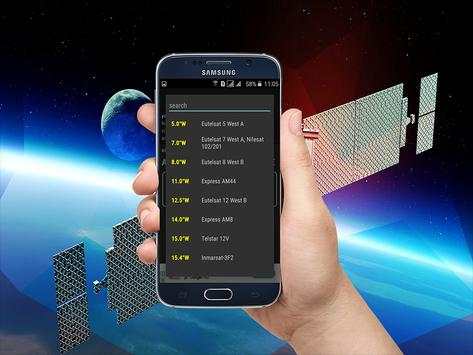
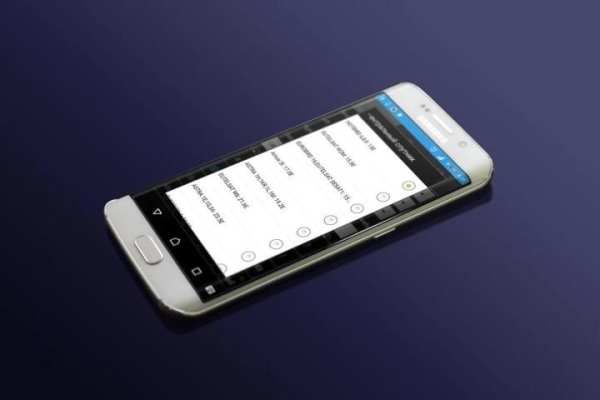
2. If app found your location, you must select desired satellite. To do this you must find icon with magnification glass and tap it. On the list you will find all satellites with elevation angle above zero degrees. Remember: satellite name doesn’t affect the calculation of angles. Important thing is satellite position azimuth .
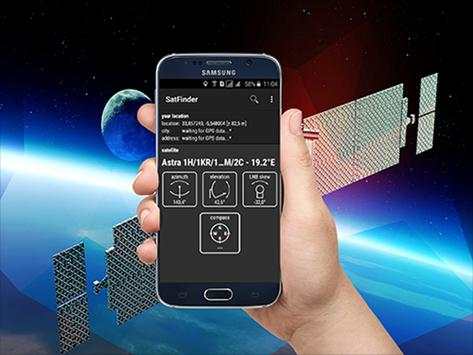
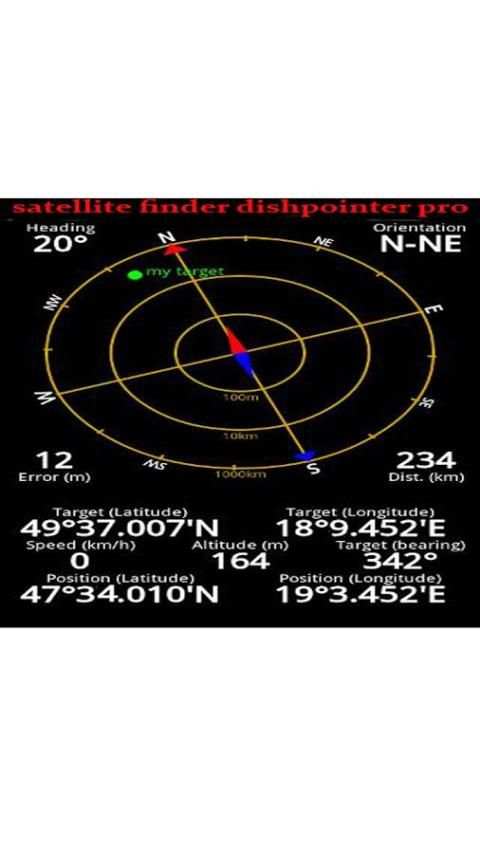
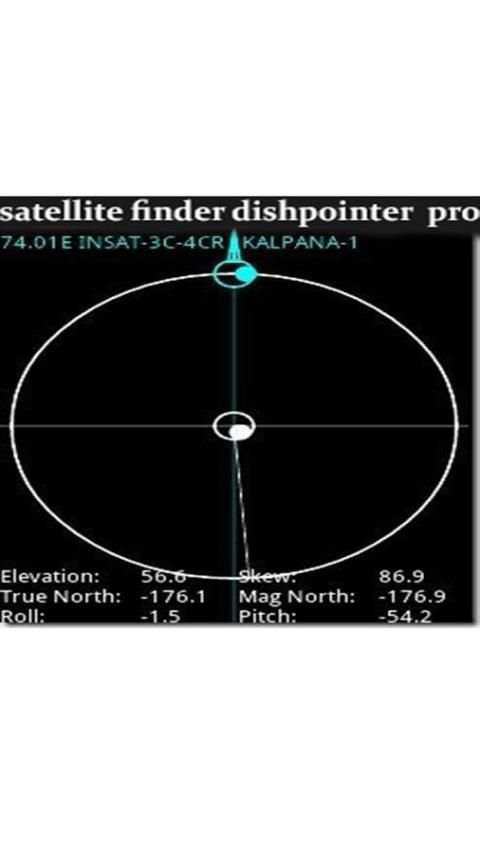
3. The azimuth, elevation and skew angle is calculated for your location and chosen satellite. Under calculated values there is a compass with graphical representation of azimuth angle. The azimuth angle is calculated with magnetic inclination. Remember – every time you use compass – you should calibrate it. Green line represents your phone azimuth. So if on compass green and red indicators are on each other – front of the phone should show you direction to the satellite. If the compass value is correct – phone azimuth value will go green.
The antenna or satellite dish adjustment steps: dishpointer satellite finder azimuth
1- choose a satellite and authorize geolocation to determine the direction of the antenna orientation.
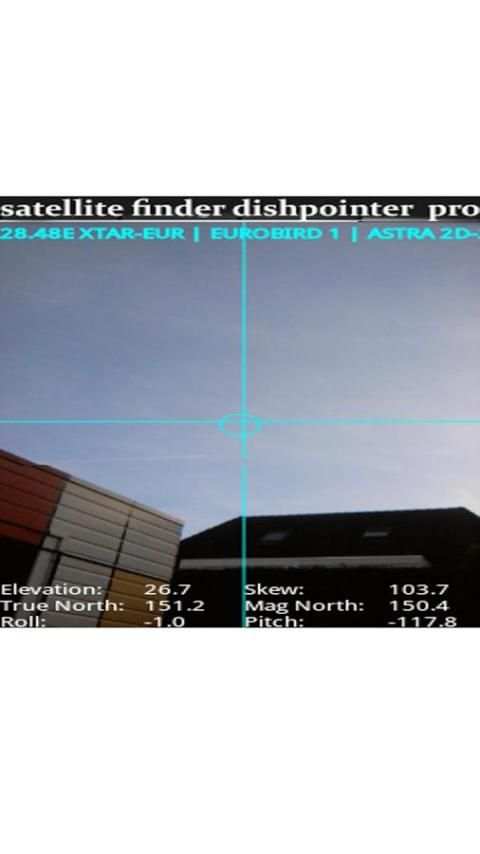
2- Show satellite in augmented reality with your camera and make sure there are no obstacles and validate the location of your antenna.
3. Check that the support of your antenna is vertical.
4. Calculate the polarization and adjust the rotation of the LNB (the head of your antenna)
5. Set the elevation
6- Search orientation with visual and sound assistant
7- Fine adjustments.
Dish Pointer supports:
INTELSAT, INMARSAT, TIANLIAN, EUTELSAT, AMC, LUCH, COSMOS, OPTUS, APSTAR, SUPERBIRD, BEIDOU, JCSAT, CHINASAT, PALAPA, AFRICASAT-2, ABS, KIKU-8, MTSAT, MBSAT, KIZUNA, SINOSAT, ST, HIMAWARI-6, EXPRESS-AM, N-STAR, VINASAT, ZHONGXING, compass, COMS, , FENGYUN, GARUDA, ASIASAT, THAICOM, TELKOM, INDOSTAR, KOREASAT, N-SAT, BSAT, ASTRA, NSS, SES, ASIASTAR, EXPRESS, INSAT, KODAMA, YAMAL, TDRS, CHINASTAR, KAZSAT, RADUGA, HORIZONS, GSAT, ESIAFI, TELSTAR, ELEKTRO, KALPANA, LEASAT, RADUGA-1M, GALAXY, METEOSAT, BONUM, DIRECTV, DP, SKYNET, YAHSAT, SIRIUS, SYRACUSE, AZERSPACE,azimuth, AFRICASAT, NIMIQ, THURAYA, NIGCOMSAT, TURKSAT, HELLAS-SAT, AKSAT, NATO, ARABSAT, EUROBIRD, DFH, HYLAS, ORIZONT, XTAR, BADR, AMOS, COMSATBW, RADUGA-1, RASCOM, THOR, MSG, NILESAT, HISPASAT, ECHOSTAR, AMAZONAS, GOES, BRASILSAT, STAR, QUETZSAT, VENESAT, XM, ICO, SPACEWAY, SKYTERRA, LES, AMSC, GSTAR, SATCOM, MSAT, ANIK, SOLIDARIDAD, SATMEX, MEXSAT, HGS, CIEL, compass
Thank you for using the app "Satellite Director / SatFinder"

...

👉 For More Detail of dishpointer satellite finder

#3 Satellite - Satfinder - Dishpointer
Satellite - Satfinder - Dishpointer
Rating: star 3.0 | Version: 1.0 | Size: 1.9MB
Satellite - Satfinder - Dishpointer 1 تصوير الشاشة Satellite - Satfinder - Dishpointer 2 تصوير الشاشة Satellite - Satfinder - Dishpointer 3 تصوير الشاشة

SatFinder (Satellite Finder) is a tool which will help you to set up satellite dish. It will give you azimuth, elevation and LNB tilt for your location (based on GPS) and chosen satellite from list. The result is shown both as numeric data and graphical on google maps. It has also built in compass which will help you to find proper satellite azimuth. It also can use augmented reality to show where is satellite on camera view.
Compass works only on devices with compass sensor (magnetometer).
How to use this app:
1. First of all, you should enable GPS and Internet on your phone. Remember – in most cases it is impossible to receive GPS signal inside buildings. So if you want to get very accurate location – please go near windows or go even outside.
In current app version location should be found quite immediately. So if you stuck with ‘no location’ message please make ensure that you got enabled all required features/permissions.
2. If app found your location, you must select desired satellite. To do this you must find icon with magnification glass and tap it. On the list you will find all satellites with elevation angle above zero degrees. Remember: satellite name doesn’t affect the calculation of angles. Important thing is satellite position.
3. The azimuth, elevation and skew angle is calculated for your location and chosen satellite. Under calculated values there is a compass with graphical representation of azimuth angle. The azimuth angle is calculated with magnetic inclination. Remember – every time you use compass – you should calibrate it. Green line represents your phone azimuth. So if on compass green and red indicators are on each other – front of the phone should show you direction to the satellite. If the compass value is correct – phone azimuth value will go green.

...

👉 For More Detail of Satellite - Satfinder - Dishpointer

#4 dishpointer satellite locator

dishpointer satellite locator
Rating: star 3.0 | Version: 3.2 | Size: 3.2MB
dishpointer satellite locator 1 تصوير الشاشة dishpointer satellite locator 2 تصوير الشاشة dishpointer satellite locator 3 تصوير الشاشة

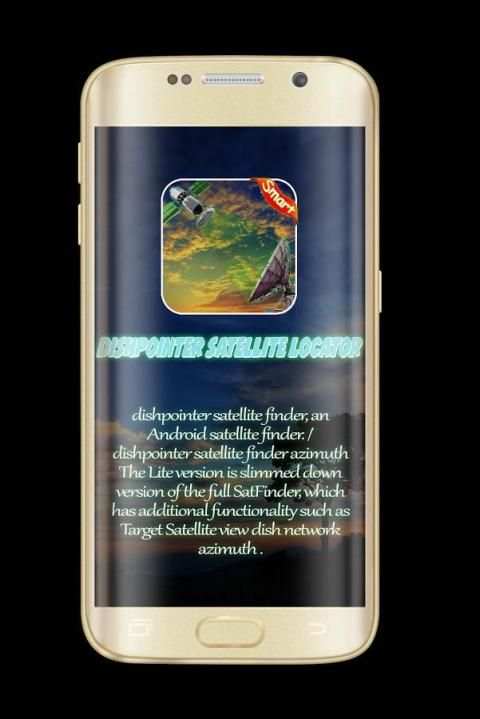
♣... dishpointer satellite locator, an Android satellite finder. / dishpointer satellite locator azimuth
The Lite version is slimmed down version of the full SatFinder, which has additional functionality such as Target Satellite view dish network azimuth .
SatFinder dishpointer satellite locator is a tool for finding TV satellites and aligning satellite dishes. Use your Augmented Reality Camera view to see and target satellites in the sky. It can be used anywhere in the world since all major TV satellites are in the database compass .
♣... New feature: Ability to manually enter Location latitude and longitude details in case Location cannot be automatically determined in case of "no connectivity" dishpointer satellite locator azimuth
♣... How to use this app: dish network dishpointer satellite locator .
-1. First of all, you should enable GPS and Internet on your phone. Remember – in most cases it is impossible to receive GPS signal inside buildings. So if you want to get very accurate location – please go near windows or go even outside compass .
In current app version location should be found quite immediately. So if you stuck with ‘no location’ message please make ensure that you got enabled all required features/permissions.
-2. If app found your location, you must select desired satellite. To do this you must find icon with magnification glass and tap it. On the list you will find all satellites with elevation angle above zero degrees. Remember: satellite name doesn’t affect the calculation of angles. Important thing is satellite position azimuth .
-3. The azimuth, elevation and skew angle is calculated for your location and chosen satellite. Under calculated values there is a compass with graphical representation of azimuth angle. The azimuth angle is calculated with magnetic inclination. Remember – every time you use compass – you should calibrate it. Green line represents your phone azimuth. So if on compass green and red indicators are on each other – front of the phone should show you direction to the satellite. If the compass value is correct – phone azimuth value will go green.
The antenna or satellite dish adjustment steps: dishpointer satellite locator azimuth
-1- choose a satellite and authorize geolocation to determine the direction of the antenna orientation.
-2- Show satellite in augmented reality with your camera and make sure there are no obstacles and validate the location of your antenna.
-3. Check that the support of your antenna is vertical.
-4. Calculate the polarization and adjust the rotation of the LNB (the head of your antenna) dishpointer
-5. Set the elevation
-6- Search orientation with visual and sound assistant
-7- Fine adjustments. dishpointer
♣... Dish Pointer supports: dishpointer satellite locator azimuth
INTELSAT, INMARSAT, TIANLIAN, EUTELSAT, AMC, LUCH, COSMOS, OPTUS, APSTAR, SUPERBIRD,satellite, BEIDOU, JCSAT, CHINASAT, PALAPA, AFRICASAT-2, ABS, KIKU-8, MTSAT, MBSAT,satellite, KIZUNA, SINOSAT, ST, HIMAWARI-6, EXPRESS-AM, N-STAR, VINASAT, ZHONGXING, compass, COMS, , FENGYUN, GARUDA, ASIASAT, THAICOM, TELKOM, INDOSTAR, KOREASAT, N-SAT, BSAT, ASTRA, NSS, SES, ASIASTAR, EXPRESS, INSAT, KODAMA, YAMAL, TDRS, CHINASTAR, KAZSAT, RADUGA, HORIZONS, GSAT, ESIAFI, TELSTAR, ELEKTRO, KALPANA, LEASAT, RADUGA-1M, GALAXY, METEOSAT, BONUM, DIRECTV, DP, SKYNET, YAHSAT, SIRIUS, SYRACUSE, AZERSPACE,azimuth, AFRICASAT, NIMIQ, THURAYA, NIGCOMSAT, TURKSAT, HELLAS-SAT, AKSAT, NATO, ARABSAT, EUROBIRD, DFH, HYLAS, ORIZONT, XTAR, BADR, AMOS, COMSATBW, RADUGA-1, RASCOM, THOR, MSG, NILESAT, HISPASAT, ECHOSTAR, AMAZONAS, GOES, BRASILSAT, STAR, QUETZSAT, VENESAT, XM, ICO, SPACEWAY, SKYTERRA, LES, AMSC, GSTAR, SATCOM, MSAT, ANIK, SOLIDARIDAD, SATMEX, MEXSAT, HGS, CIEL, compass
Thank you for using the app "Satellite Director / SatFinder"

...

👉 For More Detail of dishpointer satellite locator

#5 Satellite Finder Dishpointer pro
Satellite Finder Dishpointer pro
Rating: star 3.0 | Version: 4.1 | Size: 3.1MB
Satellite Finder Dishpointer pro 1 تصوير الشاشة Satellite Finder Dishpointer pro 2 تصوير الشاشة Satellite Finder Dishpointer pro 3 تصوير الشاشة

)) Dishpointer القمر الصناعي الباحث عن برو، وهو الباحث عن الأقمار الصناعية الروبوت. / Dishpointer تحديد المواقع الفضائية السمت
نسخة لايت هو نسخة مصغرة من النسخة الكاملة من SatFinder، التي لديها ميزات إضافية مثل السمت الأقمار الصناعية صحن شبكة رؤية الأقمار الصناعية.
)) SatFinder Dishpointer الباحث عن القمر الصناعي هو أداة لإيجاد الأقمار الصناعية التلفزيون ومواءمة الصحون اللاقطة. استخدام جهاز عرض الواقع المعزز لرؤية واستهداف الأقمار الصناعية في السماء. ويمكن استخدامه في أي مكان في العالم حيث أن جميع الأقمار الصناعية التلفزيونية الرئيسية هي في البوصلة قاعدة البيانات.
)) ميزة جديدة: القدرة على إدخال خطوط الطول والعرض للموقع حيث لا يمكن تحديد موقع تلقائيا في حالة "متعذرة" الفضائية DishPointer السمت يدويا
)) كيفية استخدام هذا التطبيق: صحن شبكة القمر الصناعي الباحث عن Dishpointer.
1. أولا، يجب تمكين GPS والإنترنت إلى الهاتف الخاص بك. تذكر أنه في معظم الحالات يكون من المستحيل الحصول على إشارة GPS داخل المباني. حتى إذا كنت ترغب في الحصول على موقع دقيق جدا، وقرب أو حتى الخروج من المنزل. الموقع الحالي من إصدار التطبيق التي يمكن العثور عليها على الفور على الفور. حتى إذا كنت عالقة مع رسالة "لا موقف" مدير الأقمار الصناعية، تأكد من حصولك على تمكين وظائف أذونات / المطلوبة.
2. إذا وجدت تطبيق الموقع الخاص بك، يجب عليك تحديد الأقمار الصناعية المطلوبة للقيام بذلك، يجب أن تجد الرمز مع كوب واللمس. في القائمة سوف تجد جميع الأقمار الصناعية التي هي أكبر من درجة الصفر SatFinder زاوية الارتفاع. تذكر: اسم جالسا لا يؤثر على حساب الزوايا. موقف الأقمار الصناعية هو المهم.
3. يتم احتساب زاوية السمت والارتفاع والانحدار للموقع الخاص بك واختيار القمر الصناعي. وفقا لقيم محسوبة، هناك بوصلة مع التمثيل البياني للزاوية السمت. يتم حساب زاوية السمت مع الميل المغناطيسي. تذكر - في كل مرة تستخدم البوصلة، تحتاج إلى معايرة. ويمثل الخط الأخضر سمت هاتفك. إذا كان الأمر كذلك البوصلة، مؤشرات Satelliteet حمراء خضراء - الجزء الأمامي من الهاتف يجب أن تظهر لك اتجاه الأقمار الصناعية إذا كانت قيمة البوصلة صحيحة - قيمة السمت من الهاتف اللون الأخضر إعداد المثل.
النصائح:
- إذا لم يكن الهاتف الذكي GPS، يمكنك نقل يدويا "علامة" على البطاقة حتى يشير موقعك بالضبط. استخدام التكبير لمزيد من التفاصيل Dishpointer.
- البوصلة هي مهمة جدا لضبط الطبق الخاص بك، ولكن إذا لم يكن الهاتف الذكي واحدة، يمكنك الاستمرار في استخدام تطبيق مؤشر الأقمار الصناعية. في هذه الحالة، وسوف تساعدك على العثور على أدلة وعلامات على بطاقة الأقمار الصناعية من مكان سكنك Dishpointer SatFinder. هذا يسمح لك أيضا لحساب التوجه. يمكنك استخدام البوصلة اليدوية لتوجيه جيد.
- لا تتردد في إعادة ضبط البوصلة وتجنب قريبة جدا من الأسلحة الهوائي، لأنها حساسة إلى العناصر المعدنية. محاولة وضع الهاتف الذكي الخاص بك عندما تكون هناك أقل SatFinder التدخل المغناطيسي SatFinder.
جوانب محددة.
-Élévation
-Azimuth جبل
-Fausser
- هذا المدير الأقمار الصناعية لديه القدرة على الحصول على هذه النقطة بالضبط أين أنت.
هذا التطبيق لديه القدرة على الحصول على قائمة كبيرة من الأقمار الصناعية
- استشعار الأقمار الصناعية لديه القدرة على تغيير نقطة حيث كنت في نقطة محددة أخرى، ببساطة عن طريق سحب marqueur.Supports من
شكرا لك لاستخدام التطبيق "الباحث عن القمر الصناعي Dishpointer الموالية / SatFinder"

...

👉 For More Detail of Satellite Finder Dishpointer pro

Search Results

1/1

You may like

DOWNLOAD IS NOT SUPPORTED IN WEB STORE!
Use the latest version of 9Apps to download APK&OBB file of games in one click!
DOWNLOAD 9APPS