










डाउनलोड वेब स्टोर में समर्थित नहीं है!
एक क्लिक में एपीके एंड ओबीबी फाइलें डाउनलोड करने के लिए 9Apps के नवीनतम संस्करण का प्रयोग करें
DOWNLOAD 9APPS

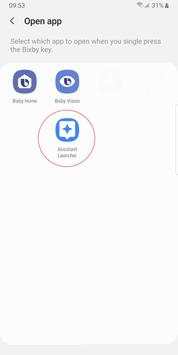
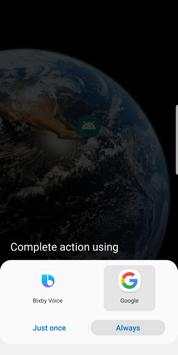
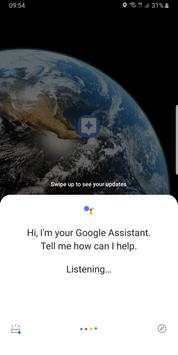
Samsung now lets you set up your Bixby button to launch any app or task, except one: Google Assistant.
This app launches Google Assistant.
Now you can follow these steps to assign this app to your Bixby button. As a result, that button will launch Google Assistant:
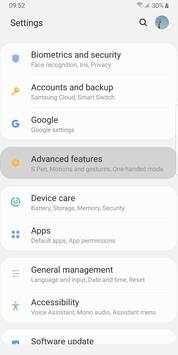
- Go to you device's Settings
- Select "Advanced features"
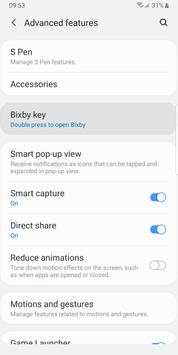
- Select "Bixby key"
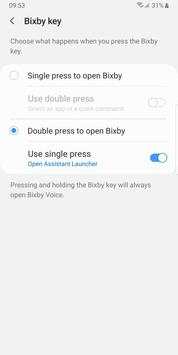
- Select "Double press to open Bixby" and enable "Use single press"
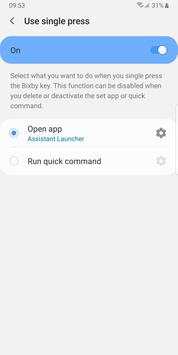
- Touch "Use single press"
- Select "Open app" and touch the settings icon
- Select this app: "Assistant Launcher"
Done! Now touch your Bixby button. The first time you may be asked to use Bixby or Google's Assistant. Select Google Assistant and touch "Always".


First release


