

DOWNLOAD IS NOT SUPPORTED IN WEB STORE!
Use the latest version of 9Apps to download APK&OBB file of games in one click!
DOWNLOAD 9APPS


VideoConverter
“VideoConverter” converts video files to audio files very easily and simply, and then allows you to save and share the new audio files with your contacts.
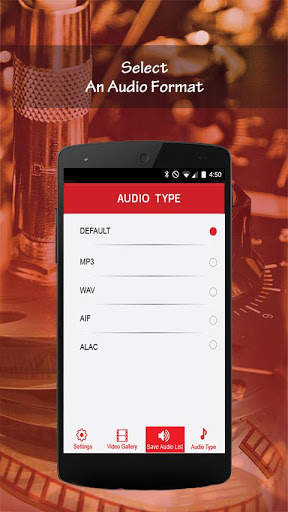
You can convert any video file on your iPhone into an audio file in one of the following formats: M4A, MP3, WAV, AIF or ALAC
You can also Trim video to some specific range of video and convert only that section of the video into an audio file.
Using the application is very easy and intuitive:
1. Select the video you want to convert from the “Video Gallery” tab.
Note: All videos saved on your iPhone will be automatically displayed as choices for you to convert into audio files.
Click “Next”…
Their is option for convert and trim both.You can choose any of them.
2. Confirm the video you’ve selected to convert and then click the “Convert” button.
3. Enter name for for converted Audio file and save.
4. Voila! Your video file will be quickly converted into the audio file – perfectly transferring the sounds from your video into a file that you can play back anytime you want in audio format.
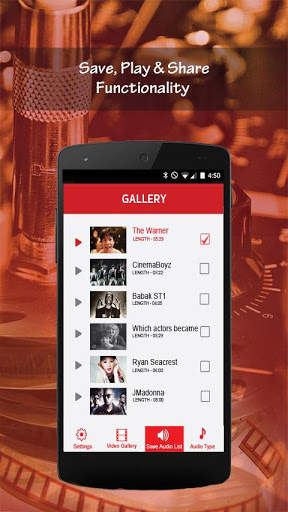
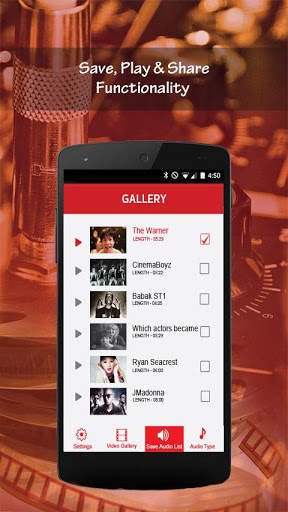
5. Your new audio file will be displayed and saved under the “Saved Audio List” tab.
From here, you can play the audio file back as often as you like, or click the share icon located to the right of the saved audio file to share the file by email or text with yourself or any of your contacts instantly.
Tip: If you want to change the file format of your converted video files, simply tap the “Audio Type” tab and select from DEFAULT (M4A), MP3, WAV, AIF or ALAC
We hope you enjoy our VideoConverter app and that you find many creative and time-saving uses for it.







Talking Tom
3.963.0MB

Facebook Lite
4.02.5MB

Temple Run 2
4.4122.1MB

Mushroom Takeover
4.569.0MB

Candy Crush Saga
4.491.1MB

Quikr – Search Jobs, Mobiles,
4.120.8MB

Dearmet: Video Chat, Live Talk
4.043.4MB

imo beta -video calls and chat
4.394.0MB

ShopClues
3.816.4MB

Offline Music Mp3 Player- Muso
4.535.9MB