DOWNLOAD IS NOT SUPPORTED IN WEB STORE!
Use the latest version of 9Apps to download APK&OBB file of games in one click!
DOWNLOAD 9APPS

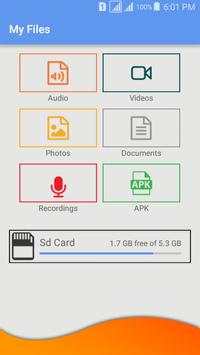
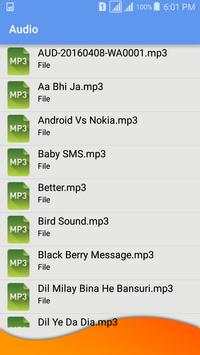
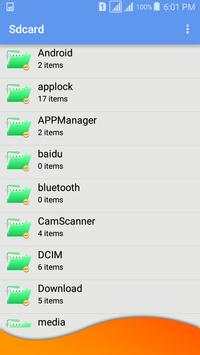
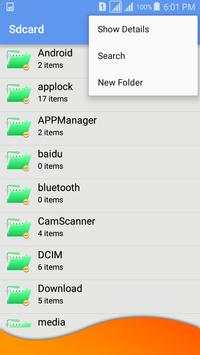
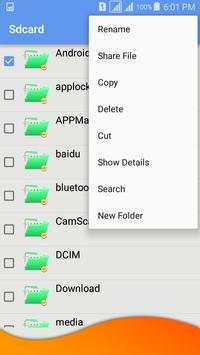
File manager. Explore, create, search, copy, paste, delete, rename, zip... your files and folders.
Display info, running processes, backup your applications to SD card.
Preview .pdf, .mp3, .txt, .html, word, excel... files.
I got some negative reviews and ratings which says that copying is not possible. But it is.
Procedure: long press on file, Copy file, Holding label in red color appears, go to destination directory (not inside), long press on it, Paste into folder.
Highlights of File Manager
☆ Fully featured:Cut, copy, paste, delete, compress, decompress, search and more.
☆ Cloud support:Switch between local and cloud files - supports Dropbox, Box, Google Drive, SkyDrive and more.
☆ Super convenient:View files by type (image, audio, video, recent, download etc.), use a widget to access folders in one tap from the homescreen.
Features:
* Cut, copy and paste progress dialog.
* Compress and decompress (extract) support (ZIP)
* Thumbnail for photo and pictures files
* Root Explorer for rooted devices
* Support file shortcut on Favorites for easily access
* Sort by name, size or last modified
* Send and share files
* Open any file
* Play media files with your favorite apps
.