





DOWNLOAD IS NOT SUPPORTED IN WEB STORE!
Use the latest version of 9Apps to download APK&OBB file of games in one click!
DOWNLOAD 9APPS

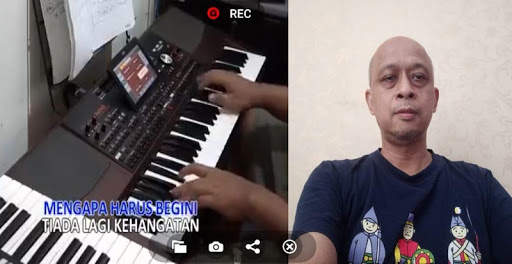
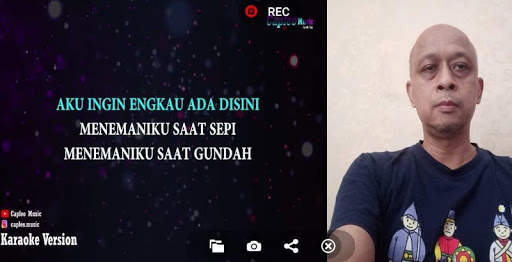
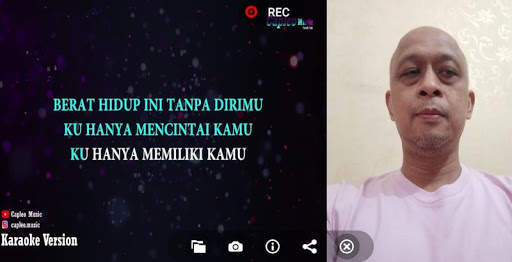
CAMSING is the app to open camera and you can record when you are singing and play recorded song video.
How to use this CAMSING app?
1. Download the CAMSING app
2. Download karaoke song from internet or other source to your phone device
3. Open CAMSING app in your phone device
4. Click File / Folder button to open karaoke song video file
5. Click REC button to record your song audio and karaoke song video together
6. Click CAMSING button to stop recording and automatically play your recorded song video
7. You can also play your recorded song video using your regular video player installed inside your phone device.
Enjoy this cool and simple CAMSING app, i.e. app to record your karaoke video camera.



Quikr: Homes, Jobs, Cars Etc
4.120.8MB

imo beta -video calls and chat
4.394.0MB

Candy Crush Saga
4.491.1MB

Offline Music Mp3 Player- Muso
4.535.9MB

ShopClues
3.816.4MB

Facebook Lite
4.02.5MB

Stickman Fighting
3.059.6MB

Temple Run 2
4.4122.1MB

Talking Tom Cat
3.963.0MB

Dearmet: Video Chat, Live Talk
4.043.4MB