










DOWNLOAD IS NOT SUPPORTED IN WEB STORE!
Use the latest version of 9Apps to download APK&OBB file of games in one click!
DOWNLOAD 9APPS

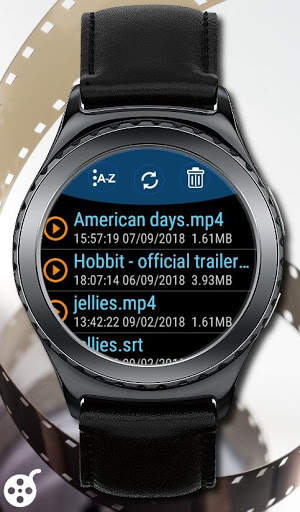
This application allows to transfer video files from your Android phone to Samsung Galaxy/Gear smartwatches. So far supported: Gear S2, Gear S3, Gear Sport, Galaxy Watch.
How to transfer video files to my watch?
First install Video Player Companion from this site.
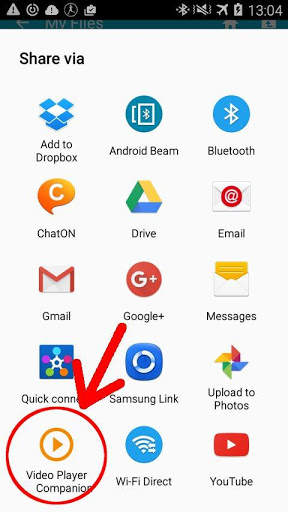
Enable Bluetooth for phone and your watch. Run Galaxy Video Player on your smartwach. On the phone side select a video or/and a subtitle file, choose an option 'Share via', from the list of application choose Video Player Companion. On the watch side you will see the transfer progress.
This plugin uses SAP (Samsung Accessory Protocol). It is Samsung library to transfer files.
If you don't have Samsung phone make sure you have installed SAP before start transferring any files.

![I Made Verity’s Crazy Meter MAX OUT in Verity Companion [AI] Game #roblox #verity screenshot 2](https://i.ytimg.com/vi/m2G3G9b5VNo/mqdefault.jpg)


