









DOWNLOAD IS NOT SUPPORTED IN WEB STORE!
Use the latest version of 9Apps to download APK&OBB file of games in one click!
DOWNLOAD 9APPS
Remote for MPC
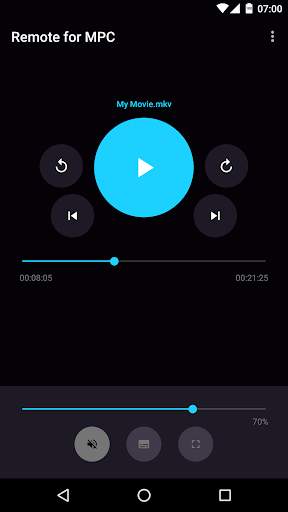
does exactly what its name implies: it lets you remote control Media Player Classic straight from your phone! It features a very minimalistic and straightforward user interface that allows you to access the controls you use most with ease.
Features
✓ No advertising whatsoever
✓ Intuitive user interface
✓ Standard media player controls
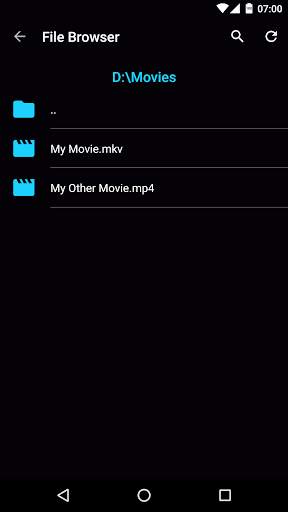
✓ File browser which enables you to search for and play files on the computer running MPC
✓ Automatically find computers running MPC
✓ Notification controls
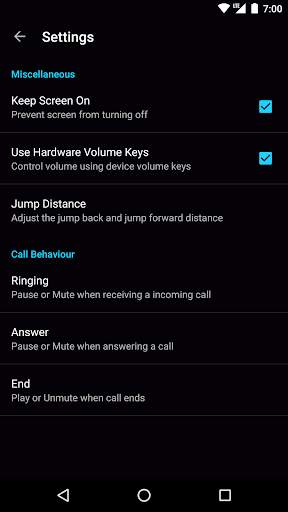
✓ Keep screen on
✓ Pause or mute automatically when receiving calls
Instructions for connecting to MPC
Make sure
that your phone and computer are on the same network!
Media Player Classic:
• Go to View -> Options -> Player -> Web Interface
• Select "Listen on port" and press "OK"
• Make sure that "Allow access from localhost only" is unchecked!
In App:
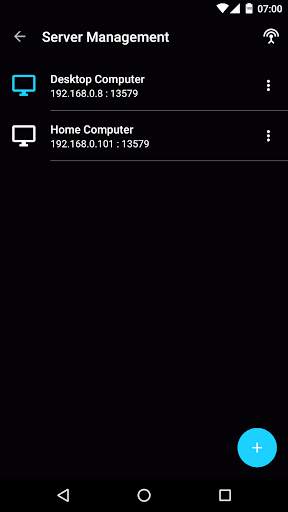
• Go to Server Management
• If a computer is automatically found click on the three dot menu and press "Connect", otherwise add one manually
Please note that Remote for MPC is an unofficial app.


Bug fixes and performance improvements


