










DOWNLOAD IS NOT SUPPORTED IN WEB STORE!
Use the latest version of 9Apps to download APK&OBB file of games in one click!
DOWNLOAD 9APPS

[ROOT permissions required]
[For EXT4 mount use SuperSU 2.46! It won't work, with newer versions!]
In MIUI you need to enable Autostart for this app in Security center!
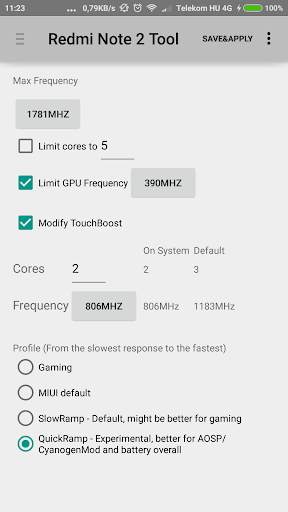
- This tool can help you save a lot of battery, by adjusting CPU governor.
You can use the suggested values, or configure some of them yourself.
Configurable options are:
- - Maximum CPU frequency
- - Maximum CPU cores
- - Maximum GPU frequency
- - Touchboost values (cores and frequency)
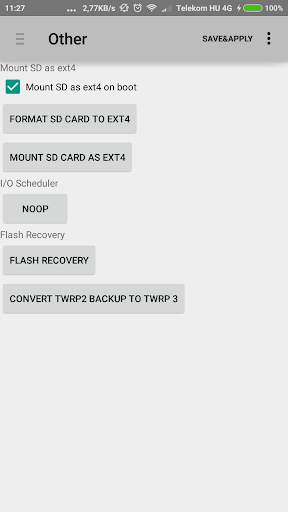
- - I/O scheduler
- The tool also supports formatting and mounting your SD Card to ext4 filesystem, thus eliminating file size limit, and other FAT32 issues.
- You can also flash TWRP3 or MiRecovery with it. (That's why the big size)
- - TWRP3 Theme by Aditya Fareza
More informations:
http://forum.xda-developers.com/redmi-note-2/general/howto-limit-cpu-frequency-to-save-t3233745
http://forum.xda-developers.com/redmi-note-2/general/howto-format-sd-card-ext4-t3255639




Removed ADs


