
DOWNLOAD IS NOT SUPPORTED IN WEB STORE!
Use the latest version of 9Apps to download APK&OBB file of games in one click!
DOWNLOAD 9APPS
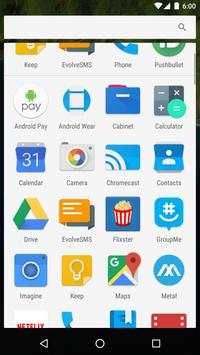
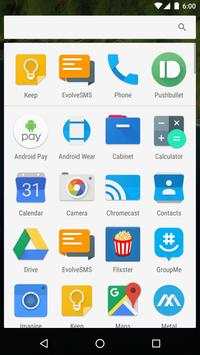
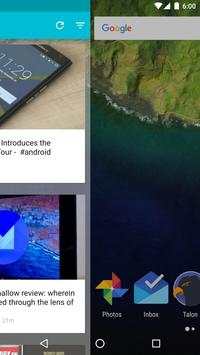
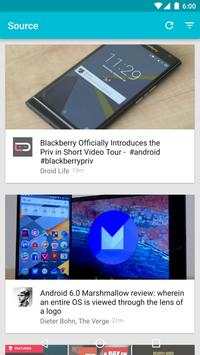
Welcome to Nougat Launcher Pro, our launcher replacement!
Out of the box, we have created pages for both of our newest apps,
As I said, other devs can also create their own "pages" or "info cards" for Nougat Launcher Pro! Just search the Play Store for "Nougat Launcher Pro" and they should start to appear once developers start to make them!
To apply pages to your launcher:
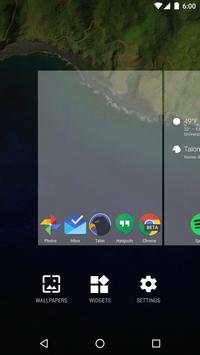
1.) Long click an empty space on the homescreen, then press settings.
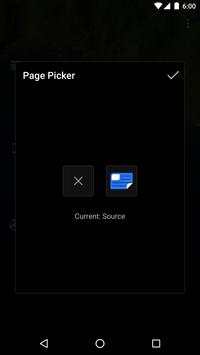
2.) Go to the page picker, and just hit the add button on an open page (swipe left and right to get to other pages)
3.) Next time you return to your homescreen, it will restart itself and the pages will be there!
4.) Double Tap To Screen and then lock the device
The page and card settings are just the beginning though. Diving into the rest of the settings, you will find things like:
- Simple gesture support
- Dock toggle and options
- Icon scales
- Search bar toggle
- Grid size selection
- And many more!
- Double Tap Lock Phone

![N Launcher Pro-Nought 7.0 [Now Paid Version Free In Playstore] #LetsRewind screenshot 2](https://i.ytimg.com/vi/__FWzBsHmg4/mqdefault.jpg)



Quikr: Homes, Jobs, Cars Etc
4.120.8MB

imo beta -video calls and chat
4.394.0MB

ShopClues
3.816.4MB

Offline Music Mp3 Player- Muso
4.535.9MB

Talking Tom Cat
3.963.0MB

Facebook Lite
4.02.5MB

Dearmet: Video Chat, Live Talk
4.043.4MB

Temple Run 2
4.4122.1MB

Candy Crush Saga
4.491.1MB

Stickman Fighting
3.059.6MB