











DOWNLOAD IS NOT SUPPORTED IN WEB STORE!
Use the latest version of 9Apps to download APK&OBB file of games in one click!
DOWNLOAD 9APPS
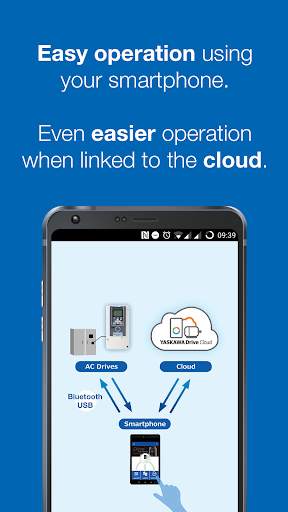
● Scan the QR code on the drive‘s faceplate or nameplate and get easy access to full product information, technical data, catalogs, and troubleshooting.
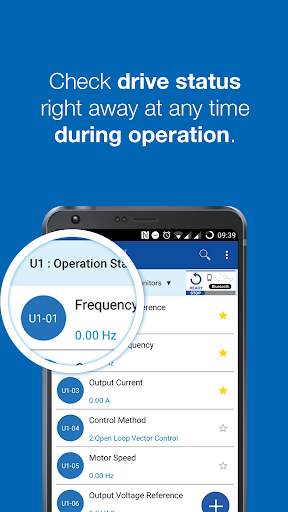
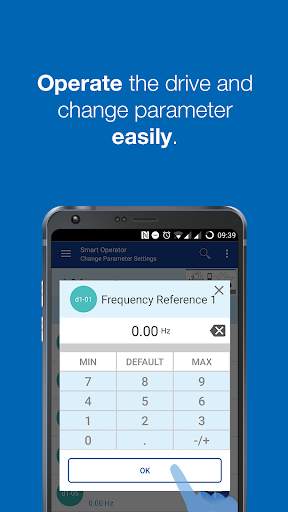
● Edit parameters, operate the drive and monitor the drive condition in real-time by connecting the drive via USB or Bluetooth.(See notes 1 and 2)
● Backup your inverter parameters in the YASKAWA Drive Cloud to have them ready when you need them, anywhere and anytime.
Notes:
1: The USB connection uses the USB host function of your smartphone (USB on the go, USB-OTG). Consult the manual or the manufacturer of your device to find out if this function is supported by your device.
The drive is equipped with a type B Mini-USB port. Use a USB-OTG cable with a matching connector.
2: To establish a Bluetooth connection, the optional “Bluetooth LCD Keypad” is required.
● Supported drive: GA700 , GA500
● Supported Android versions: Android 6.0 , 7.0 , 7.1 , 8.0 , 8.1 ,9.0 ,10.0
※ Error-free operation cannot be guaranteed. Please notify us of any problems or errors.
”Android”, “Google Chrome” are registered trademarks of Google Inc.
”Bluetooth” is a registered trademark of Bluetooth SIG. Maximum communication distance of the Bluetooth connection is about 10 m. Communication distance may be shorter depending on the used smartphone and other conditions.
1. Supported Chinese (Simplified)


