








DOWNLOAD IS NOT SUPPORTED IN WEB STORE!
Use the latest version of 9Apps to download APK&OBB file of games in one click!
DOWNLOAD 9APPS


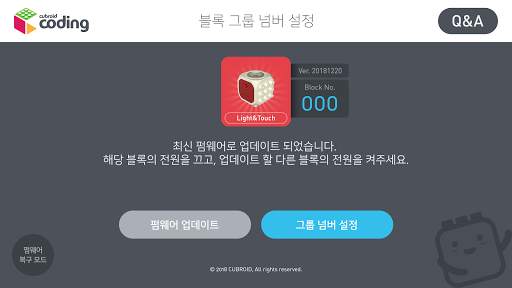
Cubroid Manager
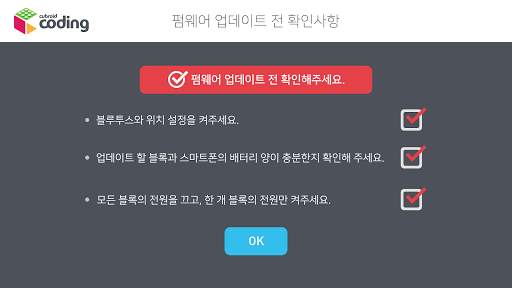
# Firmware Update
1. Turn on just one of the blocks you want to update at a time.
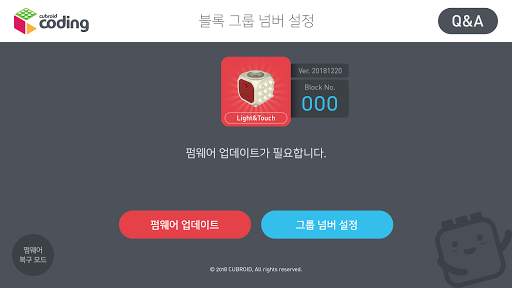
2. Touch the 'Firmware Update' button.
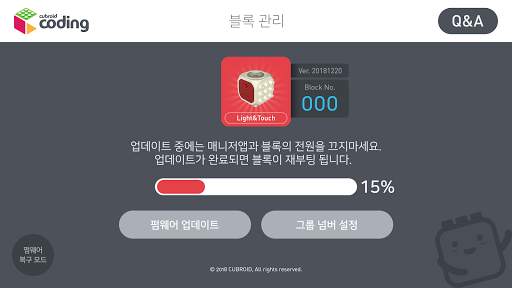
3. Do not turn off the Block and the Manager app.
It is normal for the LED light on the block to turn on and off during the update process.
When the update is complete, the block will briefly disconnect and reconnect again.
4. Your firmware is up-to-date!
Turn off your block and turn on the other block to update their firmware.
# Group number registration
1.Group number setting is not required when using only 1 set of coding blocks. So, the
group number can be set to the default value, 0.
2.When using more than 1 set of coding blocks, set the group number ranging from
0001 to 9999.
3.When using the Coding Cubroid 2 or Coding Cubroid 3 app, enter the same group
number of your coding blocks for a successful connection with your Bluetooth.



Improved app performance
App Localization


