rom toolbox lite on 9Apps

Free download latest rom toolbox lite for Android here and enjoy it with your phone. Below you can download a list of top and latest apps related to rom toolbox lite . 9APPS is a fast, safe app store. With 9APPS, you can save a lot of time on searching and downloading apps.

#1 ROM Toolbox Lite

ROM Toolbox Lite
Rating: star 4.3 | Version: 6.5.3.0 | Size: 11.8MB
ROM Toolbox Lite screenshot 1 ROM Toolbox Lite screenshot 2 ROM Toolbox Lite screenshot 3

ROM Toolbox is THE MUST HAVE APP for every root user. Get
ROM Toolbox Pro
to unlock all the features!
ROM Toolbox combines all the great root apps into one monster app with a beautiful and easy to use interface. ROM Toolbox has every tool you need to make your Android device fast and customized to your liking.
ROM Toolbox has been featured on LifeHacker, XDA-Developers, Droid-Life, Android Central, RootzWiki, Android Police, DroidForums and other popular sites. Over 12,000 5 star user reviews! ★★★★★
This app requires root permission. For fast and friendly support, please email us at [email protected]. We will be happy to help answer your questions and troubleshoot with you.
ROM Toolbox combines apps like Titanium Backup, Root Explorer, SetCPU, MetaMorph, Autorun Manager, Terminal Emulator, Scripter, SD Boost, BuildProp Editor, Font Installer, Boot Animations & many more apps into an all-in-one app!
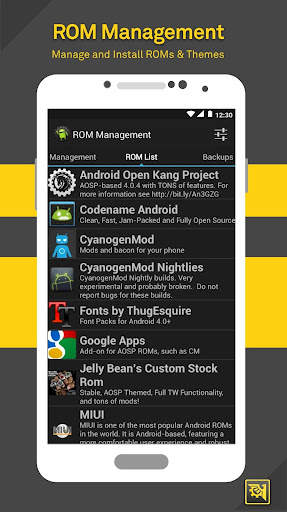
★ ROM Management ★
☆ Install ROMs & themes. AOKP, CyanogenMod and other popular ROMs included.
☆ Create, manage & restore nandroid backups
☆ Wipe data, cache, dalvik-cache, battery stats
☆ Install multiple ROMs & ZIPs from your SD card
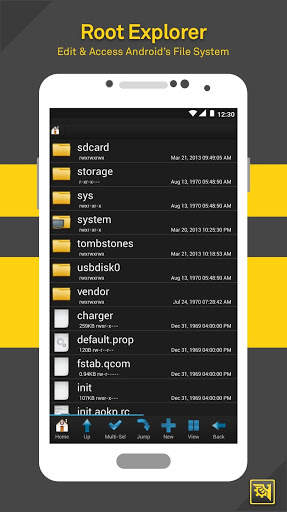
★Root Explorer ★
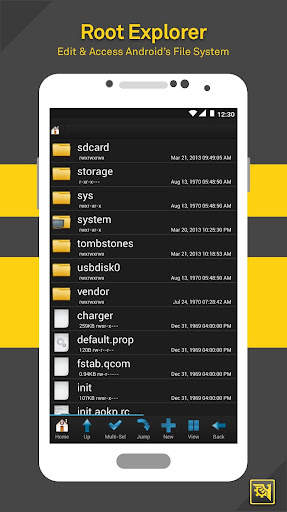
☆ Access the whole of android's file system (including the elusive data folder!).
☆ Batch copy/paste, zip, tar, delete, view, edit, share, and move any files or folders
☆ Change file permissions and ownership
☆ File manager with two panels for easier management
★ Scripter & Terminal Emulator ★
☆ Create and run scripts as root
☆ Set your scripts to run at-boot
★ Auto Start Manager ★
☆ Enable/disable apps that run on start-up
☆ Enable/disable any broadcast receiver, activity or service
★ Rebooter ★
☆ Reboot recovery, powerdown, bootloader, restart status bar, etc.
★ Font Installer ★
☆ Install custom fonts from a huge list or from your sdcard
☆ Set fonts as favorites & send them to friends
★ Boot Animation Installer ★
☆ Install & preview custom boot animations from a huge collection or from your sdcard
☆ Create a boot animation from a GIF file
☆ Have a new random boot animation each time you boot-up!
★ Theme Manager & Statusbar Icon Changer ★
☆ Create and install full themes (MetaMorph compatible)
☆ Customize your status bar by installing custom icons for wifi, signal, gps, etc.
☆ Change your battery icons in the status bar to a custom one from a list of 200
★ Boot Logo Changer ★
☆ Change your boot logo for supported phones
★ Theme Chooser Themes ★
☆ View a list of themes for the T-Mobile Theme Chooser
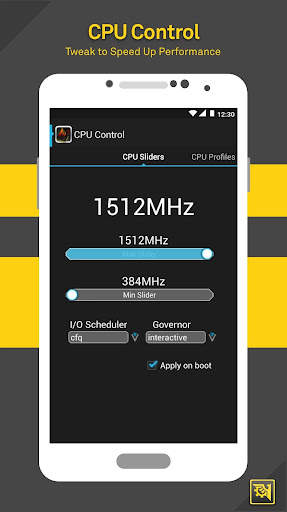
★ Set CPU ★
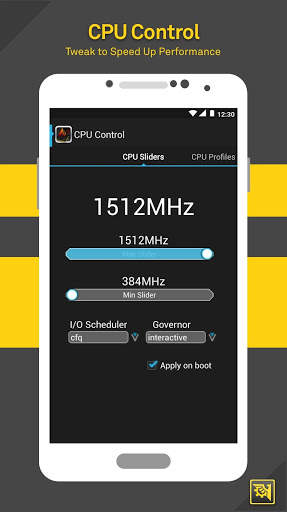
☆ SetCPU & scaling governor
☆ CPU Profiles
☆ Kernel tweaks to speed up performance
★ Build.prop Editor ★
☆ Easily edit your build.prop
☆ Change lcd density, improve battery life, increase performance
★ Auto Memory Manager ★
☆ Set minfree values & select from presets. Apply values at boot
★ SD Booster ★
☆ Increase the speed of your SD card
Permissions
Contacts - Backup call log and SMS
SMS - Backup call log and SMS
Accounts - Backup and restore from Google Drive
Thank you for downloading ROM Toolbox Lite! For questions or feedback, please contact us at [email protected].

...

👉 For More Detail of ROM Toolbox Lite

#2 Intika Rom Toolbox Lite

Intika Rom Toolbox Lite
Rating: star 3.0 | Version: 1.0 | Size: 396.1KB
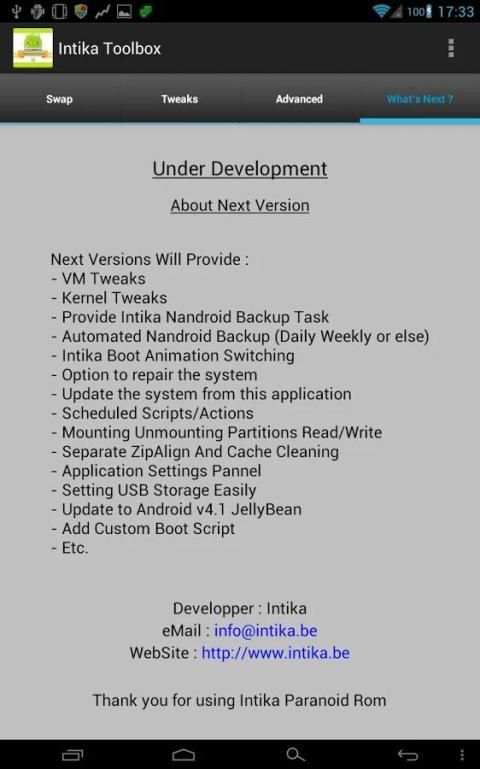
Intika Rom Toolbox Lite screenshot 1 Intika Rom Toolbox Lite screenshot 2 Intika Rom Toolbox Lite screenshot 3

Intika Rom Toolbox Lite v1
WARNING ! : THIS TOOL IS RESERVED TO PARANOID INTIKA REVOLUTION ROM ! NOT WORKING ON OTHER ROMS !
Description :
This tool suite is designed for Paranoid Intika Revolution Rom it let the user have a full access to all tweaks made on that rom.
Supported Devices :
- Samsung Galaxy Note (N7000 and equivalent)
Lite Version :
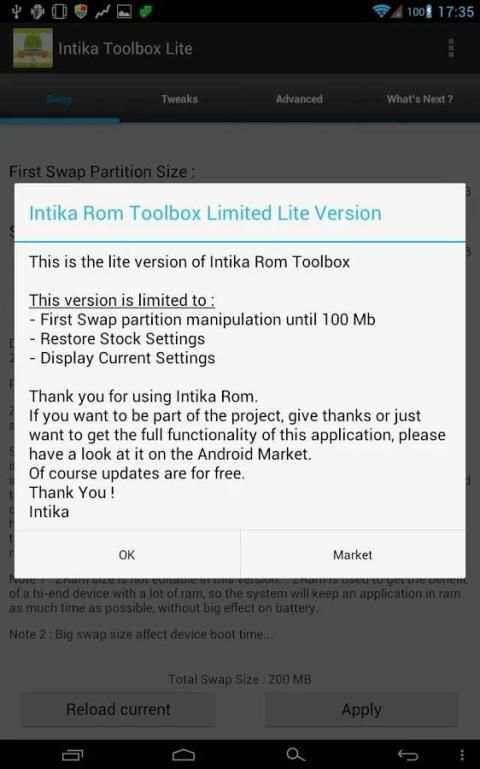
This is the lite version of Intika Rom Toolbox
This version is limited to :
- First Swap partition manipulation until 100 Mb
- Restore Stock Settings
- Display Current Settings
Lite Version Note :
If you want to be part of the project, give thanks or just want to get the full functionality of this application, please have a look at it full version on the Android Market.
Of course updates are for free.
Options :
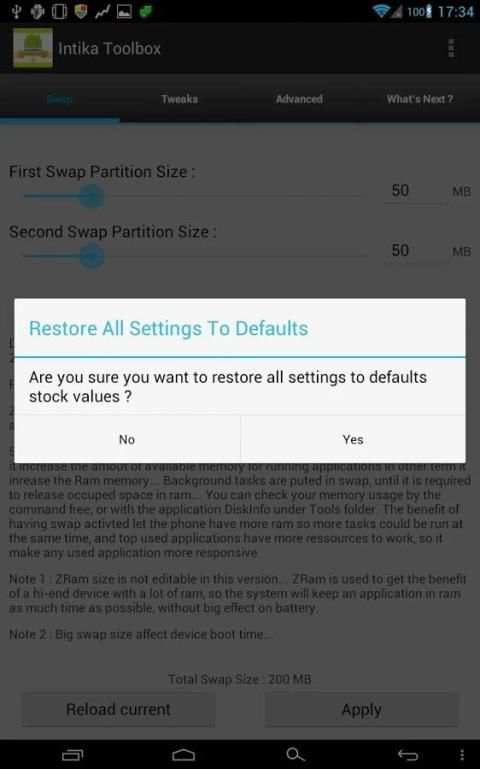
- Customize the size of first Swap Partition (From 10 to 250 MB)
- Customize the size of second Swap Partition (From 10 to 250 MB)
- Customize the size of Memory Cache (from 0 to 10GB)
- CPU Governor Selection Over Tunned Governors (PegasusQ or Smart Ass v2)
- CPU Classic Governor Selection.
- Possibility to make a cache cleaning and Applications Zip Aligning
- Disable/Enable Touch Buttons Black Light
- Disable/Enable Touch Buttons Actions
- Disable/Enable Loopy Smoothness Tweak
- Permanent Apply (the application is not loaded at boot)
- Load current settings
- Restore/Repair Rom (Restore Settings/Tunings to stock)
Next Versions Will Provide (Project !) :
- VM Tweaks
- Kernel Tweaks
- Provide Intika Nandroid Backup Task
- Automated Nandroid Backup (Daily Weekly or else)
- Intika Boot Animation Switching
- Option to repair the system
- Update the system from this application
- Scheduled Scripts/Actions
- Mounting Unmounting Partitions Read/Write
- Separate ZipAlign And Cache Cleaning
- Application Settings Pannel
- Setting USB Storage Easily
- Update to Android v4.1 JellyBean
- Add Custom Boot Script
- Etc.
Access Needs :
- Root
Requirement :
- Samsung Galaxy Note
- Paranoid Intika Revolution v1.x
- Root
Application Version :
- v1
Target Rom Version :
- Paranoid Intika Revolution v1.x
Contact :
[email protected]
http://www.intika.be
Thank you all for your support !
Intika

...

👉 For More Detail of Intika Rom Toolbox Lite

#3 ROM Toolbox Pro

ROM Toolbox Pro
Rating: star 3.6 | Version: 6.5.1.0 | Size:
ROM Toolbox Pro screenshot 1 ROM Toolbox Pro screenshot 2 ROM Toolbox Pro screenshot 3

Hộp công cụ ROM là phải có ứng dụng
cho mọi người dùng root.
ROM Toolbox kết hợp tất cả các ứng dụng gốc tuyệt vời vào một ứng dụng quái vật với giao diện đẹp và dễ sử dụng. Hộp công cụ ROM có mọi công cụ bạn cần để làm cho thiết bị Android của mình nhanh chóng và tùy chỉnh theo ý thích của bạn. Tiết kiệm 85% bằng cách lấy hộp công cụ ROM
thay vì chi $ 30 trở lên trên các ứng dụng khác.
Hộp công cụ ROM đã được giới thiệu trên LifeHacker, XDA-Life, Droid-Life, Android Central, Rootzwiki , Cảnh sát Android và các trang web phổ biến khác. Chúng tôi biết bạn sẽ thích nó; Hơn 14.000 đánh giá người dùng 5 sao! ★★★★★
Ứng dụng này yêu cầu quyền root. Để được hỗ trợ nhanh chóng và thân thiện, vui lòng gửi email cho chúng tôi tại [email protected]. Chúng tôi sẽ rất vui lòng giúp đỡ câu hỏi hoặc mối quan tâm của bạn.
ROM Toolbox kết hợp các ứng dụng như Titanium Sao lưu, Trình quản lý ROM, Root Explorer, SetCPU, Trình quản lý AutoRun, Trình quản lý Terminal, Trình quản lý tập lệnh, Trình chỉnh sửa BuildProp, BuildProp Editor , Trình cài đặt phông chữ, Trình cài đặt hoạt hình khởi động và nhiều ứng dụng khác vào ứng dụng tất cả trong một! Dưới đây là danh sách một số tính năng bạn sẽ tìm thấy:
★ Quản lý ROM
★
☆ Cài đặt ROM & Themes. AOKP, CyanogenMod và các ROM phổ biến khác đã bao gồm.
☆ Tạo, quản lý và khôi phục sao lưu Nandroid
☆ Lau dữ liệu, bộ nhớ cache, bộ đệm Dalvik, số liệu thống kê pin
☆ Cài đặt nhiều ROM & ZIPS từ thẻ SD của bạn
★ root explorer
★
☆ Truy cập toàn bộ hệ thống tệp của Android (bao gồm cả thư mục dữ liệu khó nắm bắt!).
☆ Batch Copy / Paste, Zip, Tar, Xóa, Xem, chỉnh sửa, chia sẻ và di chuyển bất kỳ tệp hoặc thư mục nào
☆ Thay đổi quyền truy cập tệp và quyền sở hữu
☆ Trình quản lý tệp với hai bảng để quản lý dễ dàng hơn
★ Trình giả lập Termipter & Terminal
★
☆ Tạo và chạy tập lệnh như root
☆ Đặt tập lệnh của bạn chạy at-boot
★ Trình quản lý tự động
★
☆ Kích hoạt / Tắt ứng dụng Điều đó chạy trên khởi động
☆ Bật / Vô hiệu hóa bất kỳ bộ thu phát, hoạt động hoặc dịch vụ nào
★ Regooter
★
☆ Khởi động lại, PowerDown, BootLoader, thanh trạng thái khởi động lại , v.v.
★ Trình cài đặt phông chữ
★
☆ Cài đặt phông chữ tùy chỉnh từ danh sách lớn hoặc từ sdcard của bạn
☆ Đặt phông chữ làm mục yêu thích & gửi họ với bạn bè
★ Trình cài đặt hoạt hình khởi động
★
☆ Cài đặt và xem trước Ảnh động khởi động tùy chỉnh từ một bộ sưu tập lớn hoặc từ sdcard của bạn
☆ Tạo một hình động khởi động từ gif tập tin
☆ có một hình động khởi động ngẫu nhiên mới mỗi lần bạn khởi động!
★ Trình quản lý chủ đề & Trình quản lý biểu tượng Thanh thay đổi
★
☆ Tạo và cài đặt đầy đủ chủ đề (biến thái Tương thích)
☆ Tùy chỉnh thanh trạng thái của bạn bằng cách cài đặt biểu tượng tùy chỉnh cho wifi, tín hiệu, GPS, v.v.
☆ Thay đổi biểu tượng pin của bạn trong thanh trạng thái đến một tùy chỉnh từ danh sách 200+
★ Changer logo khởi động
★
☆ Thay đổi logo khởi động của bạn cho điện thoại được hỗ trợ
★ Chủ đề chọn chủ đề
★ ★
☆ Xem danh sách Chủ đề cho Trình chọn chủ đề T-Mobile
★ Đặt CPU
★
☆ Setcpu & Thống đốc nhân rộng
☆ Cấu hình CPU
☆ Kernel Tweaks để tăng tốc hiệu suất
★ build.prop Editor
★
☆ Dễ dàng chỉnh sửa bản dựng của bạn.prop
☆ Thay đổi mật độ LCD, cải thiện tuổi thọ pin, tăng hiệu suất
★
Kỷ niệm ô tô Người quản lý Y
★
☆ Đặt giá trị MinFree và chọn từ các cài đặt trước. Áp dụng các giá trị khi khởi động
★ SD Booster
★
☆ Tăng tốc độ của thẻ SD của bạn
Cảm ơn bạn đã tải xuống hộp công cụ ROM! Đối với câu hỏi hoặc phản hồi, xin vui lòng liên hệ với chúng tôi tại [email protected].
Quyền
Danh bạ - Nhật ký cuộc gọi sao lưu và SMS
SMS - Nhật ký cuộc gọi sao lưu và SMS BR> Tài khoản - Sao lưu và khôi phục từ Google Drive

...

👉 For More Detail of ROM Toolbox Pro

#4 AOSP oICS NS4G ROM Toolbox

AOSP oICS NS4G ROM Toolbox
Rating: star 3.0 | Version: 1.4 | Size: 331.9KB
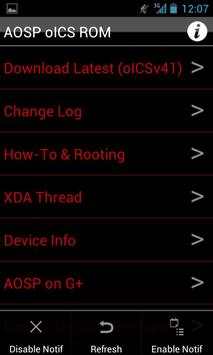
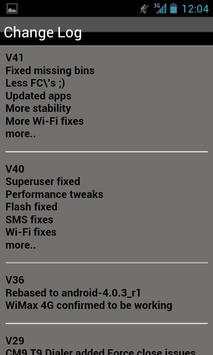
AOSP oICS NS4G ROM Toolbox screenshot 1 AOSP oICS NS4G ROM Toolbox screenshot 2 AOSP oICS NS4G ROM Toolbox screenshot 3

AOSP oICS NS4G ROM Toolbox Application
**** ROM IS FOR THE NEXUS S 4G ONLY ****
Get notification updates, change logs, and links to support links for AOSP's
oICS NS4G ROM Application.
**** When you first open the App hit Menu -> Refresh to ensure the latest content! ****
Get notifications when the latest version of oICS is released!
To Enable/Disable Notifications Use the Menu!
I am NOT the Developer of the ROM, I simply developed this Application.
AOSP is the Dev for the oICS ROM.
***Note, the Android Notification Push APK uses Location/GPS Permissions, but I have disabled all the Location calls in the Application I found.
I am not "tracking" you and this is not TechJeeperIQ.
I am working on getting rid of the Location permissions but it might take some time.***

...

👉 For More Detail of AOSP oICS NS4G ROM Toolbox

#5 Vape Toolbox Lite

Vape Toolbox Lite
Rating: star 3.8 | Version: 3.9.5 | Size: 6.1MB
Vape Toolbox Lite screenshot 1 Vape Toolbox Lite screenshot 2 Vape Toolbox Lite screenshot 3

Coils? E-Liquid? Yes! Vape Tools Box!
The application is a complete set for vapers preserving coils and e-liquid recipes. The set consists of five vape tools:
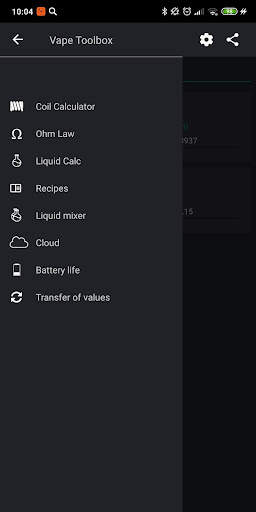
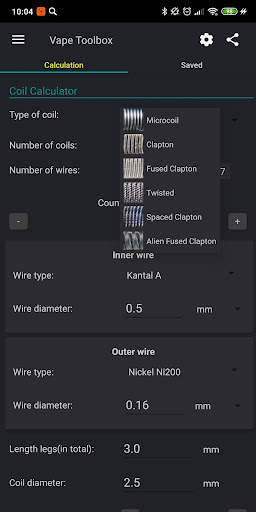
- Coil calculator (microcoil and clapton coil) help you build coil
- Simple power calculator
- e-liquid calculator
- e-liquid mixer
- Calculator battery life of esig
- Translation unit of measure
Widget for people who quit smoking and start vaping
Features of the coil calculator for ecig vaping:
- Opportunity SAVE COILS and load from your coil list
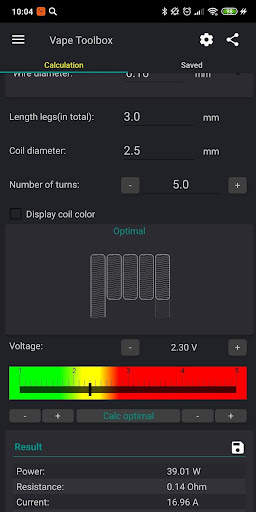
- Calculation optimal power for vaping
- Selection between Microcoil, Clapton, Fused Clapton and Spaced Clapton
- Materials helix 9
- Different number of coils
- Different number of wires in microcoil
- Determination of the optimal voltage to vaping
- The calculation coil resistance
- Calculation of surface power
- Calculation of the length of the wire
- Input voltage 1-20V
- Create and restore backup(on external storage)
Possibilities of calculation liquid:
- The ability to SAVE RECIPES and load from the list
- Liquid nicotine and without nicotine e-liquid
- The ratio of pg / vg / ad
- The exact calculation flavoring for esig
Calculation of battery life of esig:
- mechmod
- ego
- variwatt
- varivolt
Translation units:
- Awg <-> mm (inch)
Backup:
- Save and load recipes and coils
2.1.0
- calculation of Spaced Clapton
- name of flavoring
- flavoring in drops

...

👉 For More Detail of Vape Toolbox Lite

Search Results

1/18

You may like

DOWNLOAD IS NOT SUPPORTED IN WEB STORE!
Use the latest version of 9Apps to download APK&OBB file of games in one click!
DOWNLOAD 9APPS