










DOWNLOAD IS NOT SUPPORTED IN WEB STORE!
Use the latest version of 9Apps to download APK&OBB file of games in one click!
DOWNLOAD 9APPS

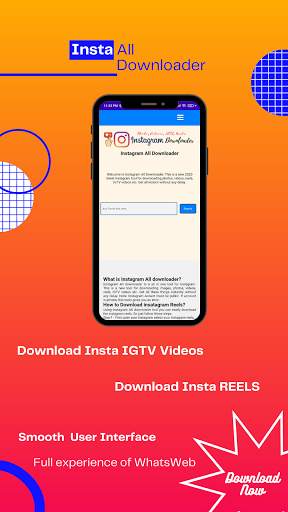
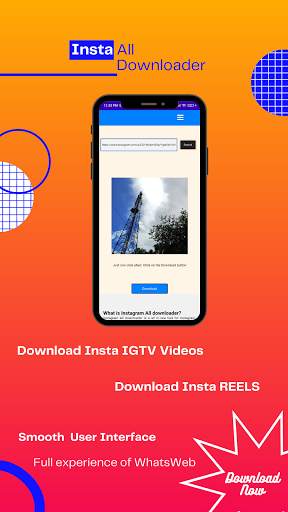

-What is Insta All Downloader?
insta All downloader is a all in one tool for insta. This is a new tool
for downloading images, photos, videos, reels, IGTV videos etc. Get all these
things instantly without any delay. Note: insta Acount must be public. If
account is private, this tools gives you an error.
-How to Download insta Reels?
Using insta All downloader tool you can easily download the insta
reels. So just follow these steps.
Step-1 : First open your insta select your insta reels.
Step-2 : Click the three dot option and copy the link of insta reels.
Step-3 : Now come back to our app and paste the link here.
Step-4 : Now simply click on the search option.
Step-5 : Yup, you will see the reels here.
Step-6 : Now just click the download button and it will create a new tab.
Step-7 : Now from here you can download your insta reels just clicking
the
three dot option in the reels.
Well done guys you have successfully
download your reels.
-How to Download insta IGTV videos?
Using Insta All downloader tool you can easily download the insta
IGTV videos. So just follow these steps.
Step-1 : First open your insta select your insta IGTV videos.
Step-2 : Click the three dot option and copy the link of insta IGTV videos.
Step-3 : Now come back to our app and paste the link here.
Step-4 : Now simply click on the search option.
Step-5 : Yup, you will see the IGTV videos here.
Step-6 : Now just click the download button and it will create a new tab.
Step-7 : Now from here you can download your insta IGTV videos just
clicking the three dot option in the IGTV videos.
Well done guys you have
successfully download your IGTV videos.
-How to Download insta photos?
Using insta All downloader tool you can easily download the insta
photos. So just follow these steps.
Step-1 : First open your insta select your insta photos.
Step-2 : Click the three dot option and copy the link of insta photos.
Step-3 : Now come back to our app and paste the link here.
Step-4 : Now simply click on the search option.
Step-5 : Yup, you will see the photos here.
Step-6 : Now just click the download button and it will create a new tab.
-How to Download insta videos?
Using insta All downloader tool you can easily download the insta
videos. So just follow these steps.
Step-1 : First open your insta select your insta videos.
Step-2 : Click the three dot option and copy the link of insta videos.
Step-3 : Now come back to our app and paste the link here.
Step-4 : Now simply click on the search option.
Step-5 : Yup, you will see the videos here.
Step-6 : Now just click the download button and it will create a new tab.
Step-7 : Now from here you can download your insta videos just clicking
the three dot option in the videos. Well done guys you have successfully
download your videos.
Disclaimer :
-Insta All Downloader is not affiliated with Instagram. It is a tool for insta video downloader.
-This application is only for your personal use do not use insta all downloader for commercial use.
-We respect the copyrights of the owners. Please do not download any videos or photos without the permission of owners.


This is a new insta tool for downloading photos, videos, reels & IGTV


