










DOWNLOAD IS NOT SUPPORTED IN WEB STORE!
Use the latest version of 9Apps to download APK&OBB file of games in one click!
DOWNLOAD 9APPS
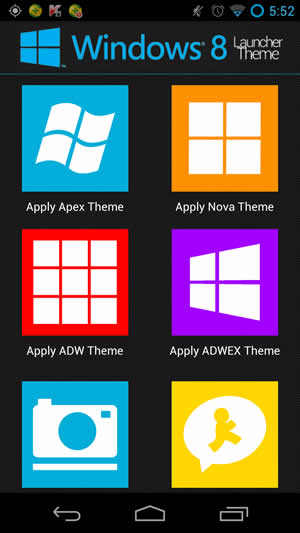
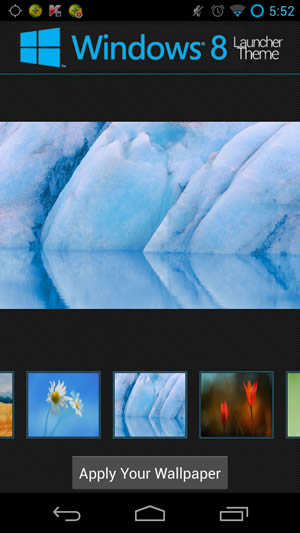
Checkout the official Windows 8 Launcher Theme, this features a HUGE set of metro style Windows 8 icons. There is around 400 ICONS, There is 18 HD Wallpaper (1920×1200) and Custom Apex Icons and Drawables. You wont have to worry if there is app that custom have a custom icon, There also even 18 Icon Backgrounds to make ALL your icons have the new Windows 8 Metro Style.
Compatible Launcher Themes.
Apex Launcher.
Nova Launcher.
ADW Launcher.
ADWEX Launcher.
Applying Themes Using Launcher:
1.Open Launcher.
2.Select which Apply Button, Based on what launcher you like.
3.Follow the dialog instructions.
Apply Using Apex Launcher:
1.Download and install Apex Launcher.
2.Hit Menu from home and click “Theme Settings”.
3.Click “Look And Feel”.
4.Click “Icon Theme”.
5.Choose “Windows 8 Theme”.
6.Press OK.
Apply Using Nova Launcher:
1.Please Use Launcher to Apply Theme.
Apply Using ADW or ADWLauncher EX:
1.Hit Menu from either launchers home screen.
2.Choose “ADW/EX Settings”.
3.Locate theme and click “Apply”.
1.Fixed issue’s with manual icon selection.
2.Theme applies successfully from launcher icon or manually.
3.Downsized icons to help devices load all the icons.


