quick shortcut maker on 9Apps

Free download latest quick shortcut maker for Android here and enjoy it with your phone. Below you can download a list of top and latest apps related to quick shortcut maker . 9APPS is a fast, safe app store. With 9APPS, you can save a lot of time on searching and downloading apps.

#1 Quick Shortcut Maker

Quick Shortcut Maker
Rating: star 3.5 | Version: 2.1.005 | Size: 5.6MB
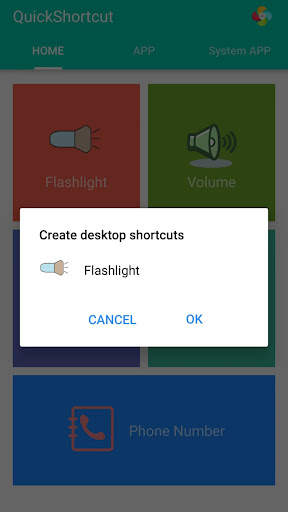
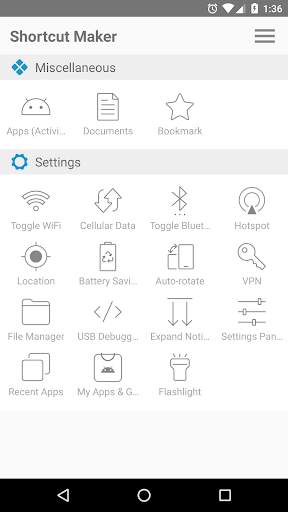
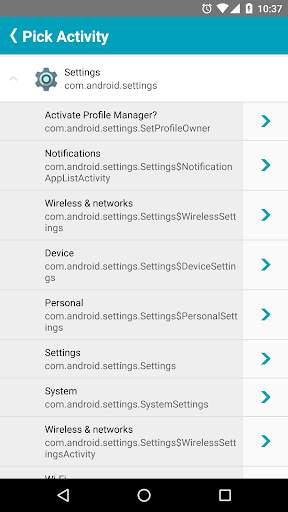
Quick Shortcut Maker screenshot 1 Quick Shortcut Maker screenshot 2 Quick Shortcut Maker screenshot 3

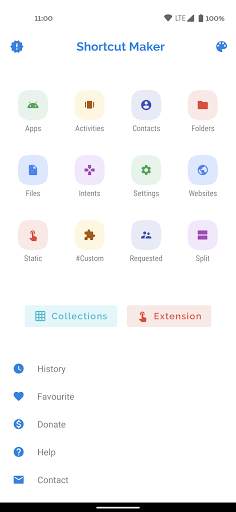
This app can create a shortcut on android homescreen for anything you want from your android.
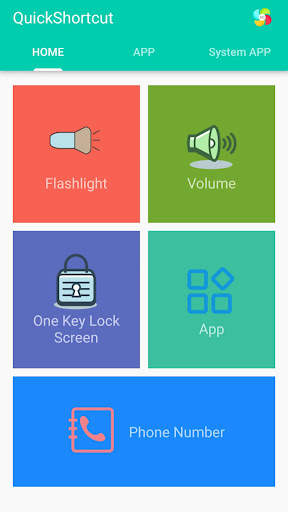
🟡 This quick shortcut maker could help us quick launch some common features by create short cut keys, Like:
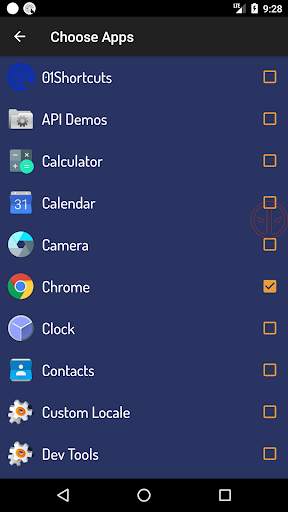
1. Search and launch the app which you want.
2. Adjusts the volume;
3. Locks screen;
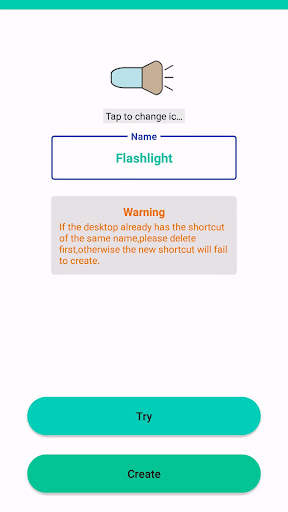
4. Turns on/off the flashlight; The flash light shortcut uses the flash located on the back of your Android device to bring you the first light wherever you go.
5. Checks the app info in your smartphone;
6. One-touch dialing;
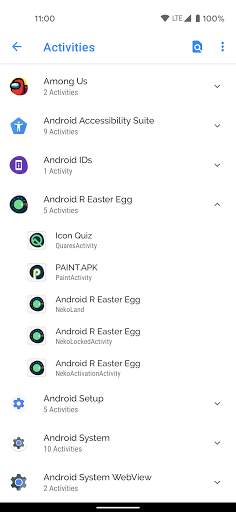
7. Activities: Create shortcut of installed apps and activities.
Put the contact information of common contacts directly on the desktop. You can even set up a wall of common contacts with dialing function. Try it now;
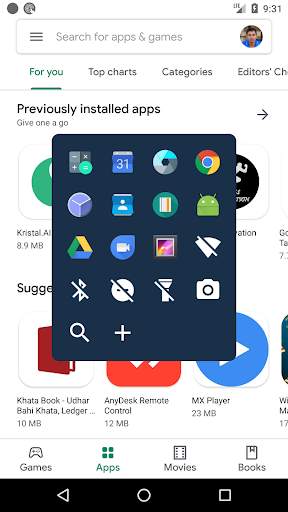
🟢 You can also use the QuickShortcutMaker for searching the app which you want to launch.
If you want to use the app which you don't use frequently, maybe you have no shortcuts for it. So, you may have to search the app from a list of many apps. Even if you know the name of the app, it's hard to find it.
In this situation, the QuickShortcutMaker will help you finding the app. Please try!
🔦 Special and useful functions——Flashlight:
Flashlight free turns your phone into a little torchlight to carry around in the dark. By default, the flash LED light turns on automatically when you quickly launch the app, and the brightest flash helps you see everything clearly in the dark. Even if you leave the app, light will still light your device's flash.
Flashlight has a simple design and is easy to use for the first time. The app automatically turns on the LED light on first launch, and you can turn it on and off as quickly as a real flash .
🔵 APP EXPLORER:
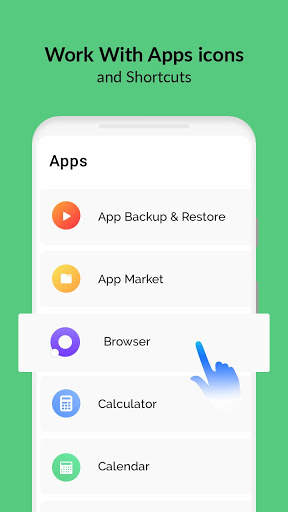
Here you will get a list of installed apps in your device. You can filter the list by All apps, System apps or User (downloaded) apps.
By tapping on the App, a context menu appears that will let you launch the target, add a shortcut for this target to the home screen for easy access.
🟤 Benefits:
This app can reduce the loss of the physical buttons(the volume buttons、the power button) and extend the service life of the button.
Once the physical buttons are not working well, this app will be a perfect substitute.
🌏 By this APP, you can :
1. Create a shortcut key to adjusts the volume .
2. Create a shortcut key to locks screen .
3. Create a shortcut key to turns on/off the flashlight . Camera LED Flash - Use your phone camera flash to emit bright light.
4. Create a shortcut key to quick launch an App.
5. Create a shortcut key to checks the app info in your smartphone .
6. You can also use this app to launch an activity from installed app.
[ You can quick launch any app info installed in your smartphone. This feature is a great tool and useful to developers, because they had to check the app info step by step, from the home page, and then setting and next... maybe 10 seconds later then they get the app info. So it's boring. Now , they just need tap the short cut key in the homepage , then get the app info immediately]
🟠 Tile Customization
1. Use the real app icon for the icon in the notification panel
2. Choose your own icons
3. Name the Tile whatever you want
🟣 Notes:
This app requires Device Admin privileges to implement the "Screen off and lock" feature.
More and more shortcuts for common features are coming soon...

...

👉 For More Detail of Quick Shortcut Maker

#2 01Shortcuts - Quick Shortcut Maker - App Search

01Shortcuts - Quick Shortcut Maker - App Search
Rating: star 3.8 | Version: 2.3 | Size: 5.7MB
01Shortcuts - Quick Shortcut Maker - App Search screenshot 1 01Shortcuts - Quick Shortcut Maker - App Search screenshot 2 01Shortcuts - Quick Shortcut Maker - App Search screenshot 3

01shortcuts - Mabilis na Shortcut Maker, tumutulong sa iyo na buksan ang anumang application o mga setting o mga contact mula sa kahit saan habang gumagamit ng anumang app na may mga shortcut.
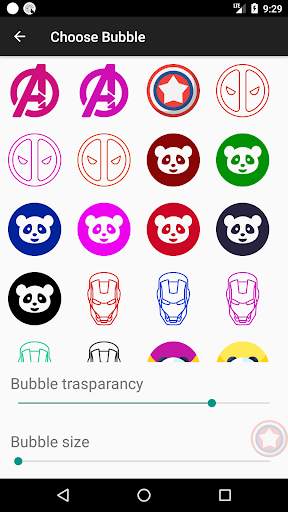
Piliin ang iyong sariling lumulutang na icon. Pumili mula sa iyong mga paboritong sobrang dito.
Mabilis na Shortcut Maker, nagpapanatili ng isang bubble sa ibaba lamang ng iyong hinlalaki na madaling magamit upang buksan ang anumang application o mga setting madali, sa isang click.
I-click nang isang beses upang buksan ang anumang App na may mga shortcut na idinagdag sa listahan.
Mga Tampok
⭐ Maghanap para sa anumang contact sa pamamagitan ng double tapping sa icon
⭐ Mag-swipe pakanan sa contact upang buksan WhatsApp Chat
⭐ Mag-swipe pakaliwa sa contact upang buksan sa dial ng telepono
⭐ Shortcut upang i-on ang wifi on / off
⭐ shortcut upang i-on ang sorch light on / off
⭐ shortcut upang i-do not distrub on / off
⭐ shortcut upang i-on ang bluetooth on / off
⭐ shortcut upang buksan Pagpipilian sa paghahanap.
⭐ Maaari mong idagdag ang iyong mga paboritong shortcut ng app. Kaya maaari mong buksan ang anumang app mula sa kahit saan sa telepono.
⭐ Ganap na napapasadyang.
Mabilis na maghanap ng anumang app mula sa kahit saan na may pagpipilian sa paghahanap.
Maaari mong buksan ang anumang app nang mabilis sa pamamagitan ng paghahanap para dito kahit saan.
⭐ Quick Search: - Binubuksan ang isang app sa ilalim ng 100 milliseconds.
Shortcut Habang naghahanap ng anumang app ay awtomatikong buksan ang app kung mayroon lamang isang tugma.

...

👉 For More Detail of 01Shortcuts - Quick Shortcut Maker - App Search

#3 Quick Shortcut Maker - Shortcut Creator Master

Quick Shortcut Maker - Shortcut Creator Master
Rating: star 3.0 | Version: 1.0 | Size: 4.5MB
Quick Shortcut Maker - Shortcut Creator Master screenshot 1 Quick Shortcut Maker - Shortcut Creator Master screenshot 2 Quick Shortcut Maker - Shortcut Creator Master screenshot 3

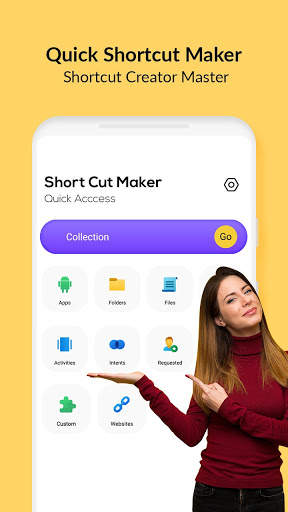
Sinusuportahan ka ng mabilis na shortcut maker application sa paglikha ng mga shortcut sa mga lokal na file, mga folder, application, contact, setting, mensahe, at pagpapasadya ng mga shortcut mula sa iba pang apps.
Maaari kang lumikha ng iyong sariling pamagat ng shortcut at gumamit ng maraming iba't ibang mga tampok para sa pag-customize ng icon ng shortcut: Gamitin ang icon ng kaugnay na application, i-crop ang imahe na na-export mula sa panlabas na gallery, i-import ang mga icon mula sa file, gamitin ang icon mula sa Panlabas na tema.
Mabilis na Shortcut Maker app Sinusuportahan din ng mga katutubong widget - maaari kang lumikha ng isang widget sa halip ng isang shortcut. Maaari mong baguhin ang ibang pagkakataon ang icon ng widget, pamagat, at hitsura. Gayundin, maaari mong ayusin ang mga shortcut sa database ng mga koleksyon gamit ang iba't ibang mga pamamaraan tulad ng hierarchy, mga tag. Maaari mong magamit sa ibang pagkakataon ang mga dialog ng koleksyon upang makakuha ng mabilis na access sa organisadong mga shortcut.
Ang app na ito ay maaaring lumikha ng isang shortcut sa Android home screen para sa anumang nais mo mula sa iyong Android.
folder at mga file:> / b> Gumawa ng mga shortcut ng mga file at folder mula sa panloob na imbakan.
Apps & Activities:
lumikha ng isang Shortcut of installed apps & activities.
Pasadyang:
Sa shortcut master APK, ito ay isang sariwa at bagong tampok upang makakuha ng mga shortcut mula sa mga naka-install na apps at i-edit ang mga ito bago gumawa.
Mga setting ng mabilis:
Gumawa ng shortcut maker online Baguhin ang iyong mga setting ng system nang mabilis.
Mga layunin:
Mga shortcut na tagalikha Master ng Android system intents kasama ang default na app .
Preview ng Shortcut:
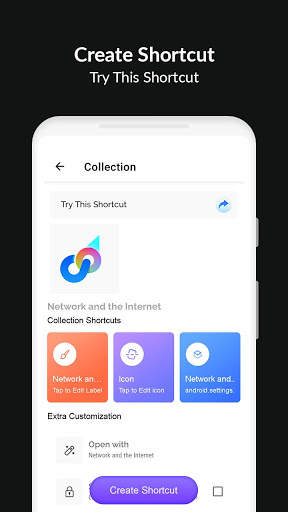
pagkatapos ng pagpili ng app ng aktibidad ay magpapakita sa iyo ng isang preview ng shortcut bago lumikha. Maaari mo ring palitan ang pangalan ng shortcut name at magdagdag ng isang shortcut sa paborito.
Website:
shortcut para sa iyong paboritong website.
Paboritong:
Sa mabilis na tagagawa ng shortcut, maaari mong suriin ang listahan ng iyong mga paboritong shortcut.
Kasaysayan:
Pinapayagan ka ng Shortcut Creator Master na suriin ang listahan ng mga shortcut na nilikha mo.
Paano lumikha ng shortcut sa Android app?
Upang simulan ang paglikha ng isang shortcut, sa ibaba ang mga madaling hakbang na ito:
1) Hanapin ang Quick Shortcut Maker - Shortcut Creator Master app sa Google Play Store at i-download ito.
2) Hanapin ang target sa pamamagitan ng paggamit ng isa sa mga tool sa ibaba:
Secret Code Explorer, App Explorer, Paghahanap o Kumuha ng Shortcut
3) Maaari mong subukan o i-preview ito.
4) Lumikha ng shortcut sa Home screen at sa listahan.
5) Kung hindi man, maaari mong i-import ang listahan ng shortcut sa iyong app.
Bakit mas mabilis ang mabilis na shortcut maker APK ang iyong karanasan sa Android?
• Mabilis at libreng multitasking:
Lumipat sa mga kamakailang apps o huling app na may isang mag-swipe lamang. Walang mas mabilis na paraan upang gawin ito.
• One-handed usability:
Hindi mo hinihiling na mabatak ang iyong daliri upang ilipat ang mga ito pabalik, i-toggle ang mga mabilis na setting, kamakailang pindutan, o pull-down na abiso.
• Tumuon sa karanasan ng gumagamit:
Mga ad libre, ang app ay mabilis, madaling gamitin, maganda, at iba pang napapasadyang.
B> • No Cluster home screen:
agad, maaari mong ma-access ang iyong mga paboritong app at mga shortcut mula sa kahit saan.

...

👉 For More Detail of Quick Shortcut Maker - Shortcut Creator Master

#4 Shortcut Maker

Shortcut Maker
Rating: star 4.0 | Version: 4.2.4 | Size: 3.9MB
Shortcut Maker screenshot 1 Shortcut Maker screenshot 2 Shortcut Maker screenshot 3

Ang app na ito ay maaaring lumikha ng isang shortcut sa Android homescreen para sa anumang nais mo mula sa iyong Android.
Piliin lamang ang tampok at mag -click sa Lumikha sa Shortcut.Iyon ' s ito!
medyo simple?Mga file: Lumikha ng shortcut ng folder at mga file mula sa panloob na imbakan.
website: shortcut para sa iyong paboritong website.
hiniling ng gumagamit: mga tampok na hiniling ng mga gumagamit.naka -install na apps at i -edit sa app na ito bago lumikha.
Makipag -ugnay sa akin: Shortcut upang maipadala sa akin ang iyong mga mungkahi :).Dito maaari mo ring palitan ang pangalan ng pangalan ng shortcut.Maaari ka ring magdagdag ng shortcut sa paborito.
Kasaysayan: Narito maaari mong suriin ang listahan ng mga shortcut na nilikha mo.
kung nais mong magdagdag ng anumang mga tampok sa app na ito, mangyaring ipadala sa akin ang iyong mga tugon at puna sa rkamewar1111@gmail.com (huwag kalimutan na magdagdag ng pangalan ng app sa paksa)
espesyal na salamatMATERIESHEARCHVIEW (salamat miguelcatalan! :)) para sa pagbibigay ng isang libreng SearchView na may malinis na UI na may simpleng pagpapatupad.Dito ' s ang Link ng Library na ginamit ko para dito:
https://github.com/miguelcatalan/materialsearchview

...

👉 For More Detail of Shortcut Maker

#5 Shortcut Maker

Shortcut Maker
Rating: star 3.8 | Version: 5.2.1 | Size: 1010.6KB
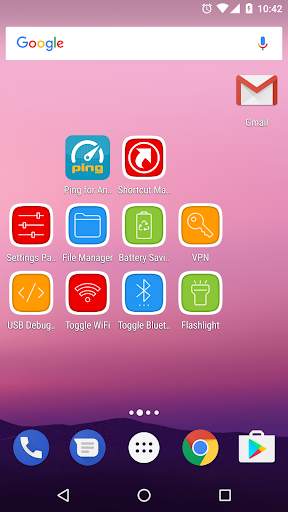
Shortcut Maker screenshot 1 Shortcut Maker screenshot 2 Shortcut Maker screenshot 3

Lumikha ng mga advanced na nakatagong mga setting ng shortcut sa iyong home screen.
Mga Aktibidad ng Application
Mga aktibidad na naka-install (tulad ng mga nakatagong setting.)
bookmark
shortcut upang buksan ang tukoy na websiteo URL.
Flashlight
built-in na flashlight (tanglaw).
File manager
Android built-in na file manager (nangangailangan ng Android 5.0 )
Mga pagpipilian sa developer ng USB
Mga pagpipilian sa developer.
Mga setting ng mabilis na mga setting
wifi toggle, bluetooth toggle, lokasyon, pag-save ng baterya, palawakin ang abiso, panel ng setting, mga kamakailang app, auto-rotate, hotspot,Cellular data.

...

👉 For More Detail of Shortcut Maker

Search Results

1/2

You may like

DOWNLOAD IS NOT SUPPORTED IN WEB STORE!
Use the latest version of 9Apps to download APK&OBB file of games in one click!
DOWNLOAD 9APPS