












DOWNLOAD IS NOT SUPPORTED IN WEB STORE!
Use the latest version of 9Apps to download APK&OBB file of games in one click!
DOWNLOAD 9APPS

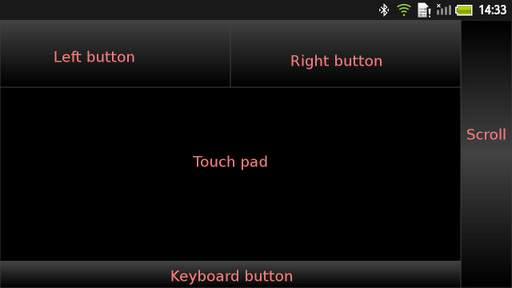
Remota is an application which can be used as a wireless mouse and a wireless keyboard for PC. You can remote control your host PC with simple user interfaces like a touch pad or Nintendo Wii motion plus.
===Requirements===
* A Bluetooth dongle on your host PC
* A server application on your host PC (Download from the following URL)
http://code.google.com/p/remota/downloads/list
# This application only runs on Windows PC.
===Validated devices===
*PC:
Windows7, Windows Vista
*Bluetooth dongle:
Elecom Logitec LBT-UAN03C2
PLANEX BT-MiniEDR
*Android device:
Sharp coorporation: Softbank 003SH, NTT docomo SH-12C, SH-01D, SH-06D, SH-07D
Sony coorporation: Walkman NW-Z1070
Remota runs on the Bluetooth Serial Port Profile(SPP), so you need a Bluetooth dongle. Packets from your mobile device to your host PC go on a Bluetooth serial port as general data, so your host PC needs a server application for analyze this data.
Remota has the following two modes: the touch pad mode and the motion pad mode.
(For more details, please visit the following page
https://sites.google.com/site/remotahelp/home/help)
===Touch pad mode===
*Move
Move a finger on the touch pad area
*Left button click
Tap at the touch pad or the left button
*Right button click
Tap at the right button
*Drag and drop
Touch down the left button and move another finger in the touch pad area
*Scroll
Move a finger on the scroll area
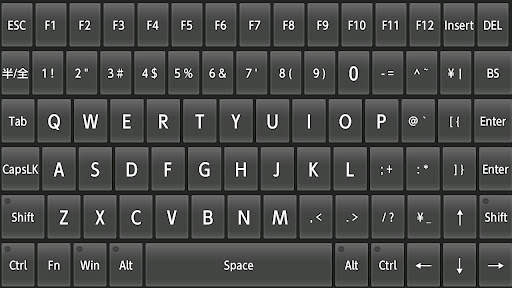
*Input keys
Touch down the keyboard button, then the following keyboard screen will appear
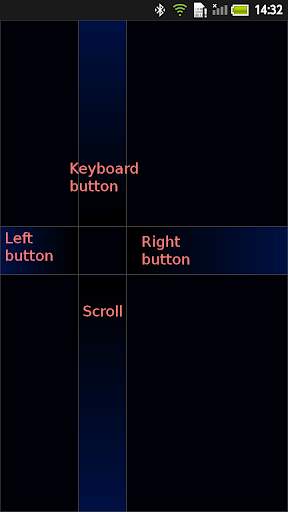
===Motion pad mode===
**Requiring a gyroscope.**
*Move
Touch down the screen and shake your mobile device holding the finger down
*Left button click
Tap at the screen or perform the following left-flick gesture: touch down the screen, move to the left button and left the finger
*Right button click
Perform the following right-flick gesture: touch down the screen, move to the right button and left the finger
*Drag and drop
Touch down the screen, move to the left button and shake your mobile device holding the finger down on the left button
*Scroll
Touch down the screen, move to the scroll button and shake your mobile device holding the finger down on the scroll button
*Input keys
Touch down the screen and move to the keyboard button


