DOWNLOAD IS NOT SUPPORTED IN WEB STORE!
Use the latest version of 9Apps to download APK&OBB file of games in one click!
DOWNLOAD 9APPS

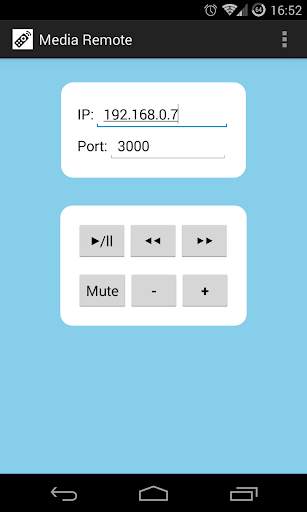
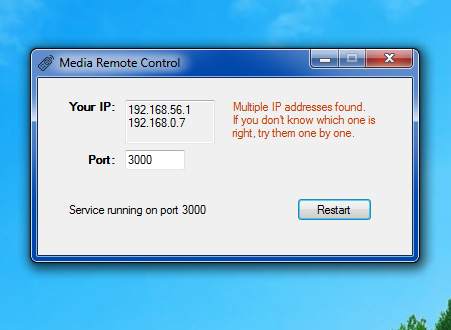
Control your PC from your device. With this app you can control the volume and media playing of your Windows computer, in particular: play/pause, previous/next track, volume up/down/mute.
YOU MUST BE UNDER THE SAME WIFI NETWORK
(or accessible from the Internet, if you know what you're doing)
INSTRUCTIONS:
1. Download the Windows application from this link: https://www.dropbox.com/s/afpaclr7izfygy8/MediaRemoteControl.exe (you can skip Dropbox login)
2. Open it, allow the firewall permission if requested, eventually change the port number
3. Open the Android app and copy your IP and port as indicated on the Windows application
4. Enjoy your film or music without leaving the sofa (I'm a lazy person!)
Please write me an email if you have any problem.
Running the PC application requires .NET Framework 4.5 installed.