link2sd apk on 9Apps

Free download latest link2sd apk for Android here and enjoy it with your phone. Below you can download a list of top and latest apps related to link2sd apk . 9APPS is a fast, safe app store. With 9APPS, you can save a lot of time on searching and downloading apps.

#1 Apk Installer

Apk Installer
Rating: star 4.5 | Version: 5.3.2c | Size: 5.3MB
Apk Installer screenshot 1 Apk Installer screenshot 2 Apk Installer screenshot 3

APK Installer เป็นวิธีที่รวดเร็วในการค้นหาและติดตั้งไฟล์ APK จาก SDCARD ของคุณ
คุณสมบัติแอพ:
•แสดงไฟล์ APK ที่ถูกต้อง (ข้ามไฟล์เสียหาย)
•สแกนไฟล์ APK จากการจัดเก็บข้อมูลภายนอก สถานะที่ติดตั้งไฟล์
•แสดงหน่วยความจำพื้นที่ว่าง
หมายเหตุ: เราไม่ได้จัดเตรียมไฟล์ APK ใด ๆ ให้ดาวน์โหลดโปรดตรวจสอบก่อนให้ความเห็นเชิงลบแก่เรา

...

👉 For More Detail of Apk Installer

#2 Link2SD

Link2SD
Rating: star 3.6 | Version: 4.3.4 | Size: 3.8MB
Link2SD screenshot 1 Link2SD screenshot 2 Link2SD screenshot 3

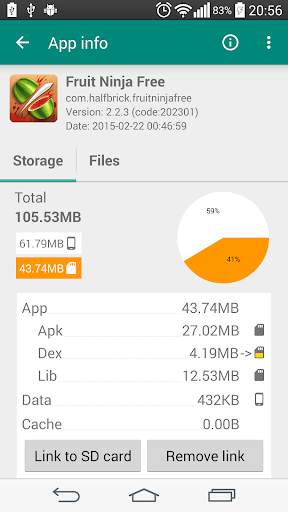
Link2SD is an application manager that makes it easy for Android 2.0 users on their device to move applications to the SD card. It enables you to manage your apps and storage easily.
Features:
✔ Link apk, dex and lib files of apps to SD card
✔ Link internal data of apps to SD card (Plus)
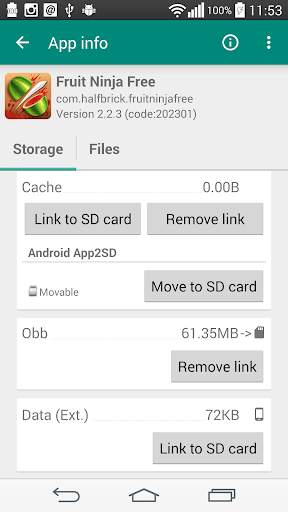
✔ Link external data and obb folders of apps and games to SD card (Plus)
✔ Link dex files of the system apps to SD card (Plus)
✔ Auto clear cache service (Plus)
✔ Automatically link newly installed apps (optional)
✔ Move any user apps to SD even though the app does not support moving to SD ("force move")
✔ Shows the apps that support moving to SD with native app2sd
✔ Set the default install location of the apps; auto, internal, or external
✔ Batch link, unlink, reinstall, uninstall, "move to SD", "move to phone" functions
✔ Notify when movable apps installed
✔ Uninstall system applications (bloatware removal)
✔ Freeze and un-freeze system and users applications
✔ Convert system apps into user apps
✔ Convert user apps into system apps
✔ Integrate "Updated" system apps into system (ROM)
✔ Clear data and cache of the application
✔ Batch clear data and cache of the selected apps
✔ Clear all apps cache at once (1-tap cache cleaner without being root)
✔ Exclusion list for "Clear all app cache" function
✔ Clear cache widget (1-tap cache cleaner without being root)
✔ Notify if total cache size exceeds specified size
✔ Reboot manager includes power off, normal reboot, quick (hot) reboot, reboot recovery, reboot bootloader / download mode
✔ Reboot widget to boot with one click
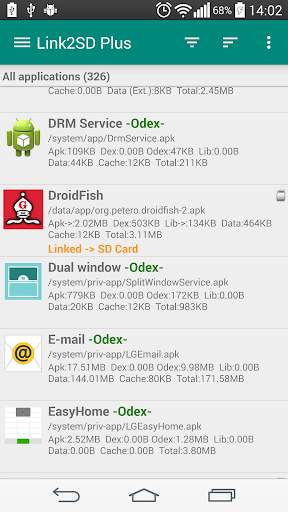
✔ List applications, show detailed size information and link status
✔ Wide variety of options to sort and filter apps
✔ Search applications by name
✔ Display available space information of internal storage, SD card and SD card 2nd partition
✔ Share the Play Store link or the APK (app's full package) file of the apps
✔ Create shortcut for the apps
✔ Support 40 languages
How it works:
Linking apps
Link2SD uses a secondary partition on your SD card and uses it as another segment of internal storage.
Link2SD moves apk, dalvik-cache (.dex), lib and internal data files into this partition, which the OS mounts on boot, and creates a symbolic link in the original location.
This retains the file structure that the system expects but with the bulk of the data moved to the SD card.
Linking obb and external data folders of apps and games
On devices that have emulated SD card, obb and external data folders are located in the internal storage, not in the external (real) SD card.
Link2SD moves these folders to the 1st or the 2nd partition of your external SD card (depending on your selection) and with the bind option of the mount command remounts the file hierarchy at external SD card while it is still available at the original location.
What you need:
Linking apps
- root permission
- second partition on SD card
You should have two partitions on your SD card and both should be primary.
You need to use a non-FAT file system (ext2, ext3, ext4 or f2fs) on your 2nd partition in order to link app's private data files. Because the FAT file system (FAT16, FAT32 or exFAT) does not support UNIX file ownership or permissions and will cause a security breakdown of app's private files.
Link2SD does not create the second partition, you need to create it yourself.
Linking obb and external data folders of apps and games
- root permission
Second partition on SD card is optional, folders can be moved to the 1st or 2nd second partition of the SD card.
Link2SD also provides native App2SD feature of Android OS. It can move any user apps to SD card (force move), with batch moving capability.
Link2SD is a free (ad supported) app, you can upgrade to Link2SD Plus to remove ads and get additional features.
DISCLAIMER: It is made available for use at your own risk with no warranty of any kind.

...

👉 For More Detail of Link2SD

#3 link2sd (new)

link2sd (new)
Rating: star 3.0 | Version: 1.8 | Size: 4.0MB
link2sd (new) screenshot 1 link2sd (new) screenshot 2 link2sd (new) screenshot 3

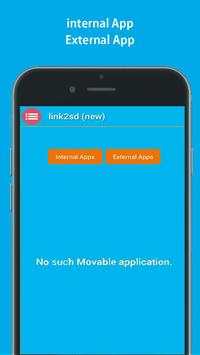
link2sd (new) is :
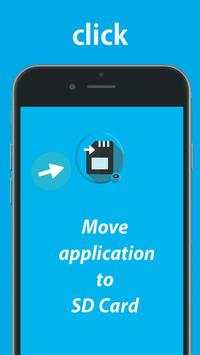
This app is tool help you to move the apps to SD card for one clik,
Apps are limited to only being able to manipuulate files on thestorage the link2sd(new) being restricted me.
The brand visible on the card is often a vendor that labels other people’s chips with it’s own branding. It's good for you that you would like to keep in device, but also makes unmovablle apps is work free not root.
If you don't know what the where the device's camera stores photos and where the Gallery application searches your photos/media files.
and you don't have any experience with a fille managers.
***
In addition to moving content applications,
This app has the ability to linnk foldeers in your internal sdcard to folders in your external sdcardesd thereby populating the internal sdcaard folders with content that really exists in the external card memoire.
Helps free space and have multiple games/apps with big data stored.
link1ssd comes with other features and is also the only script that has a bunch for almost any situation.
***
*Linksd2new apk, dex and lib files of apps to SD card application.
*Uninstall link2Ssd(new) no root.
*You can copy Apps in your device through phone to SD on cable.
*Open this software in the market.
*FM will offer to move the files for you.
*Move apps to SD card only application to help you.
*APK application the mobile phone memory to extren
*SD card to phone or phone to SD card..
*Move apps from smartphone to SbD Cards.
*Linkks apps to SD cards.
****
Files To SD Card(new) is useful for devices with small internal memory.
The app will list all available SD cards and partitions,the second partition on the first external SD card 1 and 2.
****
thanks for downolad this applications

...

👉 For More Detail of link2sd (new)

#4 Link2SD Plus (New)

Link2SD Plus (New)
Rating: star 3.5 | Version: 1.1 | Size: 84.9KB
Link2SD Plus (New) screenshot 1 Link2SD Plus (New) screenshot 2 Link2SD Plus (New) screenshot 3

✚✚✚✚ ปุ่มบวกสำหรับ Link2SD
✚✚✚✚
แอพนี้เป็นคีย์ใบอนุญาตเท่านั้นตอบสนองต่อแอป Link2SD (ฟรี) และเปลี่ยนเป็น Edition Plus Edition ให้ลบโฆษณาและ ปลดล็อคคุณสมบัติเพิ่มเติม คุณจะเห็น "Link2SD Plus" ในชื่อในแอป Link2SD (ฟรี)
รวมคุณสมบัติที่เพิ่ม
✔ลิงก์ไดเรกทอรีข้อมูลภายในของแอป ไปยังการ์ด SD
คุณต้องใช้ระบบไฟล์ที่ไม่ใช่ไขมัน (Ext2, Ext3, Ext3, Ext4 หรือ F2FS) บนพาร์ติชันที่ 2 ของคุณ เนื่องจากระบบไฟล์ไขมัน (FAT16, FAT32 หรือ Exfat) ไม่รองรับการเป็นเจ้าของไฟล์ UNIX หรือการอนุญาตและทำให้เกิดการสลายตัวของไฟล์ส่วนตัวของแอป
✔เชื่อมโยงข้อมูลภายนอกและโฟลเดอร์ OBB ของแอป และเกมไปยังการ์ด SD
✔ลิงค์ไฟล์ Dex ของแอประบบไปยังการ์ด SD
✔บริการล้างแคชอัตโนมัติ
✔ลบโฆษณาจาก Link2SD
หมายเหตุ **** ผู้ใช้ Link2SD Plus Old ****
เนื่องจากปัญหาเกี่ยวกับ Google Play ชื่อแพ็คเกจของแอปมีการเปลี่ยนแปลงและเผยแพร่เป็นแอพใหม่ที่เป็นเช่นเดียวกับ Old One สามารถใช้เวอร์ชันเก่าต่อไปได้ คุณสามารถติดตั้งเวอร์ชันเก่าจาก "Play Store -> แอพของฉัน -> ทั้งหมด"
**** การสนับสนุนและการอัพเกรด / ติดตั้ง ****
●ติดตั้ง "Link2SD Plus" ติดตั้งและไม่หยุด (ปิดใช้งาน) มัน
●การซื้อ Link2SD บวกต่อบัญชี Google สำหรับการซื้อใน Play Store การอัพเกรดและการติดตั้งใหม่ทั้งหมดฟรี
●คุณสามารถติดตั้ง Link2SD Plus บนอุปกรณ์ใด ๆ ได้ฟรีตราบใดที่คุณใช้บัญชี Google เดียวกันที่คุณซื้อด้วย โปรดทราบว่าสำหรับการซื้อ Google Play Store หากคุณมีบัญชี Google หลายบัญชีในอุปกรณ์ควรเลือกบัญชี "ต้นฉบับ" ของ Google ใน Play Store (เมนูด้านข้าง => ลูกศรสีขาวด้านบนขวาถัดจากบัญชีของคุณ)
> หากคุณได้รับข้อผิดพลาดใบอนุญาต
นี้มีการรายงานในกรณีต่อไปนี้:
●ไม่มีการโหลดแอป Store โปรดเริ่มเล่นแอป Play Store แล้วรอจนกว่าจะโหลดหน้าเริ่มต้นจนเต็ม แอป Play Store สามารถล้มเหลวในการโหลดตัวอย่างเช่นในระหว่างการอัพเดทด้วยตนเอง โปรดรอจนกว่าจะโหลดอย่างเต็มที่จากนั้นเริ่ม Link2SD อีกครั้ง
●การเชื่อมต่ออินเทอร์เน็ตไม่พร้อมใช้งาน / ไม่เสถียรหรือเล่นแอป / บริการถูกบล็อกจากอินเทอร์เน็ต ต้องใช้การเชื่อมต่อเครือข่ายสำหรับการตรวจสอบใบอนุญาตครั้งแรก แต่จากนั้นคุณสามารถออฟไลน์เป็นระยะเวลาหนึ่งก่อนที่จะต้องตรวจสอบใบอนุญาตอื่น การแคชถูกเปิดใช้งานการตรวจสอบใบอนุญาต
● Link2SD Plus ในความเป็นจริงไม่ได้รับใบอนุญาต / คำสั่งซื้อไม่สมบูรณ์ / คืนเงิน / ยกเลิก โปรดเปิดการทำธุรกรรมของคุณใน "wallet.google.com" และตรวจสอบสถานะ Link2SD Plus ของคุณคือ "สมบูรณ์"
●บัญชี Google ไม่ถูกต้องบนอุปกรณ์ แอพ Google Play จะถูกผูกไว้กับบัญชี Google หากคุณเปลี่ยนมัน Play Store ไม่สามารถรับรู้การซื้อของคุณอีกต่อไป โปรดเพิ่มบัญชี Google อีกครั้งกลับไปที่อุปกรณ์ของคุณและ / หรือเลือกบัญชีนี้ในแอป Google Play Store (เมนูด้านข้าง => ลูกศรขวาบนถัดจากบัญชี Google ของคุณ)
●คำขอมากเกินไปจากแอปเพื่อเล่นเซิร์ฟเวอร์สำหรับใบอนุญาต ตรวจสอบ. โปรดลองอีกครั้งในภายหลัง (ใน 10 นาที)
● (Android 2.x) ข้อมูลพื้นหลังถูกปิดใช้งาน
เพื่อแก้ไขปัญหานี้:
1 ถอนการติดตั้ง Link2SD และ Link2SD Plus จากนั้นรีบูต
2 ให้แน่ใจว่าคุณมีการเชื่อมต่ออินเทอร์เน็ตบนอุปกรณ์ขึ้นและมีความเสถียร
3 ติดตั้ง Link2SD และ Link2SD Plus จากแอป Google Play Store ติดตั้งใหม่ไปยังบัญชีเดียวกันฟรี (การติดตั้งจาก APK จะไม่แก้ไขปัญหา)
4 คุณอาจต้องเริ่มต้น / รอสักครู่ / ออกลิงค์ 2 บวกสองสามครั้งเพื่อโหลดสถานะสิทธิ์การใช้งานฟรี
5. หากไม่ได้ช่วยให้ชัดเจนข้อมูลของ Google Play Store และบริการ Google Play และ Reboot
หากคุณได้รับข้อผิดพลาด "ที่เก็บข้อมูลไม่เพียงพอ" เมื่อติดตั้ง Link2SD Plus แม้คุณมีพื้นที่ว่างเพียงพอ
เพื่อแก้ไขปัญหานี้:
1 "ล้างแคชแอปทั้งหมด" ภายใน Link2SD
2 ตั้งค่า "ติดตั้งตำแหน่ง" เป็นอัตโนมัติภายในการตั้งค่า Link2SD และรีบูต
3 หากไม่สามารถช่วยให้ล้างข้อมูลของ Google Play Store และบริการ Google Play และ Reboot

...

👉 For More Detail of Link2SD Plus (New)
#5 Apk Extractor

Apk Extractor
Rating: star 4.0 | Version: 4.21.08 | Size: 2.5MB
Apk Extractor screenshot 1 Apk Extractor screenshot 2 Apk Extractor screenshot 3

APK Extractor will extracts APK that are installed on your android device and copies them to your SD card.
★ Fast and easy to use.
★ Extracts almost all application,including system applications.
★ No ROOT access required.
★ By Default Apk's will be saved in /sdcard/ExtractedApks/.
★ Provided Search option to search applications.
★ Compatible with latest version of Android 7.0
★ Saved apk format AppName_AppPackage_AppVersionName_AppVersionCode.apk.
★ Can extract multiple/all APK's by holding long click on any item.
Interested in translating the application in your local language ? Strings are available in GitHub https://github.com/meher421/ExtractorStrings/tree/master/values .Please email me translated strings

...

👉 For More Detail of Apk Extractor

Search Results

1/20

You may like

DOWNLOAD IS NOT SUPPORTED IN WEB STORE!
Use the latest version of 9Apps to download APK&OBB file of games in one click!
DOWNLOAD 9APPS