link2sd plus on 9Apps

Free download latest link2sd plus for Android here and enjoy it with your phone. Below you can download a list of top and latest apps related to link2sd plus . 9APPS is a fast, safe app store. With 9APPS, you can save a lot of time on searching and downloading apps.

#1 Link2SD Plus (New)

Link2SD Plus (New)
Rating: star 3.5 | Version: 1.1 | Size: 84.9KB
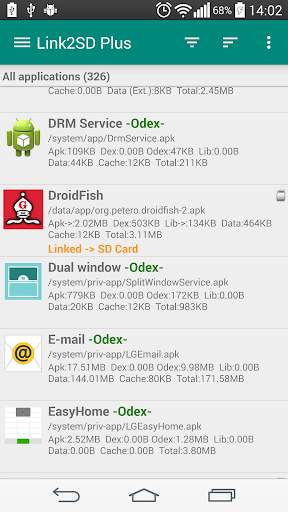
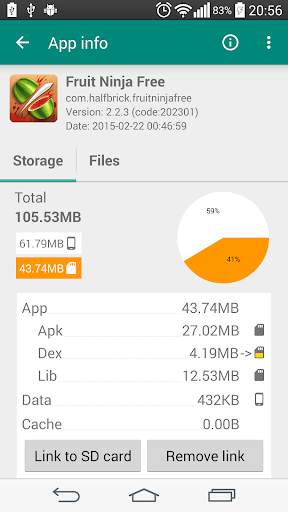
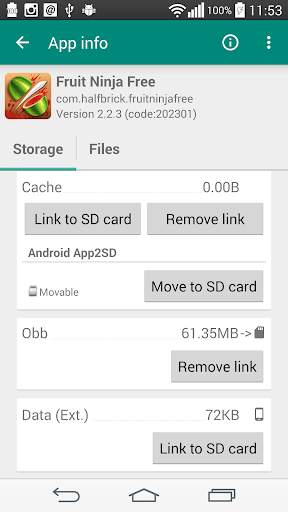
Link2SD Plus (New) screenshot 1 Link2SD Plus (New) screenshot 2 Link2SD Plus (New) screenshot 3

✚✚✚✚ mais chave para link2sd
✚✚✚✚
Este aplicativo é apenas uma chave de licença, requer o aplicativo link2sd (grátis) e transforma-o em Plus Edition, remove anúncios e Desbloqueia recursos adicionais. Você verá "link2sd plus" no título no aplicativo Link2SD (Free).
mais recursos adicionados
✔ Links Diretório interno dos aplicativos Para cartão SD
Você precisa usar um sistema de arquivos não gordura (ext2, ext3, ext4 ou f2fs) na sua segunda partição. Como o sistema de arquivos FAT (FAT16, FAT32 ou EXFAT) não suporta a propriedade ou permissões do UNIX Arquivo e causa uma quebra de segurança dos arquivos privados do aplicativo.
✔ Links dados externos e pastas OBB de aplicativos e jogos para sd cartão
✔ Links deex arquivos dos aplicativos do sistema para cartão SD
✔ Auto Limpar o serviço de cache
✔ Remove anúncios do link2sd
**** Nota para Velho link2sd mais usuários ****
de
devido a um problema com o Google Play O nome do pacote foi alterado e publicado como um novo aplicativo.
É o mesmo que o antigo, você pode continuar a usar a versão antiga. Você pode reinstalar a versão antiga da "play store -> meus aplicativos -> Todos"
.
**** Suporte e upgrades / reinstalações ****
● Manter "link2sd plus" instalado e não congelar (desabilitar).
A compra do Link2SD Plus é por conta do Google para compras na Play Store, todas as atualizações e reinstalações são gratuitas.
● Você pode instalar o link2sd plus em qualquer dispositivo gratuitamente, desde que você use a mesma conta do Google que você comprou. Observe que, para as compras do Google Play Store se você tiver várias contas do Google no dispositivo, sua conta do Google "original" deve ser selecionada no Play Store (menu lateral => Seta branca superior direita ao lado da sua conta).
Se você estiver recebendo erro de licença
isso é relatado nos seguintes casos:
● Play Store App não carregado. Por favor, inicie o aplicativo Play Store e aguarde até que ele carregue totalmente a página inicial. Play Store App pode falhar em carregar, por exemplo, durante sua auto-atualização. Por favor, aguarde até que seja totalmente carrega, em seguida, inicie o link2sd novamente
● A conexão com a Internet não está disponível / instável ou reproduzir aplicativos / serviços são bloqueados da Internet. Requer uma conexão de rede para a primeira verificação de licença. Mas então você pode ir offline por um período de tempo antes de precisar de outra verificação de licença. O cache é ativado para verificação de licença.
● O Link2SD Plus não é licenciado / ordem é incompleto / reembolsado / cancelado. Por favor, abra suas transações em "wallet.google.com" e verifique o status do seu link2sd plus é "completo" de
● Conta do Google inválida no dispositivo. Os aplicativos do Google Play estão vinculados à Conta do Google, se você alterar, a Play Store não pode mais reconhecer sua compra. Por favor, adicione a Conta do Google de volta ao seu dispositivo e / ou selecione esta conta no Google Play Store App (menu lateral => seta superior direita ao lado da sua conta do Google)
● Muitas solicitações de aplicativos para os servidores de aplicativos para licença Verifica. Por favor, tente novamente mais tarde (em 10 minutos)
● (Android 2.x) Os dados de fundo estão desativados de
para resolver este problema:
1. Desinstalar link2sd e link2sd plus e reiniciar
2. Certifique-se de ter conexão com a Internet no dispositivo para cima e estável
3. Instale o link2sd e o link2sd plus do aplicativo Google Play Store. Reinstalações para a mesma conta são gratuitas. (Instalando a partir do APK não resolve o problema)
4. Você pode precisar de iniciar / aguardar um bit / sair link2sd mais algumas vezes para recarregar o estado de licença.
5. Se não ajudou, limpe os dados da Google Play Store e do Google Play Services e Reinicie o erro
Se estiver recebendo "Armazenamento insuficiente" Erro ao instalar o Link2SD Plus, mesmo que você tenha espaço livre suficiente / b>
Para resolver este problema:
1. "Limpar todo o cache do aplicativo" dentro do link2sd
2. Defina "Instalar Local" para as configurações do Link2SD automático e reinicialize o 3. Se não ajudou, limpe dados da Google Play Store e do Google Play Services e Reinicie

...

👉 For More Detail of Link2SD Plus (New)

#2 Guia do Link2SD Plus

Guia do Link2SD Plus
Rating: star 3.0 | Version: 1.0 | Size: 11.9MB
Guia do Link2SD Plus screenshot 1 Guia do Link2SD Plus screenshot 2 Guia do Link2SD Plus screenshot 3

Link2SD Plus aplicação das aplicações de transporte mais poderoso para o cartão de memória, fácil de usar e simples e altamente eficiente benefício muito dele nesta área, mas Link2SD Plus, ele precisa dos poderes para trabalhar sua raiz.
Link2SD Características:
-scan fornece-lhe os arquivos acumulados na opção de telefone, a fim de acelerar e fornecer ungido
-doing Gerenciamento completo de suas aplicações como um levantamento - ea mudança de local - eo congelamento do aplicativo - convertê-lo para aplicar o sistema - e executar diretamente - re-instalar aqueles que têm problemas - Enviar aplicações Bluetooth maneira fácil.
-O Trabalho de organização e limpeza para o seu telefone de várias maneiras
-Há a opção de torná-lo lugar memorável de instalação não é estrangeira e interna Este é o nosso tema de hoje e outras características são muitas e Ultimate.

...

👉 For More Detail of Guia do Link2SD Plus

#3 Link2SD

Link2SD
Rating: star 3.6 | Version: 4.3.4 | Size: 3.8MB
Link2SD screenshot 1 Link2SD screenshot 2 Link2SD screenshot 3

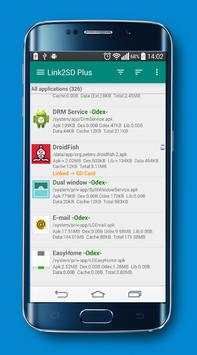
Link2SD is an application manager that makes it easy for Android 2.0 users on their device to move applications to the SD card. It enables you to manage your apps and storage easily.
Features:
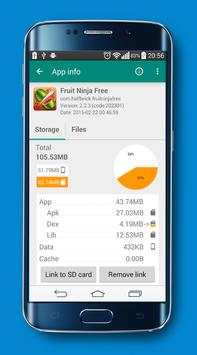
✔ Link apk, dex and lib files of apps to SD card
✔ Link internal data of apps to SD card (Plus)
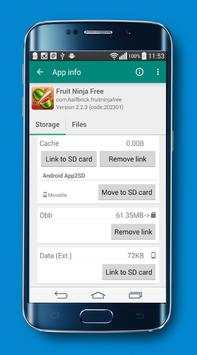
✔ Link external data and obb folders of apps and games to SD card (Plus)
✔ Link dex files of the system apps to SD card (Plus)
✔ Auto clear cache service (Plus)
✔ Automatically link newly installed apps (optional)
✔ Move any user apps to SD even though the app does not support moving to SD ("force move")
✔ Shows the apps that support moving to SD with native app2sd
✔ Set the default install location of the apps; auto, internal, or external
✔ Batch link, unlink, reinstall, uninstall, "move to SD", "move to phone" functions
✔ Notify when movable apps installed
✔ Uninstall system applications (bloatware removal)
✔ Freeze and un-freeze system and users applications
✔ Convert system apps into user apps
✔ Convert user apps into system apps
✔ Integrate "Updated" system apps into system (ROM)
✔ Clear data and cache of the application
✔ Batch clear data and cache of the selected apps
✔ Clear all apps cache at once (1-tap cache cleaner without being root)
✔ Exclusion list for "Clear all app cache" function
✔ Clear cache widget (1-tap cache cleaner without being root)
✔ Notify if total cache size exceeds specified size
✔ Reboot manager includes power off, normal reboot, quick (hot) reboot, reboot recovery, reboot bootloader / download mode
✔ Reboot widget to boot with one click
✔ List applications, show detailed size information and link status
✔ Wide variety of options to sort and filter apps
✔ Search applications by name
✔ Display available space information of internal storage, SD card and SD card 2nd partition
✔ Share the Play Store link or the APK (app's full package) file of the apps
✔ Create shortcut for the apps
✔ Support 40 languages
How it works:
Linking apps
Link2SD uses a secondary partition on your SD card and uses it as another segment of internal storage.
Link2SD moves apk, dalvik-cache (.dex), lib and internal data files into this partition, which the OS mounts on boot, and creates a symbolic link in the original location.
This retains the file structure that the system expects but with the bulk of the data moved to the SD card.
Linking obb and external data folders of apps and games
On devices that have emulated SD card, obb and external data folders are located in the internal storage, not in the external (real) SD card.
Link2SD moves these folders to the 1st or the 2nd partition of your external SD card (depending on your selection) and with the bind option of the mount command remounts the file hierarchy at external SD card while it is still available at the original location.
What you need:
Linking apps
- root permission
- second partition on SD card
You should have two partitions on your SD card and both should be primary.
You need to use a non-FAT file system (ext2, ext3, ext4 or f2fs) on your 2nd partition in order to link app's private data files. Because the FAT file system (FAT16, FAT32 or exFAT) does not support UNIX file ownership or permissions and will cause a security breakdown of app's private files.
Link2SD does not create the second partition, you need to create it yourself.
Linking obb and external data folders of apps and games
- root permission
Second partition on SD card is optional, folders can be moved to the 1st or 2nd second partition of the SD card.
Link2SD also provides native App2SD feature of Android OS. It can move any user apps to SD card (force move), with batch moving capability.
Link2SD is a free (ad supported) app, you can upgrade to Link2SD Plus to remove ads and get additional features.
DISCLAIMER: It is made available for use at your own risk with no warranty of any kind.

...

👉 For More Detail of Link2SD
#4 link2sd (new)

link2sd (new)
Rating: star 3.0 | Version: 1.8 | Size: 4.0MB
link2sd (new) screenshot 1 link2sd (new) screenshot 2 link2sd (new) screenshot 3

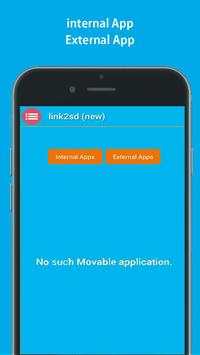
link2sd (new) is :
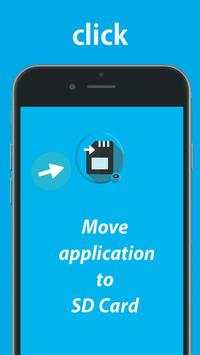
This app is tool help you to move the apps to SD card for one clik,
Apps are limited to only being able to manipuulate files on thestorage the link2sd(new) being restricted me.
The brand visible on the card is often a vendor that labels other people’s chips with it’s own branding. It's good for you that you would like to keep in device, but also makes unmovablle apps is work free not root.
If you don't know what the where the device's camera stores photos and where the Gallery application searches your photos/media files.
and you don't have any experience with a fille managers.
***
In addition to moving content applications,
This app has the ability to linnk foldeers in your internal sdcard to folders in your external sdcardesd thereby populating the internal sdcaard folders with content that really exists in the external card memoire.
Helps free space and have multiple games/apps with big data stored.
link1ssd comes with other features and is also the only script that has a bunch for almost any situation.
***
*Linksd2new apk, dex and lib files of apps to SD card application.
*Uninstall link2Ssd(new) no root.
*You can copy Apps in your device through phone to SD on cable.
*Open this software in the market.
*FM will offer to move the files for you.
*Move apps to SD card only application to help you.
*APK application the mobile phone memory to extren
*SD card to phone or phone to SD card..
*Move apps from smartphone to SbD Cards.
*Linkks apps to SD cards.
****
Files To SD Card(new) is useful for devices with small internal memory.
The app will list all available SD cards and partitions,the second partition on the first external SD card 1 and 2.
****
thanks for downolad this applications

...

👉 For More Detail of link2sd (new)

#5 Plus

Plus
Rating: star 5.0 | Version: 6.0 | Size: 4.0MB
Plus screenshot 1 Plus screenshot 2 Plus screenshot 3

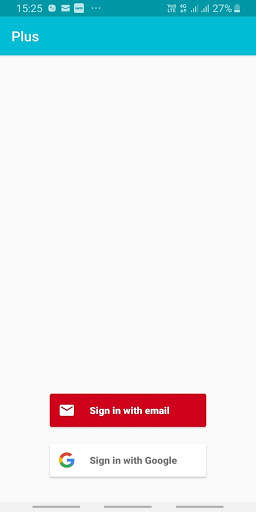
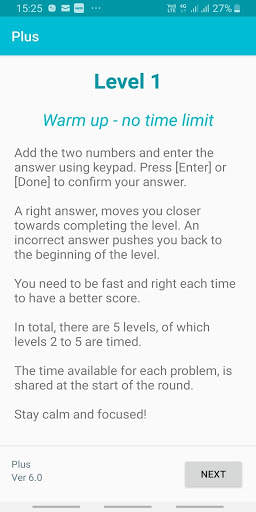
A simple, but not that simple game which challenges your alertness, agility, concentration, and focus using basic addition skills.
There are five levels to play, which squeezes you a bit to play faster in each level.
The key is to hold your nerves as the situation gets tighter.
The game adjusts based on your performance.
The faster and more accurate you get, the higher is your score.
Share your score with your friends and challenge them to up your score.
Privacy Note:
The game does record your score along with your login identity.
The plan is to provide you additional analytics on your performance in future versions of the game.
Your identity will never be shared.
Permissions: The games does require access to INTERNET (for storing the score), and your DEVICE STORAGE (for sharing the score with your friends)
APP Sharing: The game uses your phone's WhatsApp to create the final Game score, which can be shared with your friends, if you chose to.
The app does not share any information on its own.

...

👉 For More Detail of Plus

Search Results

1/20

You may like

DOWNLOAD IS NOT SUPPORTED IN WEB STORE!
Use the latest version of 9Apps to download APK&OBB file of games in one click!
DOWNLOAD 9APPS