ghost locator on 9Apps

Free download latest ghost locator for Android here and enjoy it with your phone. Below you can download a list of top and latest apps related to ghost locator . 9APPS is a fast, safe app store. With 9APPS, you can save a lot of time on searching and downloading apps.

#1 Mobile Number Locator

Mobile Number Locator
Rating: star 4.1 | Version: 9.98 | Size: 10.4MB
Mobile Number Locator screenshot 1 Mobile Number Locator screenshot 2 Mobile Number Locator screenshot 3

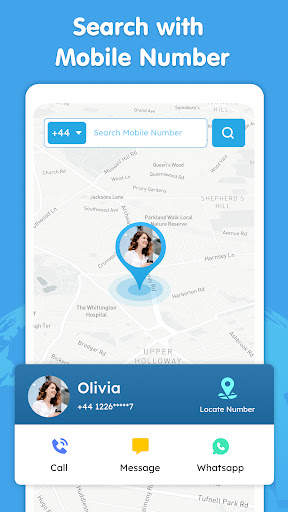
Obtenha informações sobre números de celular, encontre código STD, código ISD com localizador de números de celular, ele exibirá o local das informações de chamadas com a rede, você pode verificar facilmente quem está ligando.sem conexão com a Internet.Você pode encontrar o número do telefone celular, consulte as informações do chamador com a localização do Telecom, juntamente com o nome da localização.O chamador com número, região de telecomunicações.
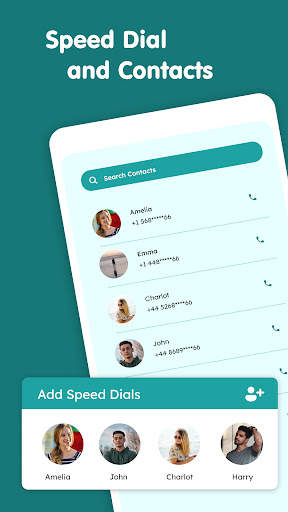
Veja a lista de seus contatos.A pesquisa de contatos da lista telefônica ajuda a encontrar os detalhes do local dos contatos da lista telefônica.Você pode adicionar os contatos favoritos como mostradores de velocidade e também Wodget à sua tela inicial.
Códigos STD:
Com o localizador de números de celular, pesquise os códigos STD até offline.Todos os códigos DST incluídos.Atualizado com os códigos de DST mais recentes.Para os mostradores de velocidade e pode ligar diretamente, enviar mensagem e ver também o local da telecomunicações no mapa..
* Encontre facilmente o código STD, código ISD.
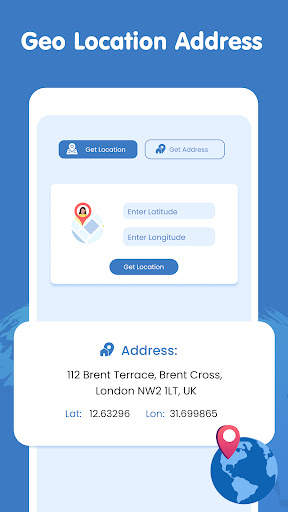
* Localize o número do telefone celular, detalhes do operador, área.O mostrador de velocidade e também pode adicionar como widget.
* Conexão à Internet necessária para mostrar a localização no mapa.
* Veja a lista de contatos com opções relevantes.chamador.O localizador de números de celular não fará o upload de dados pessoais, como contatos, localização do usuário no servidor.

...

👉 For More Detail of Mobile Number Locator

#2 Ghost Locator

Ghost Locator
Rating: star 3.3 | Version: 1.0.1 | Size: 19.7MB
Ghost Locator screenshot 1 Ghost Locator screenshot 2 Ghost Locator screenshot 3

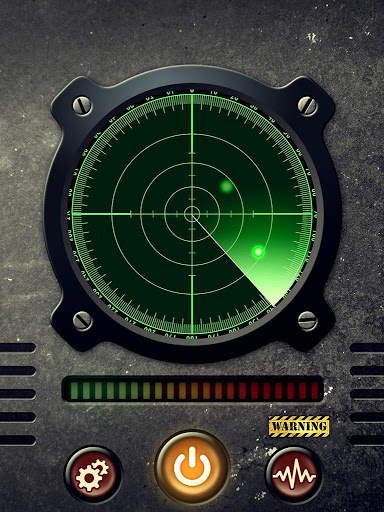
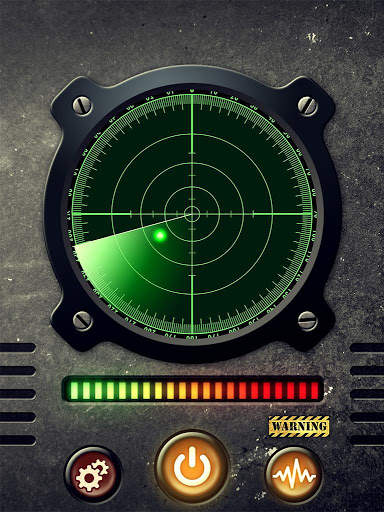
Ghost Locator is an application that uses your mobile device to detect sources of variable magnetic emissions. Which could indicate us the presence of some kind of paranormal activity.
It uses advanced technology to draw ghosts towards your location.
Ghost Locator uses EVP (Electronic voice phenomenon) technology to listen to paranormal activity.
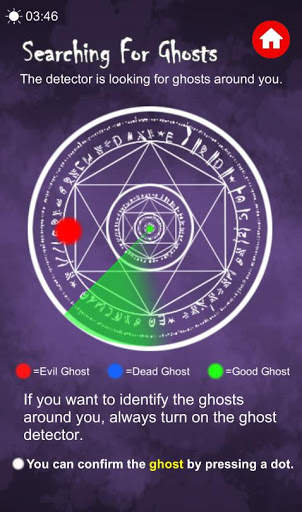
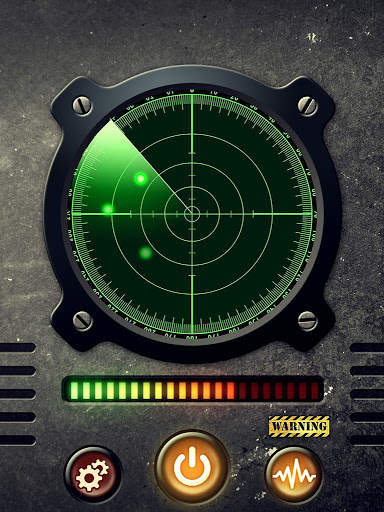
The application will show a green dot on the radar indicating the presence of paranormal activity nearby.
Please allow the device to 'warm up' and calibrate to your environment for best results.
The detection range varies and is not 100% accurate, depending on the mobile device.

...

👉 For More Detail of Ghost Locator

#3 Locator

Locator
Rating: star 4.7 | Version: 1.4 | Size: 4.2MB
Locator screenshot 1 Locator screenshot 2 Locator screenshot 3

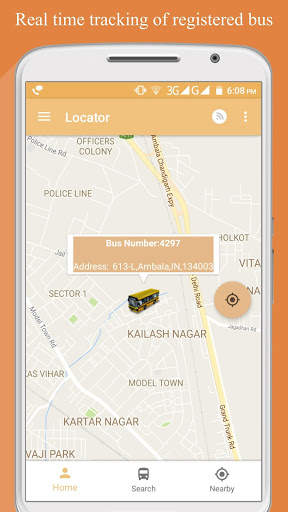
O aplicativo localizador destaca os benefícios do avanço e aceitação tecnológicos para a segurança do aluno. Destina-se a preencher a lacuna de comunicação entre os condutores e as equipes da faculdade, estudantes e pais.
Recursos salientes do localizador:
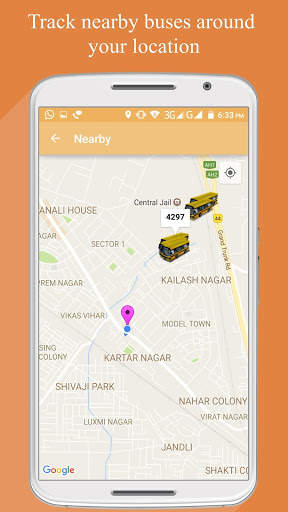
- Cada rota percorrida, velocidade do ônibus, localização precisa do ônibus a qualquer momento, e a parada planejada pode ser capturada em tempo real para ver uma verdadeira representação do movimento real. - Capaz de rastrear os ônibus - os alunos podem rastrear o barramento, dependendo do número do barramento ou parada de ônibus.
- O aplicativo fornecerá aos usuários atualizações regulares sobre taxa de ônibus, agendamentos de barramento, etc. - os alunos também podem Registre suas opiniões e reclamações.
- O usuário também pode acessar uma vista de rua no localizador de ônibus, onde ele pode definir um alerta pop para notificá-lo quando um ônibus atinge uma parada de ônibus.
- Se um ônibus é atrasado Para um evento incomum (como um reroute, incidente), as previsões de chegada podem permanecer a mesma ou podem até aumentar para esse barramento.
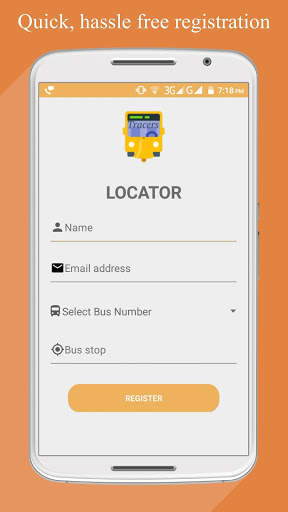
-Não incômodo em relação ao seu login: basta se inscrever no seu respectivo ônibus, digitando seu ID de e-mail, Número do ônibus e parada de ônibus.
-Register para outro ônibus, apenas ao seu clique: Em caso de mudança no seu autocarro, registre-se para um novo barramento apenas em um único clique.
-Bem notificações: Receba contínua Notificações do tempo carimbadas sobre os vários locais / paradas O barramento passou em sua rota pré-determinada para ajudá-lo a estimar o tempo de chegada.
-Regular Atualizações: Seja notificado quando seu ônibus regular é trocado com outro barramento e o novo ônibus com o número do barramento a ser embarcado para o dia.
Acesso fácil às rotas de barramento: Obtenha acesso sem esforço à rota de todos os ônibus em sua respectiva sequência.
Atualizações personalizadas: Obtenha atualizações sobre sua taxa de barramento e status de passagem de barramento.
- Foi ouviu: Obter sua opinião ou reclamações ouvidas foi facilitada com a página de reclamação do aplicativo localizador. Basta digitar sua reclamação usando o seu rolo não e nome e obtenha resultados instantâneos!
-Now Seu driver: Obtenha detalhes sobre todos os drivers no pool de ônibus. Encontre seus nomes, número de contato, número de ônibus e anos de experiência.
-Bus custos: O aplicativo localizador é o seu ir ao portal para qualquer consulta sobre a taxa de ônibus em relação a cada parada.
.................................................. .................................................. .................................................. .............
As opiniões e sugestões de nossos usuários são sempre apreciadas e valorizadas. Então, escreva-nos sobre sua experiência, boa ou ruim (vamos nos esforçar mais) e nos ajudar a criar uma melhor experiência para você.
E-mail para:
Vishamago16@gmail.com Siga-nos em:
https://www.facebook.com/velhal.mogo.5
https://www.facebook.com/codroid/
.......... .................................................. .................................................. .................................................. ........

...

👉 For More Detail of Locator

#4 Ghost Hunter ELITE Locator

Ghost Hunter ELITE Locator
Rating: star 3.0 | Version: 1.0.3-elite | Size: 12.3MB

Ghost Hunter ELITE Locator screenshot 1 Ghost Hunter ELITE Locator screenshot 2 Ghost Hunter ELITE Locator screenshot 3

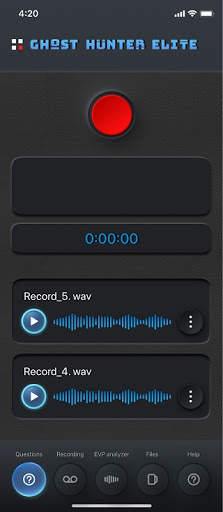
Ghost Hunter ELITE is a interactive APP that allows you to contact entity ghosts through EVP and EMF Technology.
There are to Modes of Operations "Active MODE" and "Stand ALONE MODE"
HOW TO USE GHOST HUNTER APP In “ACTIVE MODE”
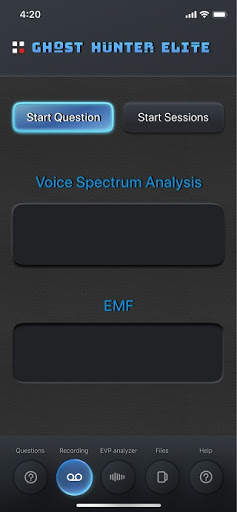
1. Open Ghost HUNTER APP and GO TO RECORDING PAGE in Recording PAGE JUST HIT Start Sessions Button and this will Activate EMF & EVP Graph Recording DATA. You are now Free to Ask any questions that you have while you are out an about.
2. When you are Finished just HIT the "Stop Session Button" and just Follow Steps From FILES Onward to EVP ANALYZER PAGE & TOP LEFT SIDE DRAWER.
STAND ALONE MODE - METHOD 2
BEFORE YOU START USING GHOST HUNTER YOU MUST SET the Pre Gap in the Setting PAGE. The PRE-GAP allows certain amount of Minutes to pass before the next Question is asked to the Entity. The Setting can be found in the TOP Left Corner ICON SIDE Drawer then going to Settings.
1. Open Ghost HUNTER ELITE APP
2. Use the Questions Page to start your questions that you would like to ask the Entity in STAND ALONE MODE. Our Ghost Hunter Free Version Has up to 5 Questions that can be asked during a Specified TIME in the Recorder PAGE.
3. HIT the TOP Recorders Button and Press "Record" Button
4. Record your questions you would like to be answered by the Ghost.
5. The Free Version can only record 5 different Questions.
6. If you haven't yet Set the PRE-GAP please go into the Setting PAGE
Recording PAGE:
1. In the Recording PAGE please Press the Start Questions button. You will see a Prompt come up to "Select Hours" you want to ask the Ghosts the Questions while you go to sleep or do something else. After you have selected the Hours then Press the Start Questions Button Again this will start your Automatic Questions that you have set up Earlier in the Questions PAGE.
2. After you have pressed the Start Questions button you can now press the Start Sessions Button and this will start the microphone and EMF Reader recorder together and will begin to Record EMF & EVP Microphone DATA.
Both of the Sensors Graphs will record DATA and store the files into your phone.
3. You can now Place your smartphone in the Attic or anywhere else you think Ghost are present. The Speaker will ask your questions to the Entities that are in the ROOM.
FILES PAGE:
1. Once the Sessions has finished the Files will automatically be stored into the Files Area
2. You can press on the Play Button on the Files & listen to them in FILES AREA. By Pressing on the Play Button will bring up a convenient Quick to read Green Colored Graph. The Three DOT Button the Right of the APP will bring up Options to DELETE FILES.
3. By pressing the Center of the FILE you will bring it into the EVP Analyzer PAGE.
EVP Analyzer PAGE:
1. ONCE a Session FILE has been brought into the EVP Analysis Page all the Graphs will start to show recorded DATA that were recorded during the Session you created.
2. You can use the bottom Toggle Bar to Slow Down or Speed up the listening Session - this will give you better capabilities for detection.
3. The TOP Graph is the Actual EMF that was recorded during the Session/s - you can use this to SPOT any SPIKES in the EMF when Ghosts might have communicating or it could have been triggers by Ghost communication. You can use this to confirm to someone of the anomaly.
4. Just like with our EVP Hunter APP you have the Capability to ZOOM into the EMF Graph for better Detection.
5. The Bottom Graph EVP Graph can also detect anomalies that were recorded.
6. Both of the Graphs are in Sync so you can use them to single out anomalies that might have been detected.
7. We have integrated Reverse and Fast Forward and Play Buttons with Millisecond Counter
TOP LEFT SIDE DRAWER:
Press the TOP 4 DOT BUTTON ON TOP LEFT. Here you will find any Options - Choose any Feature that you Like - Please understand that some of our Features have not been activated Yet and will be available at a Later DATE.
BluFly Matrix Team

...

👉 For More Detail of Ghost Hunter ELITE Locator

#5 Ghost Detector : Ghost Radar, Ghost Hunting

Ghost Detector : Ghost Radar, Ghost Hunting
Rating: star 4.1 | Version: 2.1 | Size: 22.8MB
Ghost Detector : Ghost Radar, Ghost Hunting screenshot 1 Ghost Detector : Ghost Radar, Ghost Hunting screenshot 2 Ghost Detector : Ghost Radar, Ghost Hunting screenshot 3

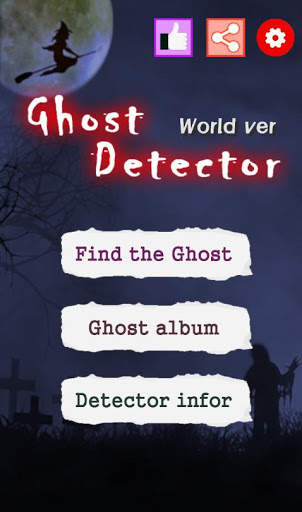
You can see various ghosts from all over the world through ghost detection.
Ghost Detector Features
1. Hear the sound of ghosts.
2. Eliminate bad ghosts.
3. You can meet good ghosts.
4. Meet various ghosts from all over the world.
Ghosts you have met are stored in your album.
If you have courage, start right now.

...

👉 For More Detail of Ghost Detector : Ghost Radar, Ghost Hunting

Search Results

1/20

You may like

DOWNLOAD IS NOT SUPPORTED IN WEB STORE!
Use the latest version of 9Apps to download APK&OBB file of games in one click!
DOWNLOAD 9APPS