pdf derive on 9Apps

Free download latest pdf derive for Android here and enjoy it with your phone. Below you can download a list of top and latest apps related to pdf derive . 9APPS is a fast, safe app store. With 9APPS, you can save a lot of time on searching and downloading apps.

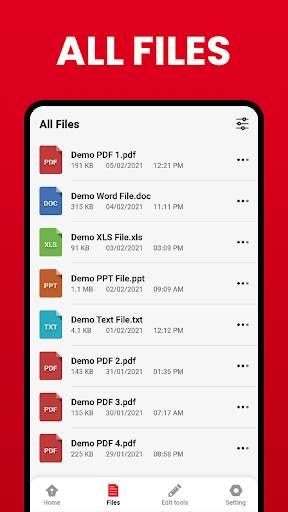
#1 PDF Reader: Edit & Convert PDF

PDF Reader: Edit & Convert PDF
Rating: star 4.0 | Version: tencent_5.5.7 | Size: 70.9MB
PDF Reader: Edit & Convert PDF screenshot 1 PDF Reader: Edit & Convert PDF screenshot 2 PDF Reader: Edit & Convert PDF screenshot 3

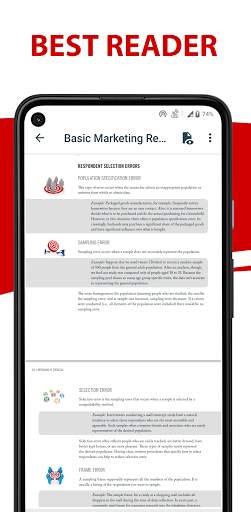
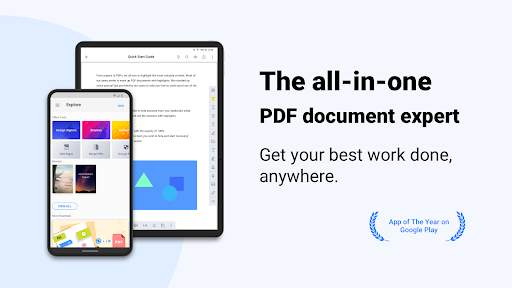
Covering all the essentials and more, Kdan PDF Reader is the world’s leading PDF editor on the market. Its expert features allow you to view, annotate, scan, sign and convert PDFs on smartphones, tablets, and even on PC/Mac. Quickly backup and send files to friends, classmates, and colleagues via email or any popular Cloud storage service (share via Android). Optimizing your work quality and productivity has never been this easy!
AWARDS AND RECOGNITION
- Best PDF Reader Apps 2019 on TechRadar
- Best PDF Reader Apps 2017 on tom's guide
- Best Apps of 2016 on Google Play store
***WITH PDF READER YOU CAN***
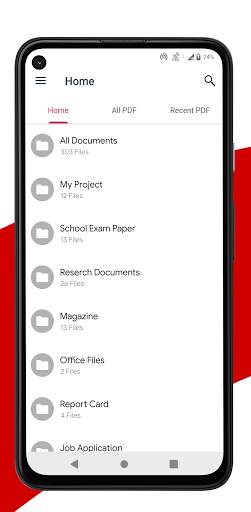
CREATE & ACCESS FILES
• Create and combine scans to multi-pages PDFs
• Import files from your computer, cloud, or other apps
• Store files from the web or email attachments
• Access all files from the local folder"
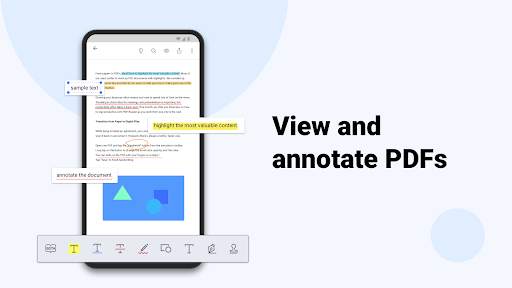
ANNOTATE & REVIEW PDFS
• Highlight, underline, and strikeout text
• Add predesigned stamps, including Approved, Sign Here, Confidential and more
• Insert shapes and text boxes to PDFs
• Convert text into speech (available when in Text Reflow mode)"
SIGN ON THE SCREEN DIRECTLY
• Sign contracts and agreements with signatures
• Store and manage signatures from within the library"
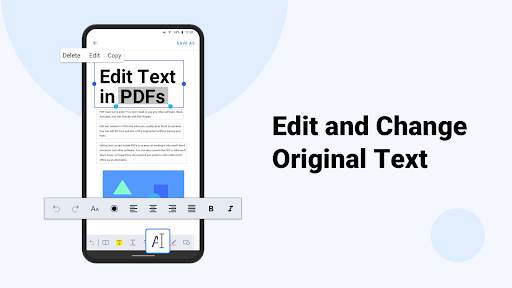
EDIT TEXT
• Easily correct and edit text and typos on PDF
• Instantly modify and update the latest texts on existing PDF document
VIEW FILES
• Support PDF, text, ePub, and image file formats
• Text Reflow
• Horizontal/Vertical scrolling mode
• Jump to Page/Text Search
• Bookmark/Outline/Thumbnail list"
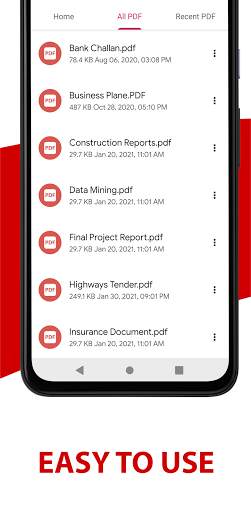
MANAGE FILES
• Zip and unzip files
• Rename files and folders
WRITE ON PDFS
• Use your finger or a stylus to make handwritten notes
VIEW FILES
• Support PDF, text, ePub, and image file formats
• Text Reflow
• Horizontal/Vertical scrolling mode
• Jump to Page/Text Search
• Bookmark/Outline/Thumbnail list
MANAGE FILES
• Zip and unzip files
• Rename files and folders
***UPGRADE WITH DOCUMENT 365***
Document 365 is a comprehensive, cross-device document solution which includes Kdan's best PDF Reader mobile and desktop apps along with online converting and faxing services.
***WITH DOCUMENT 365 YOU CAN***
• Unlock all features in PDF Reader all versions, including Android, iOS, Windows, and Mac.
• Work across smartphones, tablets, and desktops
• Control the access to the app with a password
• Hide the margins of PDF pages
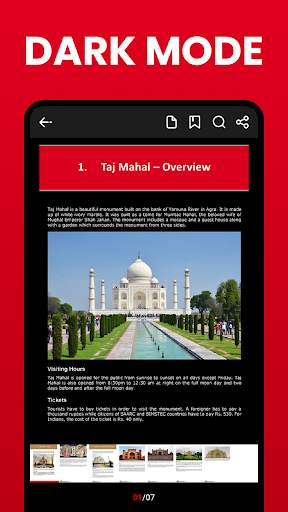
• Night viewing mode
• Rotate, rearrange, add, and delete pages
• Extract pages from PDFs
• Convert files to and from PDFs
• Send faxes from your devices
• 1 TB storage space on Kdan Cloud
• Get a link to share files with others
PDF Reader supports 11 languages, including English, Traditional Chinese, Simplified Chinese, Japanese, Italian, German, Spanish, French, Portuguese, Russian and Korean
CAN WE GIVE A HAND?
You always can find us at helpdesk@kdanmobile.com or check out https//support.kdanmobile.com

...

👉 For More Detail of PDF Reader: Edit & Convert PDF

#2 Derive

Derive
Rating: star 5.0 | Version: 2.5.2 | Size: 7.3MB
Derive screenshot 1 Derive screenshot 2 Derive screenshot 3

Dérive, c’est une adresse, une direction, une distance, et rien de plus !
Lève les yeux, tourne la tête, zigzague : Dérive, c'est la micro-aventure au coin de la rue ! La certitude d'arriver à bon port, mais sans itinéraire suggéré ni imposé.
La flèche te donne la direction, mais c'est toi qui choisis ton chemin en fonction de ton intention (éviter les axes bondés, découvrir une nouvelle rue, oser te perdre...) plutôt que d'opter toujours pour le trajet le plus optimisé. Intuition, surprise, confiance : redécouvre ce que les algorithmes t'ont fait oublier.
Une dérive, ça se partage !
Un point de rendez-vous, une expo cool, un resto à essayer ? Envoie une dérive à tes amis et guide-les jusqu'à tes coups de coeur. Laisse-leur un petit mot à découvrir à l'arrivée !
En mode surprise !
Envie de jouer ? Partage une dérive surprise à tes ami·es en leur cachant l'adresse exacte. Laisse-les dériver pour découvrir le spot où tu les emmènes. A l'arrivée l'adresse et ton message secret seront dévoilés. Idéal pour un premier rendez-vous, un anniversaire ou un petit frisson au quotidien !
Alors télécharge l'application, pars à la découverte de ta ville et partage tes dérive ! Il t'en faut plus ? Dérive s'engage pour un déplacement intime, humain, local et responsable :
- Intime : Dérive ne récolte pas tes données personnelles, car elle n’en a pas besoin pour fonctionner, et parce que ta vie privée ne nous regarde pas. Même si plein d'autres applications la trouvent passionnante ;)
- Humain : Se déplacer tout le temps de façon optimisée c'est pour les robots, pas pour les humains. Pas besoin de chercher la rapidité et l'efficacité quand on veut juste profiter du chemin. Dérive vous donne juste un coup de main pour redécouvrir le plaisir de la flânerie.
- Local : Paris c'est pas New York, Marseille c'est pas Los Angeles et Lille c'est pas Atlanta.
Nos villes ne sont pas quadrillées et dessinées pour les voitures. Elles regorgent de spots cachés et sont un paradis pour les piétons. Alors pourquoi
utiliser la même app de navigation pour s'y déplacer ?
- Responsable : Dérive est une application légère. Pour fonctionner, elle n'a pas besoin de sans cesse optimiser ton temps de trajet et de t'afficher une carte pleine d'informations. Résultat : moins de CO2 émis et moins d'impact sur ta batterie !
Citymapper, Google Maps, Apple Plans, les apps de navigation, les GPS : c’est génial pour aller vite au boulot. Mais quand tu n’es pas pressé·e, pourquoi toujours prendre le chemin le plus rapide ? Pourquoi ne pas marcher en levant les yeux ? Pourquoi toujours accélérer ? Avec Dérive, c’est toi qui donne le rythme, pas l’algorithme.
Vive le slow travel !
Dérive nécessite une boussole fonctionnelle.
Dérive est un projet crée par Hérétique.

...

👉 For More Detail of Derive

#3 PDF Reader and PDF Viewer - PDF Creator
PDF Reader and PDF Viewer - PDF Creator
Rating: star 4.5 | Version: 32.0 | Size: 22.1MB
PDF Reader and PDF Viewer - PDF Creator screenshot 1 PDF Reader and PDF Viewer - PDF Creator screenshot 2 PDF Reader and PDF Viewer - PDF Creator screenshot 3

PDF စာဖတ်သူသည် PDF စာဖတ်ခြင်းကိရိယာတစ်ခုဖြစ်သည်။ အကယ်. သင်သည်ကောင်းမွန်သောစွမ်းဆောင်ရည်နှင့်အခြေခံအင်္ဂါရပ်များဖြင့်အံ့သြဖွယ်ကောင်းသောစာဖတ်ခြင်းအတွေ့အကြုံကိုရိုးရိုးရှင်းရှင်းဖတ်ရှုနိုင်သည့်ကောင်းမွန်သော PDF Reader Application ကိုသင်ရှာဖွေနေပါက၎င်းသည်သင့်အတွက်မှန်ကန်သော PDF စာဖတ်သူဖြစ်သည်။ သင်၏မိုဘိုင်းဖုန်းပေါ်ရှိ PDF ဖိုင်များအားလုံးကိုအလွယ်တကူစီမံခန့်ခွဲရန်နှင့်ဖွင့်ရန်သင့်အားကူညီနိုင်သည်။ ၎င်းသည်ကြီးမားသောဖိုင်များအတွက်အကောင်းဆုံး PDF Reader ဖြစ်သည်။
b> b>
• PDF ကို PDF ကိုသက္ကရာဇ်စဉ်အမိန့်တွင်စီစဉ်ခြင်း, PDF ဖိုင်ကိုလျင်မြန်စွာသိမ်းဆည်းပါ။ •တည်ငြိမ်။ အစာရှောင်ခြင်းစွမ်းဆောင်ရည်
• PDPECTED PDF ဖိုင်များကိုဖွင့်ပါ။ • PDF ဖိုင်များကိုအလွယ်တကူဖတ်ရှုနိုင်သည့် PDF ဖိုင်များကိုအလွယ်တကူဖတ်ရှုနိုင်ပါသည်။ • PDF ဖိုင်အသစ်များဖန်တီးရန်လွယ်ကူသည် PDF ကိုဖတ်ရှုသောအခါ PDF ဖိုင်ကိုချဲ့။ ချဲ့ပါ။ • PDF စာရွက်စာတမ်းများကိုအလွယ်တကူရှာဖွေရန် PDF ဖိုင်ရွေးစရာကိုအလွယ်တကူရှာဖွေရန်။
PDF ဖိုင်များကိုလျင်မြန်စွာကြည့်ပါ
Quick Page ပြောင်းခြင်း
သင်မဆိုပြောင်းနိုင်သည် စာလိပ်ဘားနှင့်အတူစာမျက်နှာသို့မဟုတ်သင်ဖတ်လိုသောစာမျက်နှာသို့ပြောင်းရန်စာမျက်နှာအညွှန်းကိုရိုက်ထည့်နိုင်သည်။
ဖိုင်အားလုံးသည်နောက်ဆုံးဖိုင်တွဲဖွဲ့စည်းပုံသို့စီစဉ်သည်။ သင်၏လိုအပ်သောဖိုင်များကိုအလွယ်တကူရှာဖွေနိုင်သည်။
• မကြာသေးမီက
- နောက်ဆုံးပေါ်ပွင့်လင်းသောအချိန်များဖြင့်ရွေးချယ်ထားသည့် PDFs ကိုသင်အလွယ်တကူကြည့်ရှုနိုင်သည့် PDFs များပါ 0 င်သည် ။

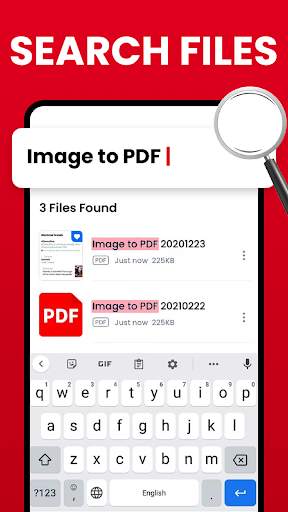
• Search
- သင့်တွင် PDF ဖိုင်များစွာရှိပါက၎င်းတို့ကို PDF စီမံခန့်ခွဲရေးမျက်နှာပြင်တွင် "ရှာဖွေခြင်း" အင်္ဂါရပ်များနှင့်အလွယ်တကူရှာတွေ့လိမ့်မည်။
Delete / B> Rename - အမည်များကိုသင်အလွယ်တကူပြောင်းလဲနိုင်သည်, ဖိုင်ကို ဖျက်. သင်၏ PDF ဖိုင်အသေးစိတ်ကိုကြည့်ရှုနိုင်သည်။ ဤဖန်သားပြင်ရှိအီးမေးလ်သို့မဟုတ်လုပ်ဖော်ကိုင်ဖက်များအားဖြင့်သင်၏လုပ်ဖော်ကိုင်ဖက်များကိုမျှဝေပါ။
) PDF, PDF, PDF ဓာတ်ပုံရန်, PDF သို့စာပို့ခြင်း, စကားဝှက်ကိုထည့်ပါ, ဖယ်ရှားခြင်းသို့မဟုတ်ဖယ်ရှားခြင်းနှင့်အွန်လိုင်းကိုဖတ်ပါ။
• PDF to Image - သင်၏ပုံများကိုဤအက်ပ်ဖြင့်တစ်ခုတည်းသော PDF ဖိုင်တစ်ခုသို့ပြောင်းပါ။ ဓာတ်ပုံများကို PDF သို့ပြောင်းလဲခြင်း။ PDF ပြောင်းလဲခြင်းအတွင်းသင်၏ PDF သို့စကားဝှက်ကိုထည့်ပြီး A4 အရွယ်အစားစာမျက်နှာများကဲ့သို့ပုံရိပ်ကိုပုံနှိပ်နိုင်သောပုံစံဖြင့်ပုံသွင်းနိုင်သည်။ PDF သို့ JPG သို့ PDF သို့ PNF သည်ဖိုင်မျှဝေခြင်းအင်္ဂါရပ်ကိုထောက်ပံ့နိုင်သည်။ ဖိုင်များကိုအီးမေးလ်, လူမှုရေးမီဒီယာများကဲ့သို့ကွဲပြားသောနည်းလမ်းများဖြင့်အလွယ်တကူပို့ပါ။
• text to pdf
- PDF
- သင်ဤလုပ်ဆောင်ချက်သည်ဤလုပ်ဆောင်မှုကိုသင်ရေးသားပြီးစာသားနှင့်အတူ PDF format ဖြင့်မျှဝေရန်လိုအပ်သည် သင့်အတွက်အလွန်အသုံးဝင်သည်။
B> PDF မှ
- သင်အတွက်သင် ebook ကိုဖတ်နေစဉ်သင်အတွက်အရေးကြီးသောအချက်တစ်ချက်ကိုဖတ်ပါ။ ထိုရွေးချယ်ထားသောစာမျက်နှာများကိုသင်၏ PDF မှတိုက်ရိုက်မရပါ။ ယခုသင်သည်ရွေးချယ်ထားသောစာမျက်နှာကိုသင့်ဖုန်းသို့အလွယ်တကူသိမ်းနိုင်သည်ကိုစိတ်မပူပါနဲ့။
•စကားဝှက်ကိုထည့်ပါသို့မဟုတ်ဖယ်ရှားခြင်းသို့မဟုတ်ဖယ်ရှားခြင်း
ကိုထည့်ပါ။ PDF ကိုအလွယ်တကူထည့်နိုင်သည်သို့မဟုတ်ဖယ်ရှားနိုင်သည် စကားဝှက်။
• ကိုဖတ်ပါအွန်လိုင်း
- PDF ဖိုင် URL သို့သာထည့်ပြီး PDF စာရွက်စာတမ်းကိုတိုက်ရိုက်ဖွင့်ပါ။ သင်၏ device တွင်ဒေါင်းလုတ် လုပ်. သိမ်းဆည်းရန်မလိုအပ်ပါ။

...

👉 For More Detail of PDF Reader and PDF Viewer - PDF Creator

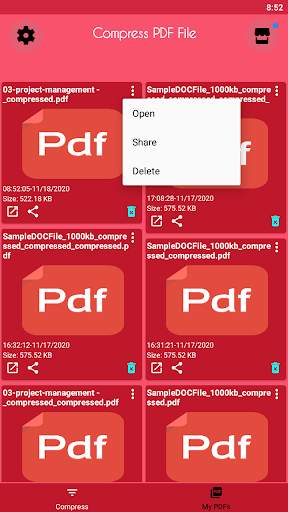
#4 Compress PDF - PDF Compressor

Compress PDF - PDF Compressor
Rating: star 4.8 | Version: 12 | Size: 15.3MB
Compress PDF - PDF Compressor screenshot 1 Compress PDF - PDF Compressor screenshot 2 Compress PDF - PDF Compressor screenshot 3

ဖိုင်များအားအီးမေးလ်ဖြင့်ပို့ခြင်းသို့မဟုတ်၎င်းတို့ကိုဝက်ဘ်သို့တင်ခြင်းကိုပို့သောအခါအရေးကြီးသောအရာတစ်ခုသို့သင်အာရုံစိုက်ရန်လိုအပ်သည်။ ဖိုင်အရွယ်အစား။အလုပ်အကိုင်အပလီကေးရှင်းများ, စာရွက်စာတမ်းများကို PDF format များတွင်တာဝန်များပေးအပ်ခြင်းနှင့်လွှဲပြောင်းခြင်းများပေးခြင်းတို့များသည်ယခုအချိန်တွင်ပုံမှန်အတိုင်းဖြစ်သည်။
ဤဖိုင်များကိုပို့နိုင်ရန်သင် SMDF compressor ကိုသုံးရန်လိုအပ်သည်ယခင်ကကြီးမားသော PDF ဖိုင်များကိုတင်ခြင်းသို့မဟုတ်ပေးပို့ခြင်းနှစ်ခုစလုံးသည်ဖြစ်နိုင်ကြောင်းသေချာစေနိုင်သည်ကိုသေချာစေနိုင်သည်။
ဝဘ်စာမျက်နှာများပေါ်တွင်ပုံနှိပ်ထုတ်ဝေခြင်းအတွက် PDF ဖိုင်များကိုရိုက်ကူးပါ။အခြား app နှင့်မတူဘဲကျွန်ုပ်တို့၏ PDF Compressor DPI ကိုပြောင်းလဲခြင်းနှင့် # 39; DPI ကိုပြောင်းလဲခြင်းနှင့်သင်၏စာရွက်စာတမ်းများကိုပုံနှိပ်ထုတ်ဝေသည်။
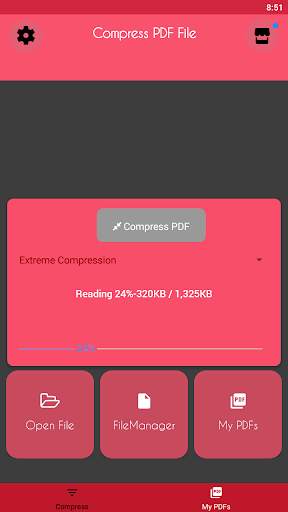
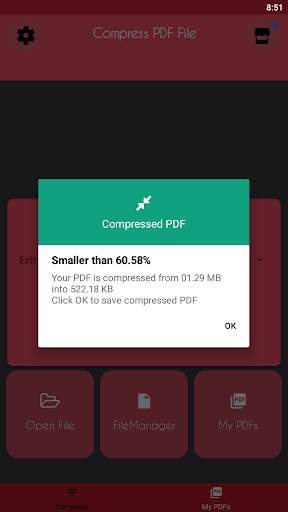
KB အောက်ရှိ PDF ဖိုင်အရွယ်အစားကိုလျှော့ချပါ။ PDF စာရွက်စာတမ်းများကိုလူသန်းပေါင်းများစွာအတွက်နေ့စဉ်အခြေခံဖြင့်ပြောင်းလဲရန်ကျွန်ုပ်တို့ကူညီပေးနေသည်။အကယ်. သင်သည် PDF ဖိုင်အရွယ်အစားကို KB 100 အောက်ရှိ PDF ဖိုင်အရွယ်အစားကိုသိသိသာသာလျှော့ချရန်လိုအပ်ပါကသင်သည်မှန်ကန်သောပလက်ဖောင်းပေါ်တွင်ရှိသည်။
PDF ဖိုင်များသည် Pie ကဲ့သို့လွယ်ကူသည်။ရာနှင့်ချီသောကြီးမားသော PDFs များသည်သူတို့၏အရွယ်အစားကိုတစ်မိနစ်လျှင်လျှော့ချပြီးစက္ကန့်အနည်းငယ်အတွင်းသင်ကိုယ်တိုင်ပြုလုပ်နိုင်သည်။

...

👉 For More Detail of Compress PDF - PDF Compressor

#5 PDF reader - Image to PDF

PDF reader - Image to PDF
Rating: star 4.3 | Version: 3.67 | Size: 50.8MB
PDF reader - Image to PDF screenshot 1 PDF reader - Image to PDF screenshot 2 PDF reader - Image to PDF screenshot 3

PDF Reader နှင့် PDF Viewer
Fast PDF converter နှင့် comf cons.Infert ၏အဓိကအင်္ဂါရပ်ဖြစ်သည်။ PDF Expert နှင့် PDF Expert, PDF Expert, PDF Exitor မှ PDF Exitor တို့ဖြစ်သည်ဤအက်ပ်တွင်ဤလုပ်ဆောင်မှုအားလုံးကိုလုပ်ပါ။
Ebook Reader - PDF ထုတ်လုပ်သူ - PDF image မှ PDF image သို့ JPG ပုံရိပ်ကို PDF ဖိုင်သို့ပြောင်းရန် PDF converter သို့ဖြစ်သည်။
Ultimate PDF converter app app ၏တူPDF converter app သို့ဓာတ်ပုံ။
PDF သို့ပြောင်းပါ။> PDF Expert သည် PDF Democret
သဲအုပ်စုခွဲ PDFs များကိုပေါင်းစည်းခြင်း,XODO သို့မဟုတ် WPS PDF မှ PDF.Extra function ၏စာမျက်နှာများကိုလှည့်ပါ။
b>:
PDF Reader & AMP;PDF Editor
PDF ဖိုင်များနှင့်စာရွက်စာတမ်းများကိုဖတ်ပါ။
/ b> JPG မှ PDF converter သို့အဓိကလုပ်ဆောင်ချက်များဖြစ်သည်။
▣ XPDF - PDF Converter သို့ PDF converter သို့ PDF converter သို့ဓာတ်ပုံများဤအက်ပ်နှင့်အတူတစ်ခုတည်း PDF
ဖိုင်တစ်ခုတည်းရှိပုံများ။
▣ Ebook Reader - PDF ကျွမ်းကျင်သူနှင့် PDF Editor
သည်သင်၏ကိရိယာတွင် eBook ဖတ်ရှုခြင်းအဖြစ်အကောင်းဆုံး app ဖြစ်သည်Go.Scan PDF သည်ကင်မရာစကင်နာအက်ပလီကေးရှင်းကဲ့သို့သော PDF အက်ပလီကေးရှင်း၏အကောင်းဆုံး PDF Reader
PDF View.pdf developer.pdf Editor ၏နောက်ထပ်လုပ်ဆောင်မှုများနှင့်အတူ B> B> PDF View View View VDFPDF ဒေါင်းလုပ်သားအတွက်အကောင်းဆုံးအက်ပလီကေးရှင်းအတွက် PDF ဖိုင်ဖွင့်ရန်ဤနေရာတွင် PDF file.pdf file.pdf editor နှင့် PDF နှင့်သက်ဆိုင်သောလုပ်ဆောင်မှုများစွာသည် PDF နှင့်သက်ဆိုင်သော function နှစ်ခုထက်ပိုသော PDF မှ PDF ကိုပေါင်းစည်းသည်။
image to PDFconverter သို့မဟုတ် jpg မှ PDF converter သို့မည်သည့်ပုံအမျိုးအစားများကိုမဆို PDF သို့ပြောင်းပါ။ PDF မှမည်သူမဆိုမျှဝေပါ။
Android အတွက်အခမဲ့ PDF Reader ဟုခေါ်သည်။
▣ PDF Reader App & AMP;PDF Viewer သည် Cute PDF ဖိုင်များကိုဖတ်ပြီးစာရွက်စာတမ်းများကိုတည်းဖြတ်သည်။
screen တွင် PDF ဖိုင် 2 ခုကိုဖတ်ပါ။
▣ convertPDF-charm-charm-charm-charm formating Word Format
PDF မျိုးစုံ PDRGE Play စတိုးအတွက်အကောင်းဆုံး PDF ပေါင်းစည်းခြင်းဖြင့် PDF မျိုးစုံ PDFPDF ကျွမ်းကျင်သူနှင့် File Viewer ၏လုပ်ဆောင်ချက်များကိုအားလုံးနှင့်အတူဖတ်ရှုခြင်းPDFs ကိုရွေးချယ်ပြီးပေါင်းစည်းပါ။
PDF အယ်ဒီတာနှင့် PDF converter သို့ JPG သို့) PDF converter သို့ compress လုပ်ပါ။စက်ကိရိယာ။Documbr>
android အတွက် PDF အတွက် PDF အတွက် PDF ကိုသော့ခတ်သို့မဟုတ်သော့ခတ်သို့မဟုတ်သော့ဖွင့်ပါ။ ဖျက်ပါ။PDF ဒေါင်းလုပ်သားနှင့်အတူ PDF ကို PDF မှ PDF ကိုတင်ပို့ပြီးဖုန်းသိုလှောင်မှုကိုသိမ်းပါ။ PDF သို့ဓာတ်ပုံအဖြစ်ဓာတ်ပုံအဖြစ်ဤ app.. ဓာတ်ပုံမှဓာတ်ပုံများနှင့်အတူပုံရိပ်အဖြစ်ခေါ်ခဲ့သည်ကိရိယာ။
▣ jpg to PDF converter ကိုသင်ကြည့်ရှုနိုင်အောင်သင်ကြည့်ရှုနိုင်သောစာမျက်နှာကိုအမှတ်အသားပြုနိုင်သည်။PDF scanner အဖြစ် PDF ကိုရန်။
- B> PDF Expert
PDF အက်ပလီကေးရှင်းသည် Google
PDF ဖွင့်လှစ်
Xodo (သို့) WPS ကဲ့သို့သောစာသားများကိုစာသားနှင့်မျှဝေပါ။
split pdf နှင့် scan သည်စုံလင်သောရူပါရုံအတွက်နှင့်ချဲ့ခြင်းbr> broke စာဖတ်သူကိုစာအုပ်များစွာနှင့်အခမဲ့ဒေသခံဘာသာစကားစာအုပ်နှင့်အတူ။
Download PDF နှင့် အကောင်းဆုံး pdf
PDF Downloader နှင့်ကြည့်ခြင်း
ဤအက်ပလီကေးရှင်း၏အဓိကလုပ်ဆောင်ချက်ဖြစ်သည်။ ဖျက်ခြင်း, ဖျက်ခြင်း, လှိမ့်ခြင်း, လှိမ့်ခြင်း,
PDF မှ PDF မှ PDF မှ PDF ကိုဆိုလိုသည်။
PDF file ကို arrows, စက်ဝိုင်းများ, လိုင်းများနှင့်အခြားအရာများထည့်သွင်းရန်လွယ်ကူစွာရိုက်ထည့်ပါ။

...

👉 For More Detail of PDF reader - Image to PDF

Search Results

1/20

You may like

DOWNLOAD IS NOT SUPPORTED IN WEB STORE!
Use the latest version of 9Apps to download APK&OBB file of games in one click!
DOWNLOAD 9APPS