


DOWNLOAD IS NOT SUPPORTED IN WEB STORE!
Use the latest version of 9Apps to download APK&OBB file of games in one click!
DOWNLOAD 9APPS

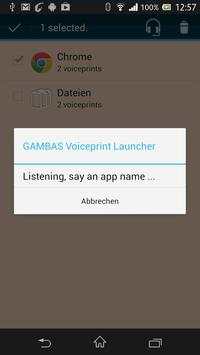
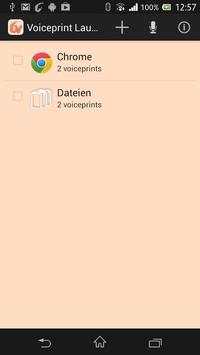
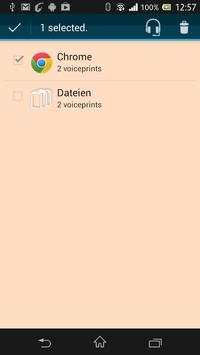
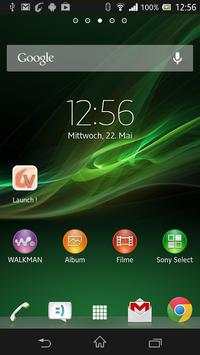
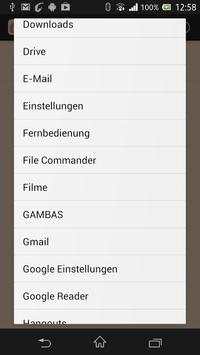
This application demonstrates the voiceprint functionality of the GAMBAS middleware. In order to use this application, you must also install the GAMBAS middleware application.
The application enables you to launch applications via voice commands. To do add a voice command for a new application, open and start the GAMBAS middleware and select the voiceprint launcher from the applications menu. Press the add button at the top of the screen and pick an application installed on your device. Then select the application, press the train button and say the application name to record a voiceprint. You can repeat the process to add multiple voiceprints or applications. Once you are done, you can launch an application by clicking the start button and saying the name again. In order to get instant access to the launcher, you can add the voiceprint launcher widget to your homescreen.
More information on GAMBAS is available at http://www.gambas-ict.eu.
Updated to latest SDK.



Facebook Lite
4.02.5MB

Temple Run 2
4.4122.1MB

Mushroom Takeover
4.569.0MB

Quikr – Search Jobs, Mobiles,
4.120.8MB

imo beta -video calls and chat
4.394.0MB

Dearmet: Video Chat, Live Talk
4.043.4MB

ShopClues
3.816.4MB

Talking Tom Cat
3.963.0MB

Offline Music Mp3 Player- Muso
4.535.9MB

Candy Crush Saga
4.491.1MB