



DOWNLOAD IS NOT SUPPORTED IN WEB STORE!
Use the latest version of 9Apps to download APK&OBB file of games in one click!
DOWNLOAD 9APPS

Only compatible with Forza Horizon 4
STORAGE PERMISSION IS NECESSARY TO USE THE DRAG HISTORY
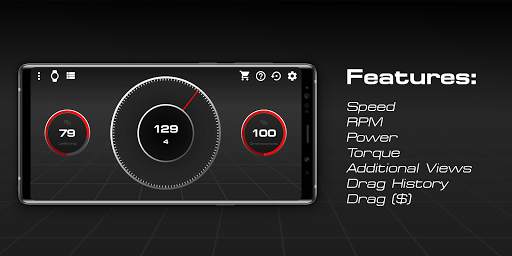
Features:
- Speed
- Revolutions per minute
- Power
- Torque
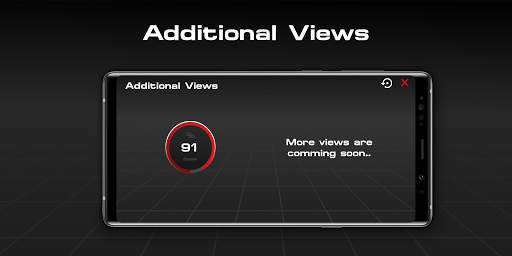
- Additional Views
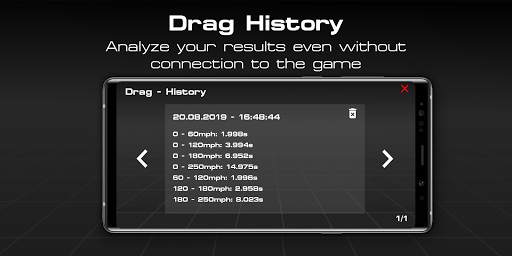
- Drag List (free but useless without Drag Module)
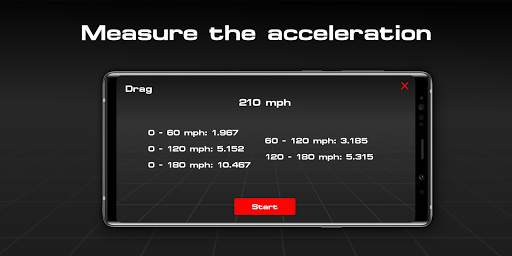
- Drag Module (paid)
Tested with the Forza Horizon 4 PC version
Xbox compatibility not tested.
FAQ:
How do I connect with the game?
- 1. Make sure that both devices are in the same Wi-Fi network.
- 2. Enable UDP Output: Settings - HUD & Gameplay - UDP Telemetry Output - On.
- 3. Enter the IP address shown in the settings of the app in the input field "IP address".
- 4. Now only the UDP port, which is 4096 by default, is missing.
- 5. Enter the port and you're ready to go.
(- 6. Optionally, you can change the port if your port 4096 bothers you.)
I'm in a vehicle and have connected the app to the game using the tutorial, but the app does not respond, what to do?
- Make sure both devices are on the same Wi-Fi network and no services, such as Windows Firewall, block the port and make sure the UDP output is on and the IP address and port match.
All rights belong to their respective owners ("Forza" Logo and the name "Forza")
STORAGE PERMISSION IS NECESSARY TO USE THE DRAG LIST
Additional Views are now free.
Added drag history (Free) but the Drag module (Pro) is necessary to make a measurement.
Added ip-list.



Temple Run 2
4.4122.1MB

Candy Crush Saga
4.491.1MB

Offline Music Mp3 Player- Muso
4.535.9MB

ShopClues
3.816.4MB

Facebook Lite
4.02.5MB

Mushroom Takeover
4.569.0MB

Quikr – Search Jobs, Mobiles,
4.120.8MB

imo beta -video calls and chat
4.394.0MB

Dearmet: Video Chat, Live Talk
4.043.4MB

Talking Tom Cat
3.963.0MB