quick shortcut maker apk on 9Apps

Free download latest quick shortcut maker apk for Android here and enjoy it with your phone. Below you can download a list of top and latest apps related to quick shortcut maker apk . 9APPS is a fast, safe app store. With 9APPS, you can save a lot of time on searching and downloading apps.

#1 Quick Shortcut Maker

Quick Shortcut Maker
Rating: star 3.5 | Version: 2.1.005 | Size: 5.6MB
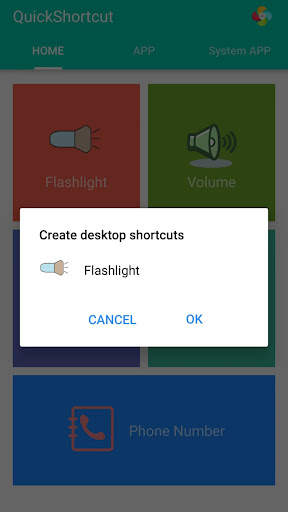
Quick Shortcut Maker screenshot 1 Quick Shortcut Maker screenshot 2 Quick Shortcut Maker screenshot 3

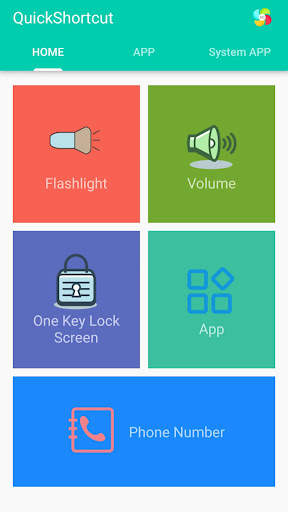
This app can create a shortcut on android homescreen for anything you want from your android.
🟡 This quick shortcut maker could help us quick launch some common features by create short cut keys, Like:
1. Search and launch the app which you want.
2. Adjusts the volume;
3. Locks screen;
4. Turns on/off the flashlight; The flash light shortcut uses the flash located on the back of your Android device to bring you the first light wherever you go.
5. Checks the app info in your smartphone;
6. One-touch dialing;
7. Activities: Create shortcut of installed apps and activities.
Put the contact information of common contacts directly on the desktop. You can even set up a wall of common contacts with dialing function. Try it now;
🟢 You can also use the QuickShortcutMaker for searching the app which you want to launch.
If you want to use the app which you don't use frequently, maybe you have no shortcuts for it. So, you may have to search the app from a list of many apps. Even if you know the name of the app, it's hard to find it.
In this situation, the QuickShortcutMaker will help you finding the app. Please try!
🔦 Special and useful functions——Flashlight:
Flashlight free turns your phone into a little torchlight to carry around in the dark. By default, the flash LED light turns on automatically when you quickly launch the app, and the brightest flash helps you see everything clearly in the dark. Even if you leave the app, light will still light your device's flash.
Flashlight has a simple design and is easy to use for the first time. The app automatically turns on the LED light on first launch, and you can turn it on and off as quickly as a real flash .
🔵 APP EXPLORER:
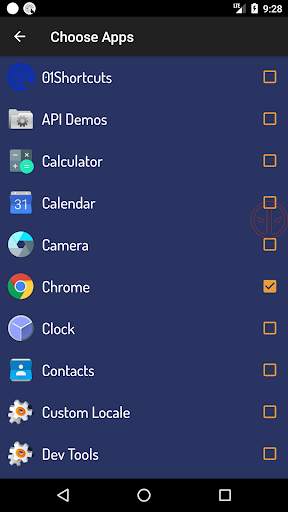
Here you will get a list of installed apps in your device. You can filter the list by All apps, System apps or User (downloaded) apps.
By tapping on the App, a context menu appears that will let you launch the target, add a shortcut for this target to the home screen for easy access.
🟤 Benefits:
This app can reduce the loss of the physical buttons(the volume buttons、the power button) and extend the service life of the button.
Once the physical buttons are not working well, this app will be a perfect substitute.
🌏 By this APP, you can :
1. Create a shortcut key to adjusts the volume .
2. Create a shortcut key to locks screen .
3. Create a shortcut key to turns on/off the flashlight . Camera LED Flash - Use your phone camera flash to emit bright light.
4. Create a shortcut key to quick launch an App.
5. Create a shortcut key to checks the app info in your smartphone .
6. You can also use this app to launch an activity from installed app.
[ You can quick launch any app info installed in your smartphone. This feature is a great tool and useful to developers, because they had to check the app info step by step, from the home page, and then setting and next... maybe 10 seconds later then they get the app info. So it's boring. Now , they just need tap the short cut key in the homepage , then get the app info immediately]
🟠 Tile Customization
1. Use the real app icon for the icon in the notification panel
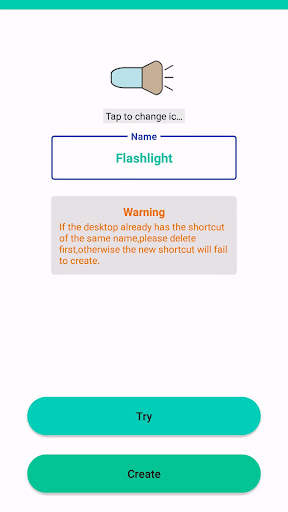
2. Choose your own icons
3. Name the Tile whatever you want
🟣 Notes:
This app requires Device Admin privileges to implement the "Screen off and lock" feature.
More and more shortcuts for common features are coming soon...

...

👉 For More Detail of Quick Shortcut Maker

#2 01Shortcuts - Quick Shortcut Maker - App Search

01Shortcuts - Quick Shortcut Maker - App Search
Rating: star 3.8 | Version: 2.3 | Size: 5.7MB
01Shortcuts - Quick Shortcut Maker - App Search screenshot 1 01Shortcuts - Quick Shortcut Maker - App Search screenshot 2 01Shortcuts - Quick Shortcut Maker - App Search screenshot 3

01SHORTCUTS - Pembuat pintasan cepat, membantu anda membuka sebarang aplikasi atau tetapan atau kenalan dari mana-mana sahaja semasa menggunakan mana-mana aplikasi dengan pintasan.
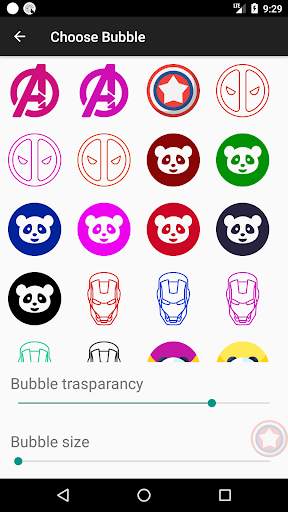
⭐ Pilih ikon terapung anda sendiri. Pilih dari super kegemaran anda di sini.
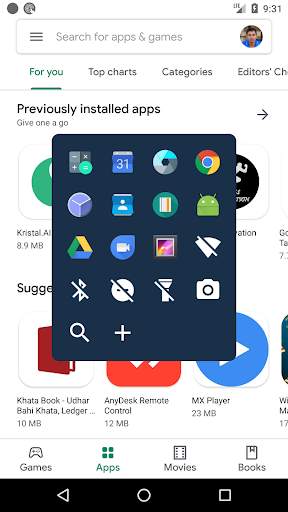
Pembuat pintasan cepat, menyimpan gelembung tepat di bawah ibu jari anda yang berguna untuk membuka sebarang aplikasi atau tetapan dengan mudah, dalam satu klik.
Sekali untuk membuka App dengan pintasan ditambah ke senarai.
Ciri-ciri
⭐ Cari apa-apa kenalan dengan mengetik dua kali pada ikon
⭐ Leret ke kanan pada Kenalan untuk membuka Chat WhatsApp
⭐ Leret Kiri pada Kenalan untuk dibuka dalam Telefon Dial
⭐ Pintasan untuk menghidupkan Wifi ON / OFF
⭐ Pintasan untuk menghidupkan lampu Obor / Matikan
⭐ Pintasan untuk menghidupkan Jangan Distrub ON / OFF
⭐ Pintasan untuk menghidupkan / mematikan Bluetooth
⭐ Pintasan untuk membuka Pilihan carian.
⭐ Anda boleh menambah pintasan aplikasi kegemaran anda. Sehingga anda boleh membuka mana-mana aplikasi dari mana-mana sahaja di telefon.
⭐ sepenuhnya disesuaikan.
Cepat mencari mana-mana aplikasi dari mana-mana sahaja dengan pilihan carian.
Anda boleh membuka aplikasi dengan cepat dengan mencari dari di mana sahaja.
⭐ Carian Pantas: - Membuka aplikasi di bawah 100 milisaat.
Pintasan Semasa mencari mana-mana aplikasi secara automatik akan membuka aplikasi jika hanya ada satu perlawanan.
Butang pintasan terapung disediakan pada skrin.

...

👉 For More Detail of 01Shortcuts - Quick Shortcut Maker - App Search

#3 Quick Shortcut Maker - Shortcut Creator Master

Quick Shortcut Maker - Shortcut Creator Master
Rating: star 3.0 | Version: 1.0 | Size: 4.5MB
Quick Shortcut Maker - Shortcut Creator Master screenshot 1 Quick Shortcut Maker - Shortcut Creator Master screenshot 2 Quick Shortcut Maker - Shortcut Creator Master screenshot 3

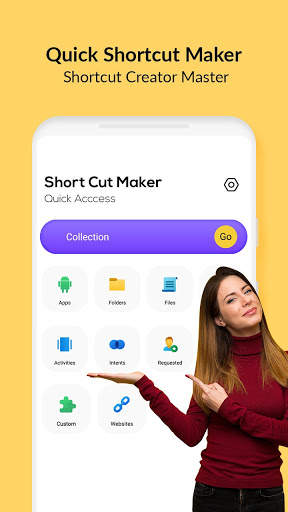
Aplikasi Pembuat Pintasan Pantas menyokong anda dalam membuat pintasan pada fail, folder, aplikasi, kenalan, tetapan, mesej, dan penyesuaian pintasan dari aplikasi lain.
Anda boleh membuat tajuk pintasan anda sendiri dan menggunakan pelbagai ciri untuk menyesuaikan ikon pintasan: Gunakan ikon aplikasi yang berkaitan, imej tanaman yang dieksport dari galeri luaran, ikon import dari fail, gunakan ikon dari Tema Luaran.
Aplikasi pembuat pintasan cepat juga menyokong widget asli - anda boleh membuat widget dan bukannya pintasan. Anda boleh menukar ikon, tajuk, dan penampilan widget yang kemudian. Juga, anda boleh menganjurkan pintasan dalam pangkalan data koleksi menggunakan pelbagai kaedah seperti hierarki, tag. Anda kemudiannya boleh menggunakan dialog Koleksi untuk mendapatkan akses cepat ke pintasan teratur.
Aplikasi ini boleh membuat pintasan pada skrin utama Android untuk apa sahaja yang anda mahukan dari Android anda.
Folder dan fail:> / b> Buat jalan pintas fail dan folder dari storan dalaman.
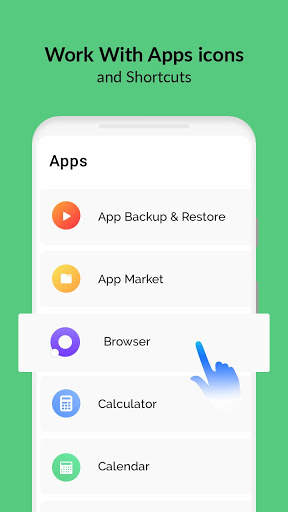
Apl & aktiviti:
Buat a Pintasan apl & aktiviti yang dipasang.
CUSTOM:
Dalam APK Master Shortcut, ini adalah ciri baru dan baru untuk mendapatkan pintasan dari aplikasi yang dipasang dan mengeditnya sebelum membuat.
Tetapan Pantas:
Buat Pembuat Pintasan Online Tukar tetapan sistem anda dengan cepat.
Waliti:
Pintasan Pencipta Sarjana Sistem Android yang berniat bersama dengan aplikasi lalai .
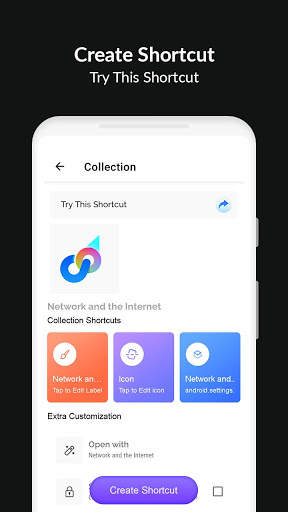
Preview Shortcut:
Selepas memilih aplikasi Aktiviti akan menunjukkan kepada anda pratonton pintasan sebelum membuat. Anda juga boleh menamakan semula nama pintasan dan menambah jalan pintas ke kegemaran.
Laman web:
Pintasan untuk laman web kegemaran anda.
Kegemaran:
Dalam Pembuat Pintasan Pantas, anda boleh menyemak senarai Pintasan Kegemaran anda.
Sejarah:
Shortcut Creator Master membolehkan anda menyemak senarai pintasan yang dibuat oleh anda.
Bagaimana untuk membuat jalan pintas dalam aplikasi Android?
Untuk mula membuat jalan pintas, di bawah langkah-langkah mudah ini:
1) Cari Pembuat Pintasan Pantas - Aplikasi Master Creator Shortcut di Google Play Store dan muat turun.
2) Cari sasaran dengan menggunakan salah satu alat di bawah:
Kod Explorer Rahsia, App Explorer, Carian atau Capture Shortcut
3) Anda boleh menguji atau melihatnya.
4) Buat jalan pintas pada Skrin utama dan dalam senarai.
5) Jika tidak, anda boleh mengimport senarai pintasan ke dalam aplikasi anda.
Mengapa pembuat pintasan cepat apk pengalaman Android anda lebih baik?
• Multitasking cepat dan percuma:
Tukar ke aplikasi baru-baru ini atau aplikasi terakhir dengan hanya satu sapu. Tidak ada cara yang lebih cepat untuk melakukannya.
• Kebolehgunaan satu tangan:
Anda tidak perlu meregangkan jari anda untuk memindahkan mereka kembali, togol tetapan cepat, butang baru-baru ini, atau pemberitahuan tarik turun.
• Fokus pada Pengalaman Pengguna:
Iklan percuma, aplikasi ini cepat, mudah digunakan, cantik, dan sangat disesuaikan.
• Tiada skrin utama kluster:
dengan serta-merta, anda boleh mengakses aplikasi dan pintasan kegemaran anda dari mana-mana sahaja.

...

👉 For More Detail of Quick Shortcut Maker - Shortcut Creator Master

#4 Quick 1-Click Shortcut Maker

Quick 1-Click Shortcut Maker
Rating: star 3.0 | Version: 1.0 | Size: 4.6MB
Quick 1-Click Shortcut Maker screenshot 1 Quick 1-Click Shortcut Maker screenshot 2 Quick 1-Click Shortcut Maker screenshot 3

Quick 1-Click Shortcut Maker
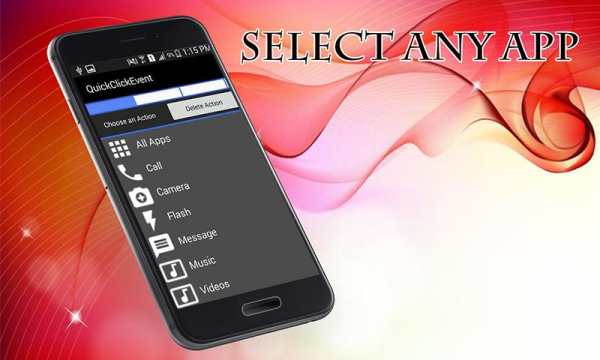
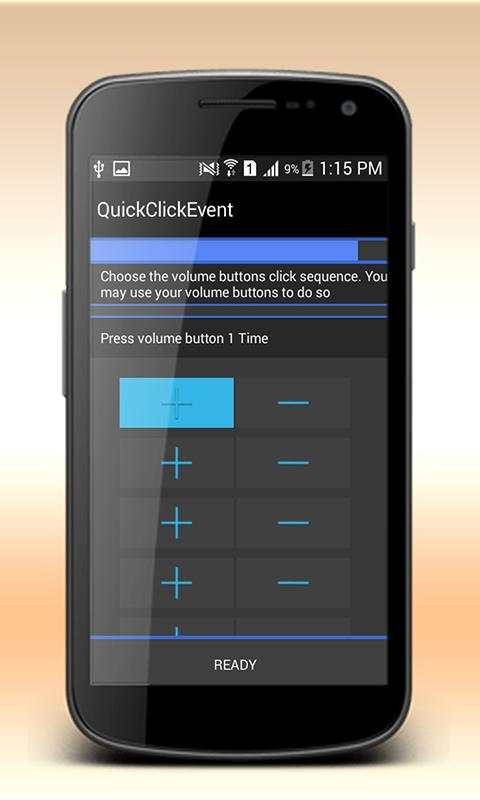
Create Quick Shortcuts of the apps installed into your device using volume button plus or minus. Create Quick 1-click Shortcut of Camera, Calls, Messages, Music and other apps by using this Quick click Shortcut Maker app and set the volume plus or minus count from 1-6. Choose the volume buttons click sequence; you may use your volume buttons to do so. Set Counter for volume button pressed.
This is one of the best apps for android, using you can easily access the apps installed in your phone.
 Quick 1-Click Shortcut maker app free for android
 Download free quck short maker android app free and create easy access of the android apps
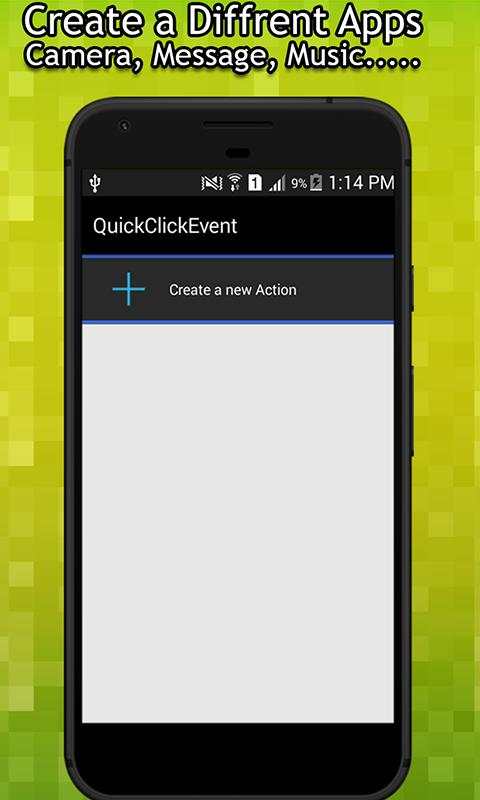
 Create new action using the app shortcut maker screen and tap the Plus(+) button, Choose the apps you want add/create a shortcut
 Quick click app is 100& free for all
 Create quick lick button into your device and create easy access
 This quick shortcut maker app will increase the usability and efficiency of the mobile
 Wonderful tool to make custom shortcuts using volume button click
Enjoy this Volume button quik shortcut maker app today and enjoy the easy and quick access!

...

👉 For More Detail of Quick 1-Click Shortcut Maker

Search Results

1/1

You may like

DOWNLOAD IS NOT SUPPORTED IN WEB STORE!
Use the latest version of 9Apps to download APK&OBB file of games in one click!
DOWNLOAD 9APPS