smart screen on off pro on 9Apps

Free download latest smart screen on off pro for Android here and enjoy it with your phone. Below you can download a list of top and latest apps related to smart screen on off pro . 9APPS is a fast, safe app store. With 9APPS, you can save a lot of time on searching and downloading apps.

#1 Smart Screen On Off Pro
Smart Screen On Off Pro
Rating: star 3.0 | Version: 3.3.6 | Size: 5.1MB
Smart Screen On Off Pro screenshot 1 Smart Screen On Off Pro screenshot 2 Smart Screen On Off Pro screenshot 3

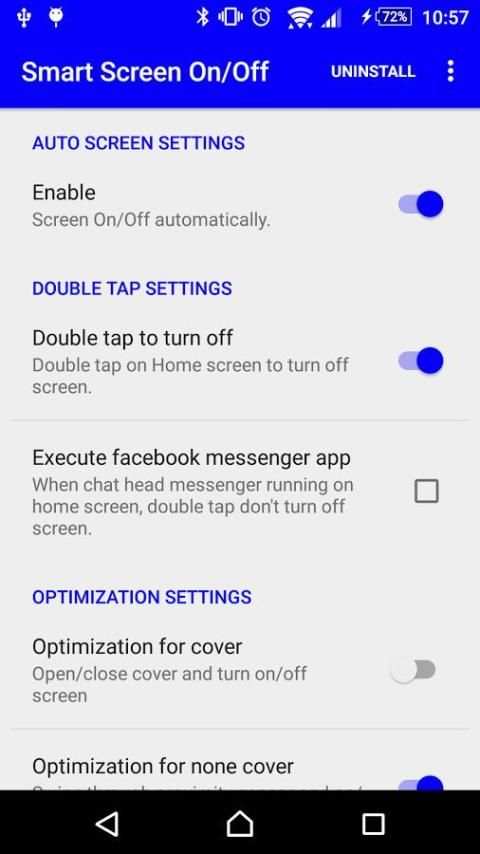
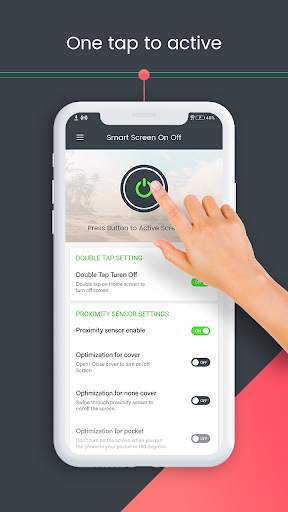
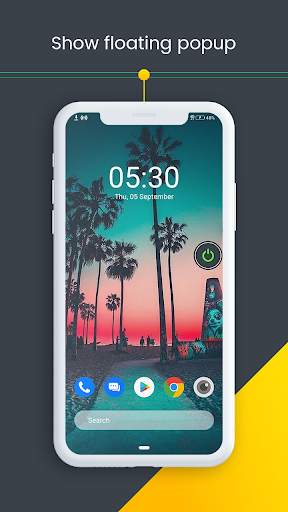
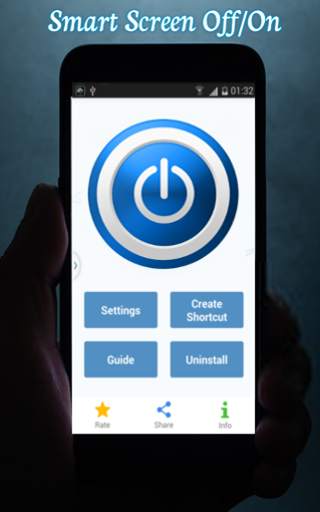
Smart Screen On Off Pro using proximity sensor and double tap on Home Screen, instead of having to press the power button manually.
Smart Screen Off On applications Pro will help you turn your phone screen off an incredibly easy way without having to use physical Home button to avoid using more damaging it.
You will have a great experience with applications Smart Screen On Off Pro it will make your phone truly smart upward. With many customizable settings to your phone for easy on-off.
Feature:
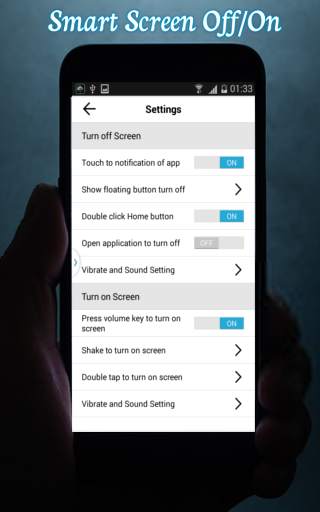
- Double tap on Home Screen to turn off screen.
- The sensor will automatically detect, and auto power on / off screen to help you.
- Use Proximity sensor to turn ON/OFF screen (usually at the top of the phone)
- Swipe over Proximity sensor to Turn ON/OFF the screen.
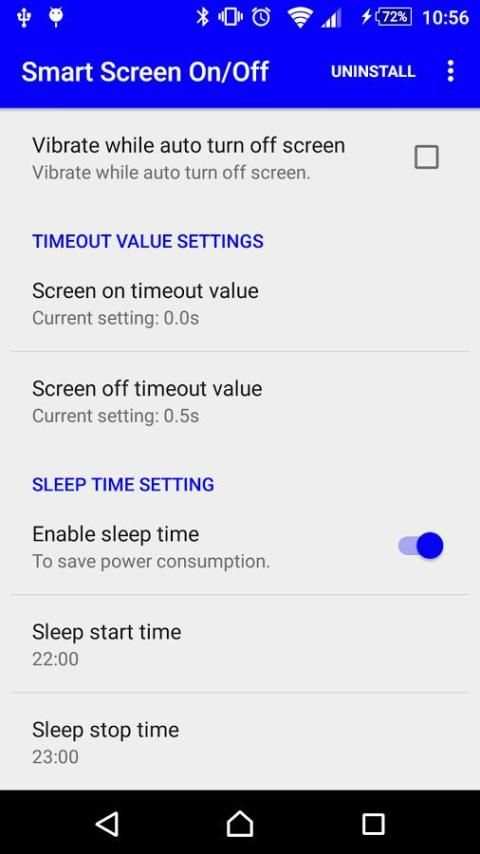
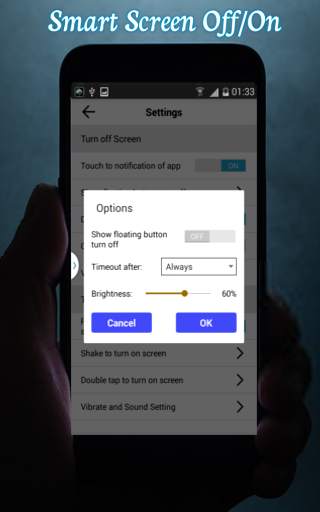
- You can set time off delay to turn OFF screen.
- You can set Swipe count to Swiping over the proximity sensor to turn ON/OFF screen.
- Just close the cover to turn screen OFF. and open the cover to turn screen ON
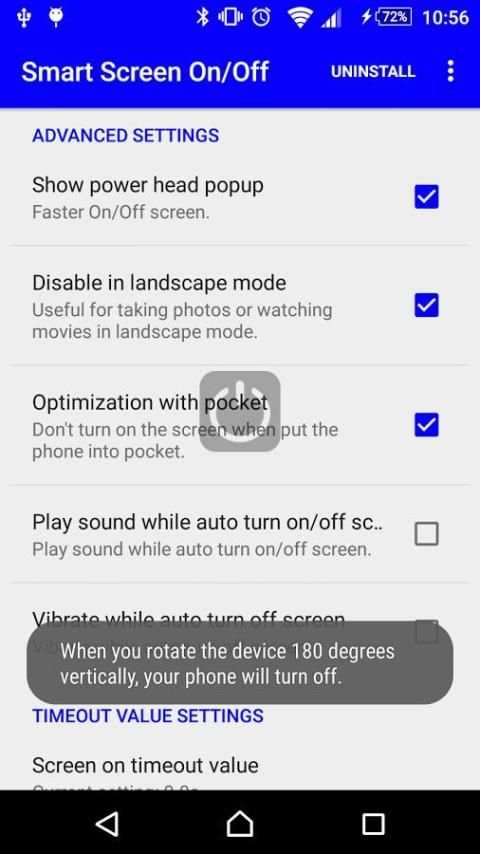
- With this feature when you put the phone in a pocket to turn screen OFF, and take the phone out your pocket the screen will be turn ON.
- You can disable the feature when the screen rotates horizontally.
- You can set separate delays when the screen on / off to avoid accidentally enabled.
- Support power to quickly head off the screen.
- Support for using the same cover.
- Auto screen off when put your phone into pocket.
Thankyou for using app Smart Screen On Off Pro.

...

👉 For More Detail of Smart Screen On Off Pro

#2 Smart Screen off: Double tap to off screen
Smart Screen off: Double tap to off screen
Rating: star 3.6 | Version: 7.1 | Size: 7.1MB
Smart Screen off: Double tap to off screen screenshot 1 Smart Screen off: Double tap to off screen screenshot 2 Smart Screen off: Double tap to off screen screenshot 3

Android App에서 all-new smart 화면은 궁극적 인 화면 최적화 프로그램입니다. 스마트 화면 OFF 앱은 사용자가 화면 표시 시간을 쉽고 효율적으로 처리 할 때 사용자에게 도움을주는 완전히 사용자 정의 가능한 기능 중심의 앱입니다.
스마트 화면 꺼짐 앱은 무료로 설치 및 작동 할 수 있습니다. 스마트 화면 꺼짐 앱은 쉬운 설치 프로세스와 사용하기 쉬운 기능을 갖추고 있습니다. 스마트 스크린 꺼짐 앱은 직접 및 사용자 친화적 인 GUI와 함께 전문적이고 최신 재료 디자인을 흡수합니다.이 앱은 전문 안드로이드 디자이너와 안드로이드 개발자가 디자인 한 본격적인 Android 앱입니다!
하이라이트 :
- 전원 아이콘 버튼을 눌러 화면 잠금을 활성화하십시오.
- 화면을 끄려면 장치 관리자를 활성화하십시오.
- 장치 관리 응용 프로그램으로 스마트 화면 활성화.
- 전원 아이콘 버튼을 눌러 화면 잠금을 비활성화합니다.
- 설정 유형 : 설정, 근접 센서 설정, 고급 설정, 시간 값 설정, 유틸리티 사용 권한.
더블 탭 설정
Toggle 옵션이 촉진됩니다. 화면을 끄려면 홈 화면을 두 번 탭합니다.
근접 센서 설정
근접 센서 사용 가능. 근접 센서를 사용하여 화면을 끕니다.
덮개 최적화. 켜기 / 끄기 화면을 켜고 닫습니다.
비 덮개의 최적화. Proximity Server를 통해 스 와이프하여 화면을 켜거나 끕니다.
고급 설정
플로팅 팝업 표시. 화면이 빨리 켜십시오. 슬라이더를 통해 플로팅 팝업 불투명도를 설정하십시오.
가로 모드에서 비활성화하십시오. 사진을 찍거나 영화를 보는 데 유용합니다.
놀이 사운드. 화면이 자동으로 켜거나 끌 때 사운드를 재생합니다.
진동. 화면이 자동으로 켜거나 끌 때 진동합니다.
시간 값 설정
켜기. Proximity Server를 사용하여 화면을 켭니다.
끄기. 근접 센서가있는 화면을 끄십시오.
제한 시간 값의 화면. 시간 기반. 선택한 후에 자동으로 화면을 화면으로 표시합니다.
타임 아웃 값을 끕니다. 시간 기반. 초 단위를 선택한 후 화면에 손을 넣으십시오.
유틸리티
알림을 숨기기.
일정. 수면 시간을 활성화하면 수면 시간을 설정하고 모닝 된 시간을 설정하십시오.
권한
디바이스 관리자에게 비활성화하십시오.
스마트 스크린 끄기 가벼운 응용 프로그램은 장치 메모리 및 기타 리소스를 소모하지 않습니다. 스마트 화면 OFF 앱은 모바일 및 태블릿 장치의 거의 모든 화면 해상도와 호환됩니다. 일단 설치되면 스마트 화면에서 더 이상의 인터넷 연결이 필요하지 않습니다. 스마트 스크린 앱은 효과적으로 사용되며 신뢰할 수있는 안드로이드 응용 프로그램입니다.

...

👉 For More Detail of Smart Screen off: Double tap to off screen

#3 Auto Screen On Off - Smart Screen ON OFF
Auto Screen On Off - Smart Screen ON OFF
Rating: star 3.3 | Version: 2.0 | Size: 3.9MB
Auto Screen On Off - Smart Screen ON OFF screenshot 1 Auto Screen On Off - Smart Screen ON OFF screenshot 2 Auto Screen On Off - Smart Screen ON OFF screenshot 3

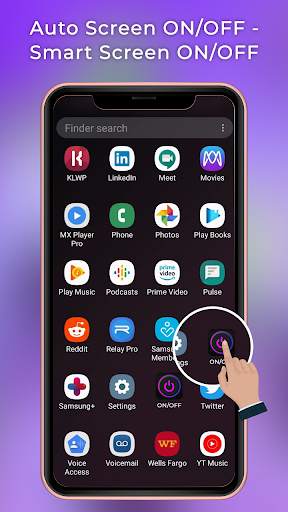
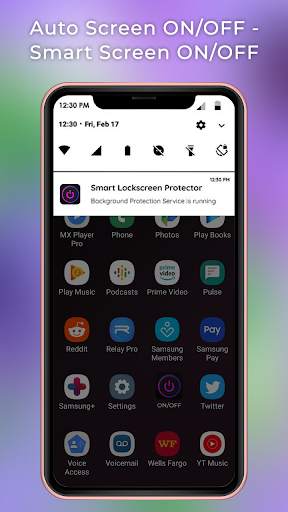
No need to press lock key to lock or unlock mobile screen use this
Auto Screen On Off - Smart Screen ON OFF
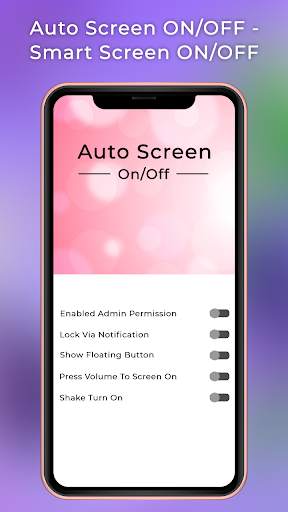
application which has a smart method to lock mobile screen with one touch on screen. Application allows users float button with which you need one touch and your mobile screen automatically lock. It also allows a smart method to unlock mobile screen with shake.
So change your boaring mobile lock touch and use this awesome application which has a fantastic way to lock or unlock mobile screen, Just touch on moveable float button to lock mobile screen or also shake mobile anytime to unlock mobile. It is simple to use and clear User Interface to easily understand app. Application tottaly free to use just enable the permission and start to use anytime anywhere you need.
FEATURES
# One touch to lock device
# Easily lock mobile screen with FLOAT button
# Float moveable in mobile screen
# SHAKE mobile screen to unlock device
# Free to use application
# Allow permission before using app
# Simple to use
# Clear UI design to use app
# Easy touch to lock or unlock device

...

👉 For More Detail of Auto Screen On Off - Smart Screen ON OFF

#4 Smart Screen On/Off (All in on

Smart Screen On/Off (All in on
Rating: star 4.0 | Version: 3.6 | Size: 13.7MB
Smart Screen On/Off (All in on screenshot 1 Smart Screen On/Off (All in on screenshot 2 Smart Screen On/Off (All in on screenshot 3

This application, Smart Screen On/Off (All in one), is an application which can help you to turn on/off your device without using the Power button.
You just need to click the app or shortcut icon (do nothing anymore) and screen will go off immediately. Specially, it supports Shaking Detector, you just shake your phone to turn on/off screen. It is very convenient for you.
This app is NOT widget! You can place the shortcut in anywhere as you can.
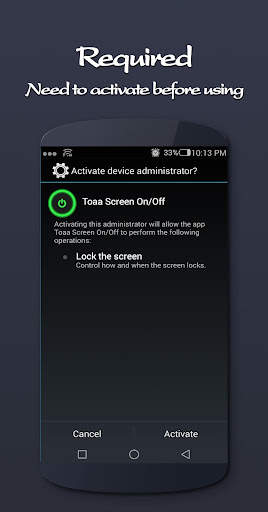
This app uses Device Administration function in Android 2.2 or later, so you must ACTIVATE it before it works.
======== News ========
★ Variety of app icons added to make the app more decorative.
======== Features ========
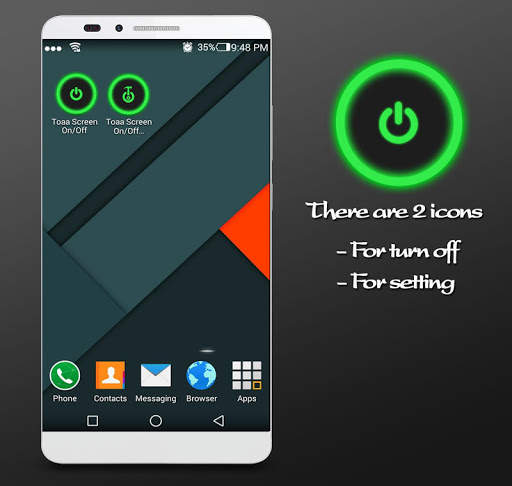
★ After installing successfully, the home screen will appear 2 app icons. The first one for locking screen and the second one for configuration.
★ Turn screen off and lock device with one click
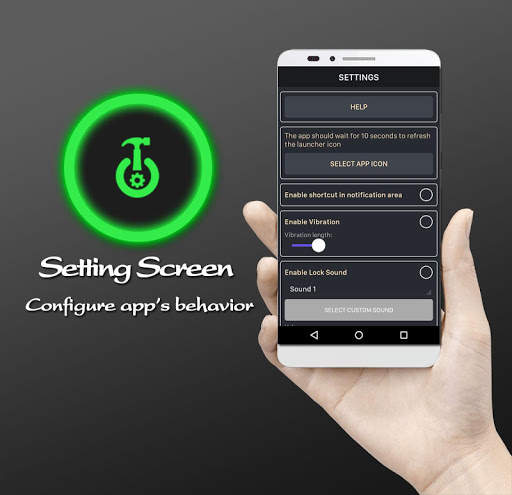
★ You can configure any things if you want in Setting screen
★ Support Vibration when locking screen.
★ Support playing short sound when locking screen.
★ Support locking screen via shortcut in Notification bar.
★ Support Shaking Detector. Avoid breaking your power button. Just shake your phone and lock or unlock it.
★ Support backing to home screen automatically after unlocking.
★ Can uninstall this app directly by pressing Uninstall button in Setting screen.
★ IT WILL NOT DRAIN YOUR BATTERY. My main focus when I implemented the app was on not draining the battery, and it won't.
===== This app uses the Device Administrator permission =====
★ Make the device lock immediately.
===== How to uninstall =====
There are 2 ways:
★ Way 1: Press Uninstall button in Setting screen.
★ Way 2:
This app uses device administration function in Android 2.2 or later, so you must deactivate it BEFORE uninstall.
Just do this: Go to 'Settings >> Location & security >> Select device administrators' -> uncheck this app -> uninstall.

...

👉 For More Detail of Smart Screen On/Off (All in on

#5 Smart Screen Off/On Lock - Turn Off Screen
Smart Screen Off/On Lock - Turn Off Screen
Rating: star 3.8 | Version: 3.3 | Size: 8.0MB
Smart Screen Off/On Lock - Turn Off Screen screenshot 1 Smart Screen Off/On Lock - Turn Off Screen screenshot 2 Smart Screen Off/On Lock - Turn Off Screen screenshot 3

화면 끄기 및 전원이없는 화면을 잠급니다. 그냥 흔들어, 스 와이프하거나 터치하여 화면을 빠르게 끄고 잠급니다. 스마트 화면 끄기 / on 잠금을 사용하여 개인 정보 보호 및 충전기 수명 연장 - 화면 끄기 쉬운 잠금 화면에서 화면 끄기 및 언제 어디서나 화면을 끄고 화면을 잠그는 데 도움이됩니다. 위젯 스크린 잠금 장치는 또한 장치를 고정하거나 볼륨 키를 사용하여 금지 키를 사용하여 화면을 잠급니다. 빠르고 쉽게 두 번 탭 화면 잠금 /
> 스마트 화면 끄기 / 켜기 잠금 장치 - 볼륨 키로
* 부동 버튼을 사용하여 오프로
* 잠금 화면 홈 화면에서 화면 기능
가상 * 위젯 잠금 장치로
* 잠금 화면 바로 가기를 끕니다. 다른 앱을 통해 플로트
스마트 스크린 꺼짐 / 켜기 잠금 - 끄기 화면은 두 번 탭하여 잠금을 해제하여 장치의 화면을 쉽게 끄거나 끄거나 끄거나 끄거나 (잠금 해제)합니다. 휴대 전화의 전원 버튼 (화면을 켜거나 끄는 데 사용됨)이 손상되었거나 고장 났을지라도 화면을 열거 나 끄는 데 도움이됩니다.
스마트 화면 끄기 잠금 - 화면 끄기 :
[알림 표시 줄을 클릭하여 화면 잠금 화면을 빠르게 잠급니다.
홈 버튼으로 2 번 터치하십시오.
2. 스마트 화면 켜기 화면 - 화면 잠금 해제 :
Volume 버튼을 사용하여 화면 잠금 해제를 신속하게 잠금 해제하십시오.
화면을 켜십시오.
- 더블 탭 디바이스 화면의 잠금을 해제하십시오.
스마트 화면 꺼짐 잠금 장치 - 화면을 끄면 더 이상 전원 버튼을 사용하지 않고 장치 화면을 켜고 끄는 데 도움이됩니다.
스마트 화면 꺼짐 / 잠금 - 화면 끄기는 전원 버튼을 보호하는 데 도움이되는 응용 프로그램입니다. 배터리 수명을 절약하십시오. 하드 파워 키를 마지막으로 오래 가지 않게하고 성능을 향상시킬 수 있으므로 홈 버튼 화면을 두 번 탭하여 전화 화면을 끕니다. 스마트 화면 끄기 / 켜기 잠금을 사용하십시오 - 전원 버튼을 사용하지 않고 화면을 끄려면 화면을 끄십시오! 그 쉽고 빠르고 매우 도움이됩니다! 그냥 시도하고 자동으로 화면을 끄십시오! 때로는 전원 버튼을 누르거나 물리적 전원 버튼을 보존하기가 어렵습니다. Smart Off / On Screen Pro App 및 피드 헤드 플로트는 언제 어디서나 전원 버튼의 사용을 최소화하는 데 도움이 될 수 있습니다.
스마트 화면 잠금 - 켜기 탭 스크린 스크린을 꽤 가볍게 엽니 다. 많은 숫양. 우리의 고급 응용 프로그램 기술을 사용하면 CH 재생에 동일한 응용 프로그램과 비교하여 과도한 배터리가 유출되지 않아야합니다.
디스플레이를 끄려면 응용 프로그램이나 전화를 사용하여 사용하지 않는 영역을 사용하여 휴대 전화를 끄십시오. 안전 모드가 꺼지는 전화 화면을 끄려면 1-2 초 후에 주소를 보냅니다. 또한 알림 표시 줄에서 스 와이프 또는 흔들어 응용 프로그램 아이콘을 클릭하여 OFF 화면을 사용할 수도 있습니다.
스마트 화면 꺼짐 / 잠금 장치 - 화면을 끄기 위해 화면을 끕니다. 장기간 도움이되는 앱을 갖는 앱을 갖는 이후 2 개의 터치가 있으므로 전원 버튼이 휴대 전화를 사라지고 손상시키는 상황을 줄일 수 있습니다. 이제 화면을 두 번 터치하여 화면을 잠급니다.
참고 :이 응용 프로그램은 장치 관리자 권한 (Android.Permission.bind_device_admin)을 사용하여 스마트 화면이 꺼져 있으면이 권한을 사용하여
이 응용 프로그램.

...

👉 For More Detail of Smart Screen Off/On Lock - Turn Off Screen

Search Results

1/3

You may like

DOWNLOAD IS NOT SUPPORTED IN WEB STORE!
Use the latest version of 9Apps to download APK&OBB file of games in one click!
DOWNLOAD 9APPS