











DOWNLOAD IS NOT SUPPORTED IN WEB STORE!
Use the latest version of 9Apps to download APK&OBB file of games in one click!
DOWNLOAD 9APPS


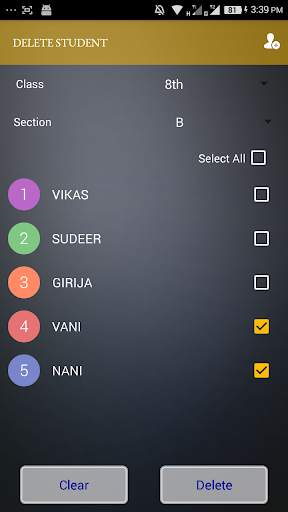
Thank you for your continued support and feedback! We're committed to making the app even better, so never lose the drive to share your impressions and feedback with us!.
You can manage students every day attendance, you can share attendance details through whats app and mail
This App is only to share every day attendance to the principal instantly after taking attendance.
How App Works:
Step 1: Install the app from the
playstore.
Step 2: After Installation, on opening the app, Splash screen will be appear.
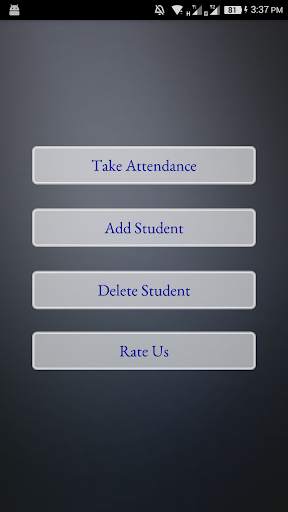
Step 3: Within few seconds , it will go to Menu
screen.
Step 4: In Menu Screen Select
and Click Add Student button.
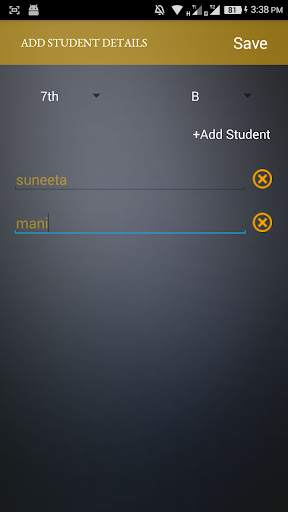
Step 5: In Add Student
Screen, there is an option to " Add New Student". to add new field for giving entry of student of name. Please select class and section(if exists) in this form. If section is not exists please select "None".
Step 6: By adding all
Student details in "Add Student Form". The app can store those student details.
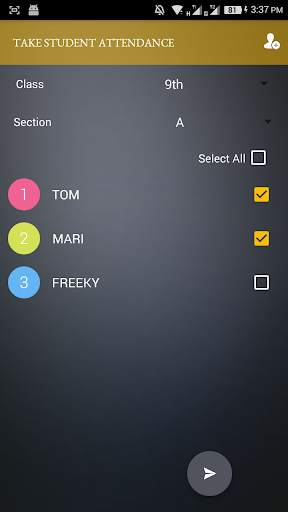
Step 7: In Take
Attendance Form by selecting the class and section, the student details will be listed.
Step 8: By Checking the attended students and not checking the absent students.Attendance process will be done.
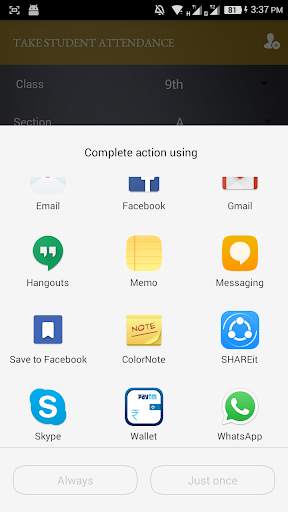
Step 9 : These details will be now share by email or whatsapp by clicking share button on the bottom of the screen.
keywords:
student attendance.
student attendance app


Fixes bugs


