










DOWNLOAD IS NOT SUPPORTED IN WEB STORE!
Use the latest version of 9Apps to download APK&OBB file of games in one click!
DOWNLOAD 9APPS

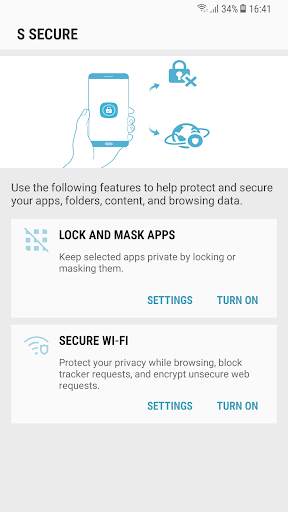
Protect and secure
your apps, folders, content, and browsing data using below features.
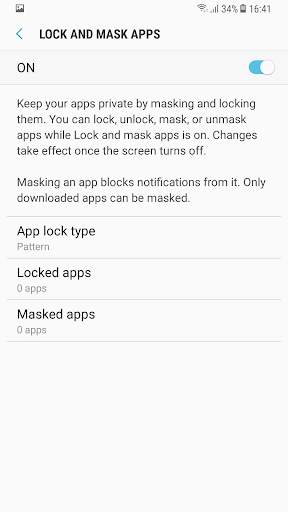
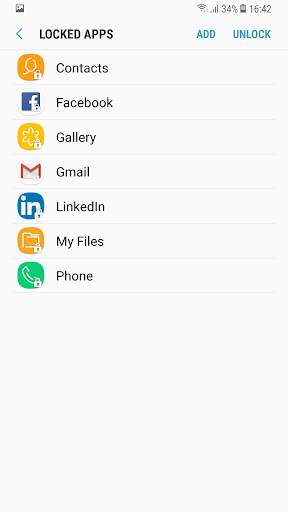
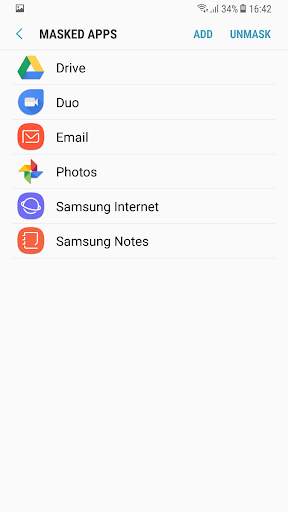
1. Lock and Mask apps:
Keep selected apps and its data private by locking or masking them.
Locking and masking can be done via a pattern, PIN, password, or your fingerprints.
Apps will be locked once the screen turns off. Once apps are unlocked, they will remain unlocked until the screen turns off.
Masking an app will block notifications from it and mask it on your phone. Only downloaded apps can be masked .
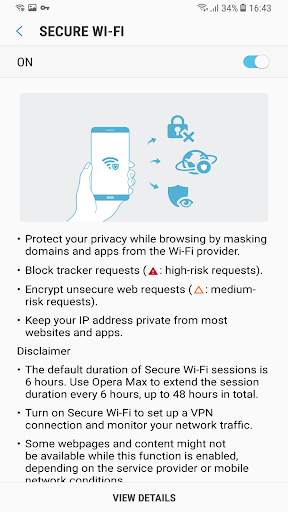
2. Secure Wi-Fi
Protect your privacy while browsing by masking domains and apps from the Wi-Fi provider.
Block tracker requests using the Easy privacy list.
Encrypt unsecured web requests Keep your IP address private from most websites and apps.
Disclaimer:
The default duration of Secure Wi-Fi sessions is 6 hours. Opera Max can be used to extend the session duration every 6 hours, up to 48 hours in total.
Turn on Secure Wi-Fi to set up a VPN connection and monitor your network traffic.
Some websites and content might not be available while this function is on, depending on the service provider or mobile network conditions.
Some websites may not be able to locate or track your IP address.




Q OS bug fixes


