
DOWNLOAD IS NOT SUPPORTED IN WEB STORE!
Use the latest version of 9Apps to download APK&OBB file of games in one click!
DOWNLOAD 9APPS

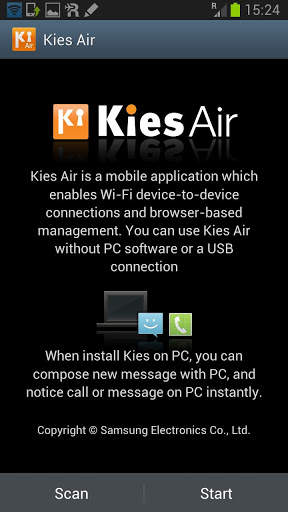
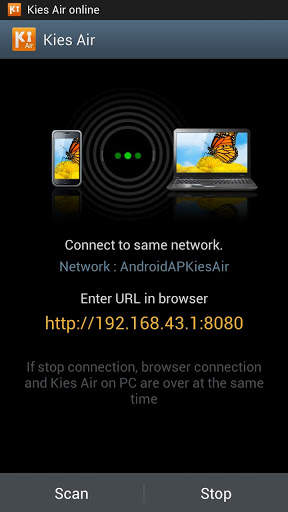
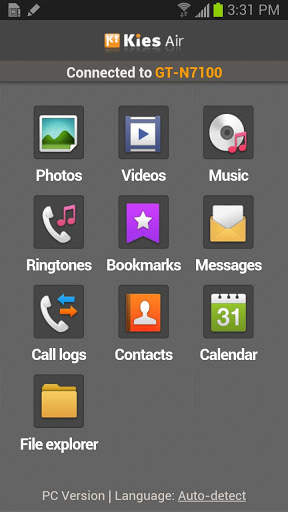
It39;s time to share wirelesslyManage your mobile via Internet browser It39;s time to share wirelesslyWhy not manage your mobile device via your Internet browser?Kies air is a application that enables you to easily manage contents saved on your device via PC internet or mobile browser using wifi technology. Without having to connect any cables, within a browser you can use diverse function such as multimedia transfer, music listening, PIMS management, text message, file search and so on.Access from another mobile device i.e. mobile B accesses mobile A;1. Connect both mobile devices A and B to the same Access Point WiFi router.2. Launch Kies Air and press quot;Startquot; button on your mobile device mobile A.3. Launch Kies Air and Shake the mobile B twice. This will start a scan for mobile A.4. Allow the access request on the original mobile device mobile A In the case of Kies air not installed on another device mobile B: Access with typing URL displayed by Kies air on mobile A in the browser on another mobile device mobile B. In the case of quot;Motionquot; feature not supported on another device mobile B: Access with quot;Scanquot; button on the menu.Access from PClaptop;1. Connect mobile device and PC to the same Access Point WiFi router.2. Launch Kies Air and press quot;Startquot; button on mobile device.3. Type URL displayed Kies air in the browser on PC. 4. Allow the access request on my mobile device.5. Allow to create icon after accessing Kies air. After creating desktop icon, you can access Kies air without typing URL using desktop icon.