playiy on 9Apps

Free download latest playiy for Android here and enjoy it with your phone. Below you can download a list of top and latest apps related to playiy . 9APPS is a fast, safe app store. With 9APPS, you can save a lot of time on searching and downloading apps.

#1 PLAYit - A New All-in-One Video Player

PLAYit - A New All-in-One Video Player
Rating: star 5.0 | Version: 2.7.38.100 | Size: 28.7MB
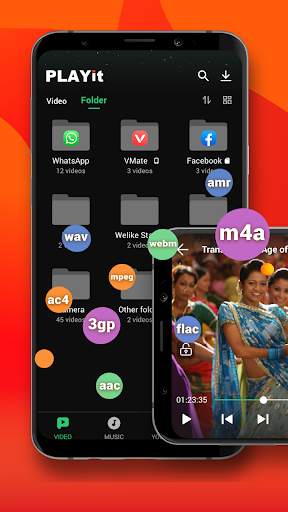
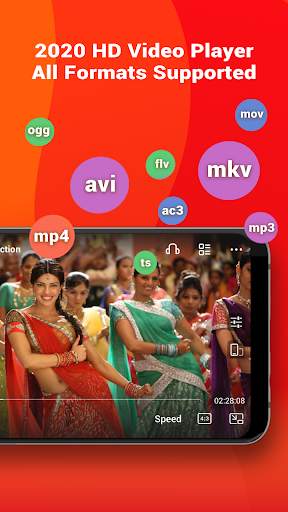
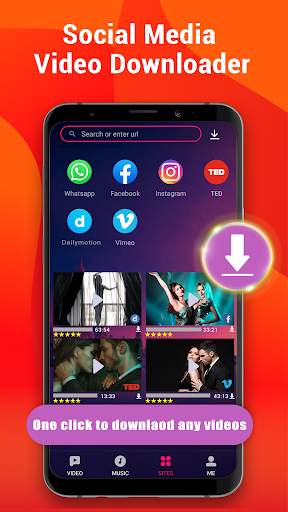
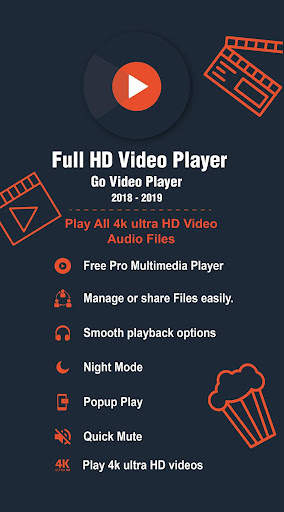
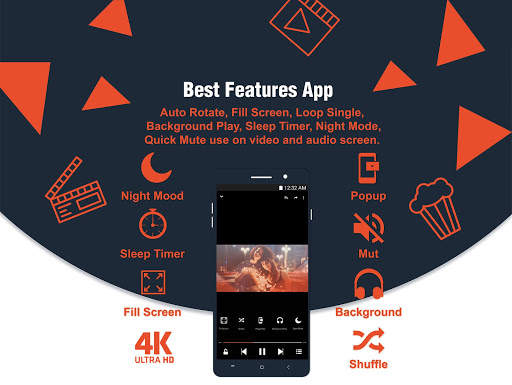
PLAYit - A New All-in-One Video Player screenshot 1 PLAYit - A New All-in-One Video Player screenshot 2 PLAYit - A New All-in-One Video Player screenshot 3

In need of an all-in-one media player and video downloader?
PLAYit is ready to provide you a feast for eyes and ears!
Download and enjoy Now
HD video player 2020 is your best video mate in India to enjoy latest Bollywood movies, Hindi films, watch IPL 2020 games and other local video clips in all format (MKV videos, FLV videos,M4V videos, etc.
Besides, you can also direct download and save any videos from Facebook, Instagram, WhatsApp and other social media from PLAYit. In this way, you could save the video in advance and watch anytime anywhere even if there's poor Internet connection.
Best online HD video player and downloader 2️0️2️0️ with stunning features
All format videos all format audio supported
HD Video player for all format: 4k videos, 1080p videos, MKV videos, FLV videos, 3GP videos, M4V videos, TS videos, MPG videos
Audio player for all format: mp3 files, m4a files
Auto detect and manage local media files
Auto identify all video files on Android device and SD card, easy to sort and share media files. No matter what video format downloaded from other sites and saved on your device, our video player will analyze all the media files and allow playing videos with high-definition.
Quick search, play and download online videos/pics
Private browse any sites and PLAYit provides video download option. Search any videos and tab the "download" button, videos or photos will directly saved on your device. Now you could easily save Facebook videos, Instagram post & stories, download and share WhatsApp status.
Floating play and background play allow multi-tasking
Turn on floating-play window so that you can chat with others or work with other apps while watching videos or listening to music.
Video to audio converter
One click to convert videos to audios and enjoy audio/music playing.
Online Subtitle Function
Search online subtitle and free download to watch movies with English/Hindi/Tamil subtitles.
Smart gesture control during videos playing
Multi-play option and easy gesture control to change playback speed, brightness and volume.
Advanced kernel SW decoder to provide better experience
Software acceleration can be applied to more videos formats and by changing the decoding mode seamlessly, the playback will be more smooth and of high quality.
Video Player: Play It
- Browse all your local video files and play status videos, trailers, movies and any other videos stored in your device, any formats supported.
- Background play function allows you to keep playing the video when you switch to other apps or turn off the phone screen.
- Floating play function enables you to adjust the position of player’s floating window and use other apps at the same time.
- Easily use gesture control to adjust playback speed, brightness and volume. video playback continuous from the last position smartly
Video Downloader: Download It
- Enter the video website or social media site like Facebook, Instagram, TikTok
- Tap “Download” button to download and save Facebook live videos, Instagram post, WhatsApp status, TikTok videos and other social media pictures or videos
- Tap “Download” button to download and save full movies or film clips on your own device
Music Player: Listen to It
- Locate and manage all music files from your phone memory and SD card.
- Free choose to play single piece of songs or the whole playlist on PLAYit music player
- Convert Mp4 to Mp3 with one simple click remaining incredible audio quality
- Automatically pause playback when your headset is unplugged.
PLAYit player for PC
To play videos on your laptop/computer, please go to our official website www.playit.app to get window version.
We are working hard for your better experience as a stunning video player and downloader!
If you have any problem during the usage of PLAYit, please contact us via mediabackup.team@gmail.com

...

👉 For More Detail of PLAYit - A New All-in-One Video Player

#2 MX Player

MX Player
Rating: star 4.3 | Version: 1.83.0 | Size: 129.4MB
MX Player screenshot 1 MX Player screenshot 2 MX Player screenshot 3

高度なハードウェア アクセラレーションと字幕サポートを備えた強力なビデオおよび音楽プレーヤー
a) ハードウェア アクセラレーション - 新しい HW+ デコーダを使用して、より多くのビデオにハードウェア アクセラレーションを適用できます。
b) マルチコア デコーディング - MX Player は、マルチコア デコーディングをサポートする最初の Android ビデオ プレーヤーです。 テスト結果は、マルチコア デバイスのパフォーマンスがシングルコア デバイスよりも最大 70% 優れていることを証明しました。
c) ピンチしてズーム、ズーム、パン - 画面をピンチしてスワイプすることで、簡単にズームインおよびズームアウトできます。 ズームとパンもオプションで利用できます。
d) 字幕ジェスチャ - 前後にスクロールして次/前のテキストに移動します。上下にスクロールしてテキストを上下に移動し、拡大/縮小してテキスト サイズを変更します。
e) プライバシー フォルダ - 秘密の動画をプライベート フォルダに隠し、プライバシーを保護します。
d) ファイル転送 - モバイル データを使用せずに、音楽、アプリ、大きなファイルなどをワンクリックですぐに送信できるようになりました。
f) KIDS LOCK - お子様が電話をかけたり、他のアプリに触れたりすることを心配することなく、お子様を楽しませてください。
字幕形式:
- DVD、DVB、SSA/*ASS* 字幕トラック。
- SubStation Alpha (.ssa/.*ass*) の完全なスタイリング。
- Ruby タグをサポートする SAMI(.smi)。
- サブリップ(.srt)
・マイクロDVD(.sub)
- VobSub(.sub/.idx)
- SubViewer2.0(.sub)
-MPL2(.mpl)
- TMPlayer(.txt)
- テレテキスト
- PJS(.pjs)
- WebVTT(.vtt)
******
権限の詳細:
––––––––––––––––––
* 「READ_EXTERNAL_STORAGE」は、プライマリ ストレージとセカンダリ ストレージのメディア ファイルを読み取るために必要です。
※ファイルのリネームや削除、ダウンロードした字幕の保存には「WRITE_EXTERNAL_STORAGE」が必要です。
*近くの友達を見つけるには、「LOCATION」権限が必要です。
* ライセンス チェック、アップデート チェックなどのさまざまなアクティビティに必要なネットワーク ステータスを取得するには、「ネットワーク」および「WIFI」権限が必要です。
* Bluetooth ヘッドセット接続時の AV 同期を改善するには、「BLUETOOTH」権限が必要です。
※QRコードの読み取りには「CAMERA」権限が必要です。
※インターネット配信の再生には「INTERNET」が必要です。
※振動フィードバックを制御するには「VIBRATE」が必要です。
* 「WAKE_LOCK」は、動画の視聴中に携帯電話がスリープ状態にならないようにするために必要です。
※「KILL_BACKGROUND_PROCESSES」は、バックグラウンド再生で使用しているMX Playerサービスを停止するために必要です。
※「DISABLE_KEYGUARD」は、キッズロック使用時に画面ロックを一時的に解除するために必要です。
※キッズロック使用時、一部のキーをブロックするには「SYSTEM_ALERT_WINDOW」が必要です。
* 再生画面で入力ブロックが有効になっている場合、システム ボタンをブロックするには、「DRAW OVER OTHER APPS」が必要です。
******
「パッケージ ファイルが無効です」というエラーが表示される場合は、製品のホームページ (https://mx.j2inter.com/download) から再インストールしてください。
******
ご不明な点がございましたら、Facebook ページまたは XDA MX Player フォーラムにアクセスしてください。
https://www.facebook.com/MXPlayer
http://forum.xda-developers.com/apps/mx-player
一部の画面は、Creative Commons Attribution 2.5 でライセンスされている Elephants Dreams のものです。
(c) copyright 2006, Blender Foundation / Netherlands Media Art Institute / www.elephantsdream.org
一部の画面は、Creative Commons Attribution 3.0 Unported の下でライセンスされた Big Buck Bunny のものです。
(c) copyright 2008, Blender Foundation / www.bigbuckbunny.org

...

👉 For More Detail of MX Player

#3 HD Video Player

HD Video Player
Rating: star 4.2 | Version: 1.0.5 | Size: 8.0MB
HD Video Player screenshot 1 HD Video Player screenshot 2 HD Video Player screenshot 3

すべてのビデオダウンローダー
ポップアップビデオプレーヤー
HDビデオプレーヤーを使用すると、 fast&安定した 4K再生。また、ビデオダウンローダーです。これは、フラッシュスピードのオンラインホットビデオを入手するのに役立ちます。また、この強力なビデオプレーヤーを使用して、プライベートフォルダーに個人的なビデオを安全に隠すこともできます。b> now!
Ultra 4Kビデオ
●サポートすべてのビデオ形式を含む:MKV、MP4、M4V、MOV、3GP、FLV、F4V、Webmなど。イコライザーサポート
●バックグラウンドプレイ音楽のようなビデオを再生する
●ポップアップウィンドウで再生
●no.1 HDビデオビデオダウンローダーのプレイヤー
●電話ストレージまたは sdカードのビデオを自動的に検出
● a-b repeat &ループモード
●スクリーンロッカービデオが再生されているときに誤用を防ぐ
●スリープタイマー
●スマートジェスチャー操作
●ナイトモードとマルチテーマ
●HDビデオAndroid電話とタブレットの両方のプレーヤー
すべてのビデオダウンローダー
稲妻速度でHDビデオをダウンロードします。これにより、すべてのビデオダウンローダーは、その間に複数のファイルのダウンロードを背景にサポートしています。
ポップアップ&バックグラウンドビデオプレーヤー
バッテリーを保存するための音楽再生のように、背景でビデオを楽しんでください。ポップアップウィンドウでビデオをご覧ください。便利なマルチタスクのために画面を分割します。パスワードで保護されたフォルダーの映画。
HDビデオプレーヤーAll Formatは、Androidの完全に無料のビデオプレーヤーであり、真のオールインワンビデオプレーヤーです。ユーザーエクスペリエンスを向上させるための提案はありません。hdvideoplayer.feedback@gmail.comまでお気軽にお問い合わせください

...

👉 For More Detail of HD Video Player

#4 Equalizer Music Player Booster

Equalizer Music Player Booster
Rating: star 4.5 | Version: 2.25.03 | Size: 21.6MB
Equalizer Music Player Booster screenshot 1 Equalizer Music Player Booster screenshot 2 Equalizer Music Player Booster screenshot 3

イコライザー、最高のHDの音質を提供するAndroidのためのイコライザー&ベースブースターを発見してください。
Pro 7バンドイコライザーを使って音楽を改善し、強力なベースボリュームブースターを楽しんでください。無料のためのすべて。
Quality-焦点、無料、そして使いやすい、イコライザーの間のスムーズな移行を達成します。あなたがユニークな音楽瞬間を楽しむためのあなたのためのオファーと美しくそしてフレンドリーなインターフェース。
*あなたのトラックの音を混ぜ合わせてカスタマイズします。あなたのオーディオ体験を管理する*
最高のオールインワンプロミュージックプレーヤー
- 7バンドイコライザー(BassからHighへ)趣味
- 様々なジャンルに基づくプロサウンドプリセット:アコースティック、クラシック、ダンス、エレクトロ、フラット、ヒップホップ、ジャズ、ポップ、R&B、そして最高のオーディオ体験のためのロック
- 保存し編集する可能性あなた自身のカスタムプリセット
- 強力なベースボリュームブースター:ブースターレベルのコントロールであなたのトラックの深さを制御します。 5つの異なる5つの異なる効果のおかげであなたのサウンドを見る
- DJモード(フェード):アプリはあなたのための遷移の世話をします - キューシステム:あなたのトラックリストを事前に準備する
- バックグラウンドプレイモード:他のアプリケーションを参照しているときにあなたのお気に入りの曲を聞く
- 3-Status'Repeat '関数:1曲を繰り返し、プレイリストを繰り返し、繰り返し
- シャッフル機能:ランダムモードであなたの曲を再生する
- 音楽の進行バー:あなたの音の中で簡単なナビゲーションのために
あなたのお気に入りのトラックをすべてアクセスする
- ローカルミュージック:アプリ上のローカルソングを自動的に取得する
- ローカルフォルダアクセス
- アプリから直接プレイリストを作成する
- Clicでのアクセス:最近のトラック、曲、アーティスト、アルバム、ジャンル、プレイリスト
- ソング、アーティスト、アルバムによって並べ替えられた結果を与えるコンテキストPro検索機能またはプレイリスト
- アプリから直接トラックのメタデータを編集する
- 2つのウィジェット:メインスクリーンからのアクセスeプリセット、および/またはプレーヤーコントロール
- スリープモード:あなたのタイマーを設定し、あなたのお気に入りのトラックを聞いて眠りにつく!
- クリップファインダー:ミュージックビデオの検索から解放、アプリは自動的に見つけることができます
- ネットワークの可視性オプション:アクティブ化されたとき、同じWiFiネットワークに接続されているユーザーは、イコライザーの互いのミュージカルライブラリにアクセスできます。ローカルストリーミングだけでダウンロードが必要です。
- カバーアートオプション:必要に応じてあなたのトラックのためのカバーを自動的に見つけることができます - あなたのお気に入りのトラックをアプリから直接あなたの友人に共有する可能性
- 互換性のあるAndroid TV、Android Wear、Android Auto
- すべての機能は無料です!唯一のinAppの購入は広告を削除する「いいえ広告」ですが、毎週素晴らしい割引が利用可能であることを心配しないでください:)
- ウェブサイト:http://equalizerpl.us/
- Facebook:https://www.facebook.com/equalizeplus/
- Twitter:https://twitter.com/equalizeplus
質問?提案?何かを手伝う必要がありますか?サポート@ equalizerpl.us :)で私たちのチームに連絡してください:)

...

👉 For More Detail of Equalizer Music Player Booster

#5 Poweramp

Poweramp
Rating: star 4.3 | Version: build-987-bundle-play | Size: 19.4MB
Poweramp screenshot 1 Poweramp screenshot 2 Poweramp screenshot 3

Poweramp は、Android のための強力な音楽プレーヤーです。
• 新しいオーディオエンジン:
• ハイレゾ出力をサポート(デバイスがサポートしている場合)
• イコライザ/トーン/ステレオ機能のアップデートを含む新しいDSPと新しいリバーブ/テンポエフェクト
• 64ビットでの内部処理
• AutoEqプリセット
• 新たに出力ごとにオプションを設定できるようになりました
• 新たにリサンプラー、ディザリングオプションを設定できるようになりました
• opus, tak, mka, dsd dsf/dffフォーマットをサポート
• ギャップレス再生の平滑化
• 30/50/100の音量レベル(設定/オーディオ/高度な微調整)
主な特長:
- サポートされているすべてのフォーマット、カスタムプリセットに対応する最適化された 10 バンドグラフィックイコライザー
- 独立した強力な低音と高音のバランス調整
- ステレオ拡張、モノラルミキシング、バランス
- Android Autoに対応しました
- Chromecast のサポート
- クロスフェード
- ギャップレス
- ゲイン再生
- フォルダおよび専用ライブラリからの曲の再生
- 動的キュー
- 組込みおよびスタンドアロン .cue ファイルのサポート
- 欠落しているアルバムアートのダウンロード
- ヘッドセットのサポート、ヘッドセットの自動レジュームおよび/または BT 接続(設定で無効にすることが可能)
- タグエディター
- 外部/サードパーティ製スキンを含む視覚テーマ
- 高速ライブラリスキャン
- 設定による高度なカスタマイズ
* Chromecastは Google LLCの商標です
このバージョンは、15 日間のフル機能の試用版です。 Poweramp フルバージョンをアンロックするためには関連するアプリを参照するか、フルバージョンを購入するために Poweramp 設定で購入オプションを使用します (Poweramp Full Version Unlocker)。

...

👉 For More Detail of Poweramp

Search Results

1/20

You may like

DOWNLOAD IS NOT SUPPORTED IN WEB STORE!
Use the latest version of 9Apps to download APK&OBB file of games in one click!
DOWNLOAD 9APPS