zone assistive touch on 9Apps

Free download latest zone assistive touch for Android here and enjoy it with your phone. Below you can download a list of top and latest apps related to zone assistive touch . 9APPS is a fast, safe app store. With 9APPS, you can save a lot of time on searching and downloading apps.

#1 Assistive Touch

Assistive Touch
Rating: star 4.3 | Version: 1.3 | Size: 6.5MB
Assistive Touch screenshot 1 Assistive Touch screenshot 2 Assistive Touch screenshot 3

Note: Don’t report bugs via comment and rate. If you have any problems when using this app, please send email to me. I will support to you immediately. Thank you for your support.
sp.assistivetouch@outlook.com
What is AssistiveTouch?
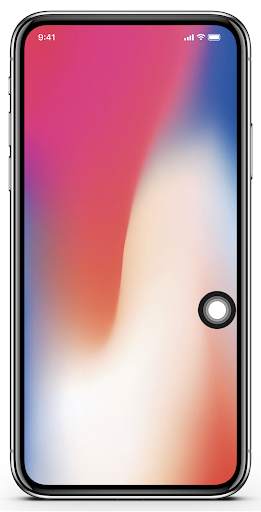
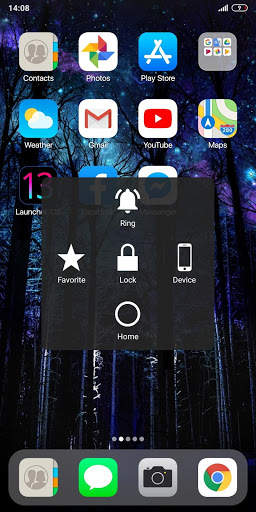
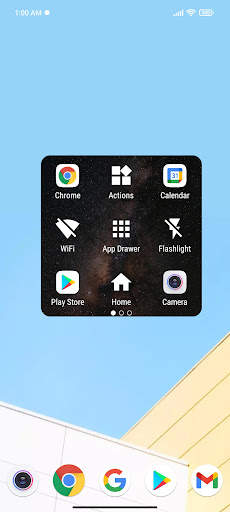
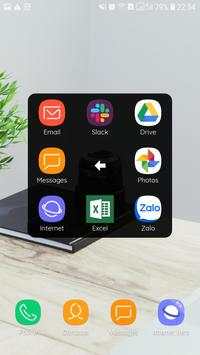
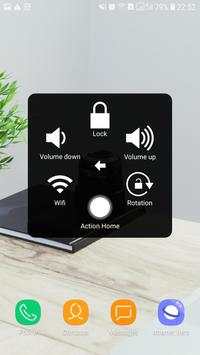
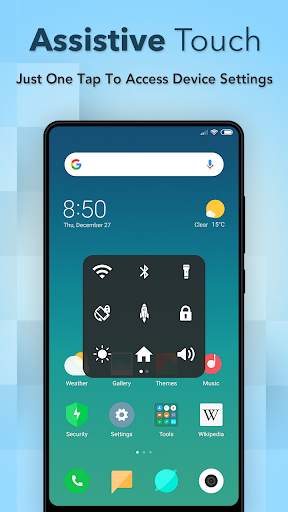
Assistive Touch is an easy tool for Android devices. It's fast, it’s smooth. With a floating panel on the screen, you can easily control your Android smart phone. More conveniently, you can quickly access to all your favorite apps, settings and quick toggle. Assistive Touch is also an ideal app to protect the home button and volume button. It is very useful for big screen smart phone.
To turn on AssistiveTouch:
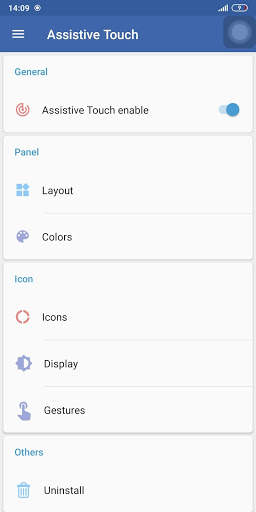
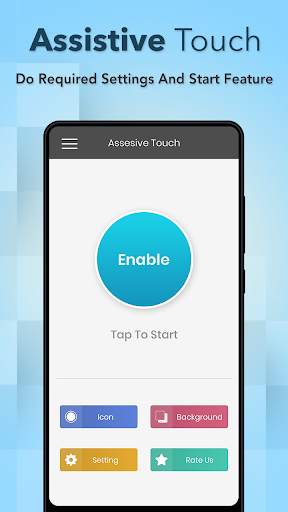
Open app > Enable AssistiveTouch by switch button.
When you turn on Assistive Touch, you’ll see the AssistiveTouch menu. You can drag it to any edge of the screen, then tap the menu to open it.
"This app uses the Device Administrator permission."
It is necessary and used only for locking the device when you use feature turn off the screen. You need to enable Administration before it can be used that feature. To uninstall the app, please open Assistive Touch app and click the
"Uninstall"
button.
"This app uses Accessibility services."
It is necessary and used only to perform a global action. For example: Going Back, Going Home, Opening Recent, Power dialog, Notification Center, etc. You need grant this permission to use that action.
Enable that action following: Go to Settings > Accessibility > Services and turn on AssistiveTouch.
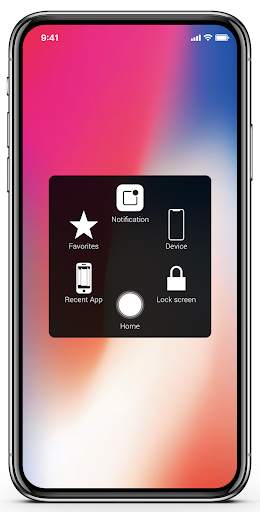
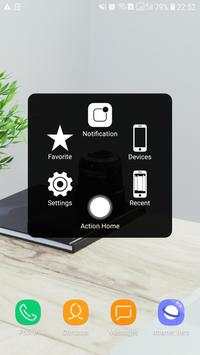
After that you can also use AssistiveTouch to access your Home Screen, Recent Screen and use Back Key. Just open the AssistiveTouch menu and tap Home, Recent, Back action. To access your Notification center, open the AssistiveTouch menu and tap Notification.
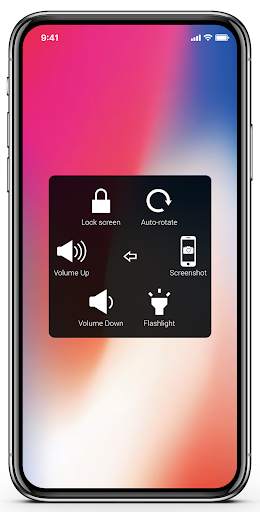
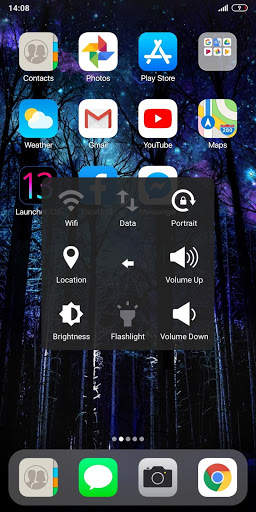
To get more control, open the AssistiveTouch menu. From here, you'll be able to do things like turn on/off Bluetooth, WiFi, take screenshot, and more.
FEATURES:
- Control your device with Assistive Touch menu.
- Custom size and transparency of Floating icon.
- Custom color Assistive Touch menu.
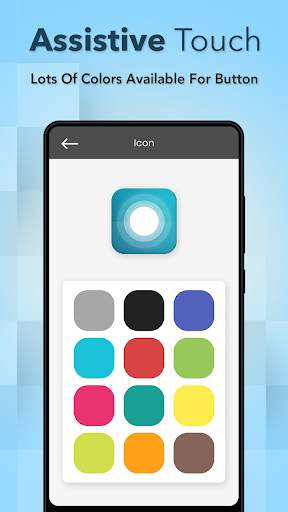
- Change Floating icon with many cute icons.
- And more.
SUPPORT:
- sp.assistivetouch@outlook.com
THANK YOU FOR USING MY APPS.

...

👉 For More Detail of Assistive Touch

#2 Assistive Touch

Assistive Touch
Rating: star 4.5 | Version: 1.2 | Size: 6.5MB
Assistive Touch screenshot 1 Assistive Touch screenshot 2 Assistive Touch screenshot 3

Assistive Touch: Protect home button & volume button, access all setting quickly, speed booster.
You can use AssistiveTouch to adjust volume, lock your screen, use multi-finger gestures, restart your device, or replace pressing buttons with just a tap.
To access your Notifications, open the AssistiveTouch menu and tap Notification. To get to the control, open the AssistiveTouch menu. From here, you'll be able to do things like turn Bluetooth on and off, use Wifi on and off, take screenshots, and more.
Assistive Touch is an easy touch tool for ios devices, now has similar apps for Android. It's fast, it’s smooth, and it’s totally FREE.
When you turn on Assistive Touch iOS 13, you’ll see the Assistive Touch menu. You can drag it to any edge of the screen, then tap the menu to open it.
"This app uses Accessibility services." It is necessary and used only to perform a global action. For example: going back, going home, opening recent, power dialog, notification etc. You need grant this permission to use that action.
"This app uses the Device Administrator permission." It is necessary and used only for locking the device when you use feature turn off the screen. You need to enable Administration before it can be used that feature. To uninstall the app, please open my app and click the "Uninstall" button.
1. To turn on AssistiveTouch iOS 13:
Open my app > Switch on AssistiveTouch enable item.
2. To use more actions:
Go to Settings > Accessibility > Services and turn on Assistive Touch.
To access your Notifications, open the Assistive Touch menu and tap Notification. To get to the control, open the AssistiveTouch menu. From here, you'll be able to do things like turn Bluetooth on and off, use Wifi on and off, take screenshots, and more.
You can also use AssistiveTouch to access your Home screen, Recent screen and use Back Key. Just open the AssistiveTouch menu and tap Home, Recent, Back action.
Access menus and controls that require onscreen gestures like:
- Control Center
- Notification Center
- Spotlight
- Home
- App Switcher
- Speak Screen
FEATURES:
- Control your device with Assistive Touch menu.
- Custom color of Assistive Touch menu.
- Custom size and color Floating icon.
THANK YOU FOR USING MY ASSISTIVE TOUCH APP.

...

👉 For More Detail of Assistive Touch

#3 Assistive Touch

Assistive Touch
Rating: star 4.3 | Version: 1.1.9.0 | Size: 4.6MB
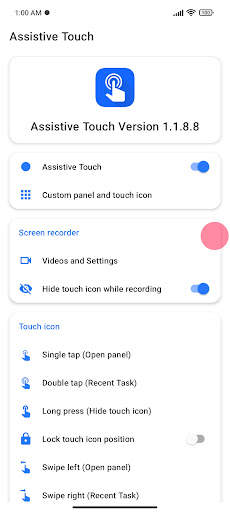
Assistive Touch screenshot 1 Assistive Touch screenshot 2 Assistive Touch screenshot 3

Assist touch è il potente strumento per aiutare a aprire le app ovunque sullo schermo.
★ Caratteristiche principali
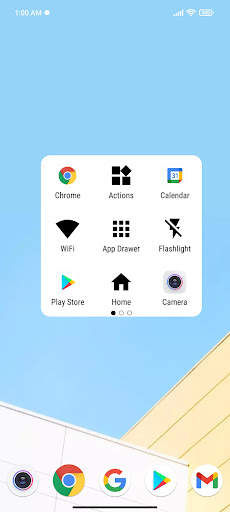
● Supporta molti pannelli (3 pannelli aiutano Aggiungi altro app)
● Pannello personalizzato e icona tattile (Sfondo, Colore ...)
● Supporto molti strumenti Utile (registratore di schermo, torcia elettrica, schermo di blocco, casa, notifica, cassetto app ...)
★ Elenco di azione
● Screen Recorder
● Cassetto app
● Pulsante Indietro / Home
● Azioni delle Azioni (includono solo le azioni a commutazione)
● Uso rapido della batteria di accesso
● Schermo di blocco
● Impostazioni di sistema
● Schermo Brightness
● Bluetooth
● Wi-Fi
● GPS
● Rete da dati mobile ● Torcia elettrica
● Editor di messaggi rapidi
● Ruota automatica
● Volume (Stream Music)
● Dialog di potenza
● Indietro, Casa, Pulsanti Attività recenti
● Molti gesti per Touch Icon
● Take Screenshot
Questa app utilizza il "servizio di accessibilità" per utilizzare alcune funzionalità come pulsante Home, notifica, finestra di dialogo di potenza e attività recente.
Se riesci a tradurre Si prega di unire M Progetto Y:
https : //oskytui.oneskyapp.com/collaboration/project? ID = 350031

...

👉 For More Detail of Assistive Touch

#4 Assistive Touch

Assistive Touch
Rating: star 3.0 | Version: 1.1.2 | Size: 4.6MB
Assistive Touch screenshot 1 Assistive Touch screenshot 2 Assistive Touch screenshot 3

Assistive Touch?
Assistive Touch is the best assistant tool for you to control your device. It's fast, smooth and has a lot of useful tools.
Assistive Touch needs some special permissions
It uses Device Administrator permission for locking your device.
It needs Accessibility services to perform some actions like simulating back, recent button, opening notification and power dialog.
How to use Assistive Touch
1. Open Assistive Touch app
2. Turn on the setting "Assistive Touch"
3. Allow app to use some needed permissions.
Assistive Touch supporting items
1. Turn on/off WiFi, Bluetooth, Airplane, Location, Rotation
2. Screenshot
3. Main Panel, Setting Panel, Favorite panel
4. Virtual home, back button, recent apps
5. Volume up/down button
6. Lock screen, notification, power dialog
7. Flashlight, brightness, etc
If you find any problem, please don't report through the rating comment. Please send us email to nvgcode@gmail.com.
Thank you so much for using Assistive Touch.

...

👉 For More Detail of Assistive Touch

#5 Assistive Touch

Assistive Touch
Rating: star 3.9 | Version: 1.0 | Size: 5.4MB
Assistive Touch screenshot 1 Assistive Touch screenshot 2 Assistive Touch screenshot 3

Assistivo Touch
Avviso: Alcune nuove funzionalità avanzate come Screenshot Capture, Popup POPUP ... Supporta solo elevata versione del software 5.0 e successivi. Non segnalare bug tramite commenti e velocità. Se avete problemi quando si utilizza questa app, ti preghiamo di inviare un'e-mail a me. Ti supporterò immediatamente. Grazie per il vostro supporto
Assistivo Touch è un potente strumento Centro di controllo appositamente progettato per Android. La funzione Assist Touch aiuta gli utenti in circostanze in cui hanno problemi a toccare lo schermo o premendo i pulsanti sul loro telefono.
Tutte le funzionalità sono a modo rapidamente accessibili. Pulsante flottante sullo schermo è veloce, facile, conveniente. A volte il tuo telefono rallenterà e lagnerà, Ausix Touch ti dà una funzione di spinta per liberare la memoria a pulendo le app di sfondo in esecuzione.
Più convenientemente, è possibile accedere rapidamente ai tuoi contatti preferiti, installati app e giochi senza uscire al momento app inattive. Ausion Touch è anche un'app ideale per proteggere i pulsanti fisici
Caratteristiche:
- Controlla il tuo dispositivo con il menu Assistivo Touch.
- Dimensioni personalizzate e trasparenza dell'icona galleggiante.
- Menu TOUCH ASSISTIVO DI ASSISTIMENTO CORSO.
- Cambia l'icona galleggiante con molte icone carine.
- un tocco per aprire il pannello flottante.
- Toccare per aprire i tuoi giochi preferiti, app e impostazioni con smart panel flottante.
- Lancio della fotocamera.
- Accensione / spegnimento BlueDooth.
- Accensione / spegnimento del flashLIGH.
- Commutazione vibrazione / muto / normale.
- Schermo di blocco.
- Torcia elettrica Luminoso.
- Rotazione dello schermo.
- Accensione / spegnimento della modalità aereo.
- Telefono di assistenza facile, veloce e intelligente.
Autorizzazione:
- Bind_Device_admin: solo usato per bloccare il tuo dispositivo Android o spegnere lo schermo.
- Servizi di accessibilità: per disabilità dei pulsanti fisici, Assistive Touch per Android fornisce potenti funzionalità a mano singola (pulsante Home, pulsante multitasking, pulsante del volume e pulsante di accensione) è possibile utilizzare una mano per O. Pertarizzare il telefono, sostituendo i tasti rigidi di navigazione.
- Telecamera: per accendere la torcia elettrica
- Call_Phone: aggiungi contatti al pannello in modo da poter effettuare chiamate e inviare il messenger.
Grazie per il vostro supporto. .

...

👉 For More Detail of Assistive Touch

Search Results

1/10

You may like

DOWNLOAD IS NOT SUPPORTED IN WEB STORE!
Use the latest version of 9Apps to download APK&OBB file of games in one click!
DOWNLOAD 9APPS