camscanner hd on 9Apps

Free download latest camscanner hd for Android here and enjoy it with your phone. Below you can download a list of top and latest apps related to camscanner hd . 9APPS is a fast, safe app store. With 9APPS, you can save a lot of time on searching and downloading apps.

#1 CamScanner HD - Scanner, Fax

CamScanner HD - Scanner, Fax
Rating: star 3.8 | Version: 3.2.0.20140327 | Size: 11.3MB
CamScanner HD - Scanner, Fax screenshot 1 CamScanner HD - Scanner, Fax screenshot 2 CamScanner HD - Scanner, Fax screenshot 3

CamScanner HD trasforma il tablet in uno scanner. Con CamScanner, siete in grado di digitalizzare i documenti cartacei da parte di shooting fotografico. Basta scattare una foto di tutti i documenti cartacei come ricevute, accordi, note, lavagne e così via, e CamScanner può auto-ritaglio immagine, migliorare la qualità dell'immagine e creare file PDF uno standard del settore. È possibile condividere facilmente i documenti acquisiti via posta elettronica, Google Print Cloud, e fax, caricarli al cloud come Dropbox, Google Docs, Box.net, e gestirli per il raggruppamento o la ricerca.
Con CamScanner è possibile acquisire
* Ricevimento, Manuale, Bill, roll Tax
* Biglietto da visita, tessera, tessera VIP
* Accordo, PPT e Lavagna
* Nota, Memo, Script, Letter
* Libro, rivista, giornale, Poster, Coupon
Qualsiasi ...... casi d'uso, non esitare a condividere con noi a android_support@intsig.com.
Versione Differenza
CamScanner Free: con annunci pubblicitari, i file PDF creati con filigrana, la limitazione di 50 documenti, 10 pagine al documento, e fino a 3 scansioni ogni volta in modalità batch.
CamScanner completa: No pubblicità, i file PDF creati è pulito, senza filigrana, senza limitazione di numero di documenti, pagine o scansioni in modalità batch.
Requisiti di sistema: tablet con Android versione 3.x e superiori, fotocamera con autofocus.
CamScanner è in grado di scansione in batch di documenti multipagina.
CamScanner è in grado di continua scansione in batch di documenti multipagina, veloce e conveniente, non aspettare più.
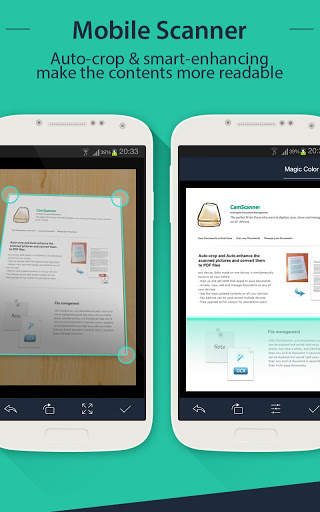
¬ Auto-Auto-colture e migliorare l'immagine
Ciò che rende diverso da CamScanner fotocamera è la sua intelligente e avanzata tecnologia di elaborazione delle immagini. CamScanner in grado di rilevare automaticamente i bordi delle immagini, il ritaglio e auto-migliorare le immagini.
E ci sono diverse modalità per migliorare scegliere in base alle diverse situazioni.
¬ Creare e condividere file PDF multi-formato
Con CamScanner, è possibile creare file PDF in più di 10 formati diversi, tra cui Letter, A4, B5, definita dall'utente e auto-fit per ottenere la dimensione più adatta. Tutti i file PDF possono essere condivisi via email, caricato su Dropbox, Box.net e Google Docs. Google Print Cloud e Fax sono disponibili anche per CamScanner.
¬ di backup e ripristino
CamScanner possibile eseguire il backup di tutti i file nella scheda SD ed è possibile ripristinare in qualsiasi momento.
¬ gestione intelligente dei documenti
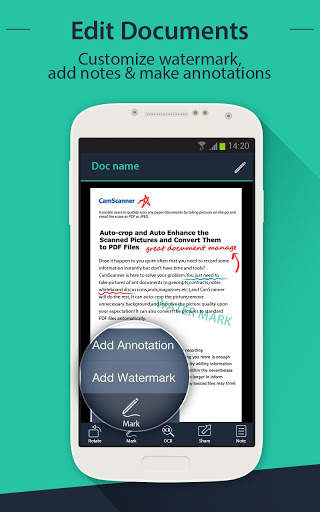
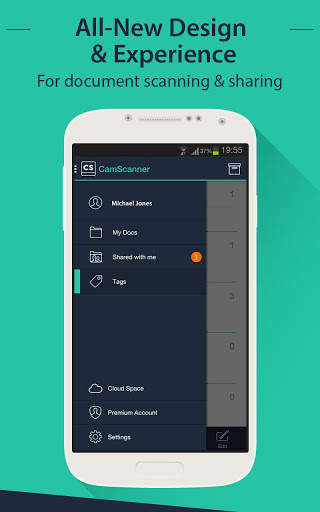
Con CamScanner, si può facilmente visualizzare e gestire tutti i documenti dal raggruppamento, la fusione o l'eliminazione.
Versione 1.3.0 aggiornamenti
(NOVITÀ)
V1.3.0
1. Aggiungere la protezione con password per i documenti
2. Spostare e copiare le pagine
3. Aggiungi una livella a bolla per la cattura
4. Salva l'immagine acquisita alla galleria di immagini
5. Aggiungere uno switch voce di scatto (supportato da maggior tipo di tablet)
6. Aggiunta l'opzione per creare pagine PDF con un margine o no
7. Fax documenti
8. Stampa di documenti con la funzione Google Cloud Print
9. Correggere i bug e ottimizzare le prestazioni
Altre applicazioni di informazioni IntSig:
* CamCard
* CamDictionary

...

👉 For More Detail of CamScanner HD - Scanner, Fax

#2 CamScanner HD Lite

CamScanner HD Lite
Rating: star 5.0 | Version: 1.1 | Size: 23.9MB
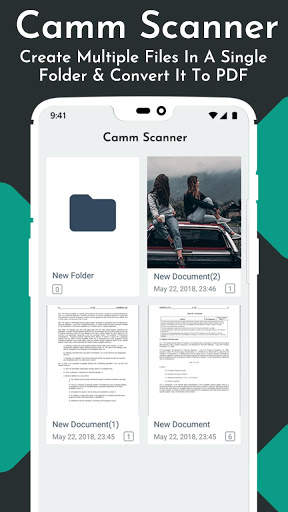
CamScanner HD Lite screenshot 1 CamScanner HD Lite screenshot 2 CamScanner HD Lite screenshot 3

Camscanner or HD cam scanner
is the fastest scanner to scan documents through
mobile scanning app
and to convert that scan document into pdf format.
Camscanner
is the need of hour and to overcome this need this
android cam scanner
is designed to facilitate the users especially students in making their lectures and assignments. This HD camscanner acts as
camscanner phone pdf creator
because when it scans documents, it covert files into pdf format for easy storage.
Cam scan
helps in scanning and storing various contents on your smart phone. This
camscanner app
scans all types of documents be it receipt, notes, lectures, business card and then act as helpful camscanner phone pdf creator especially for students and teachers.
Features of cam scan:
The best and noticeable features of cam scanner app comprise:

Camscanner for android mobile
acts as camera for scanning certificates, notes and all types of whiteboard discussion

Cam scan
help in smart cropping of the images and create crisp document after scanning the images taken

Camscanner app
helps in creating the documents which can easily be shared on the social sites for easy access

Camscanner for android mobile
enhances the text on images taken even the tiniest font
Now use your smart phone to
scan documents and to create pdf files
. Cam scan is the best and
easy to use mobile scanner app
scan the documents without any lag and did not disappoint the user by providing the best graphics and visible font of the scan document.
Cam scanner android
has the best quality which provides clear and sharp document making it the
best cam scanner app
to have in your smart phones.
Fast scanner app
is optical character recognition phone scanner app which gives the clear text visibility once scan the document and convert document into pdf format.
This
cam scanner app for document
is free to use which provides edit, crop and share features. This free cam scanner android app scans document in grey scale, white and black as well. This light weighted
cam scanner phone pdf creator
detects edges and forms a complete pdf document without missing a single detail on the document.
Download this
free cam scan app for documents
and be a pro to store your lectures all at once.

...

👉 For More Detail of CamScanner HD Lite

#3 CamScanner

CamScanner
Rating: star 4.5 | Version: 2.0 | Size: 16.4MB
CamScanner screenshot 1 CamScanner screenshot 2 CamScanner screenshot 3

CamScannér is a powerful application for scanning documents. Using CamScannér App you can Anyplace and anytime, scan, save and archive.
Camera Scanner is indian app that turns your phone into a pro scanner. With Camm Scanner - Advance, you are able to scan any documents by photo
shooting.
Camera Scanner for free document app like scan id proof, business card scanner.
CemScanner is the #1 document scanner & pdf scanner app that will turn your phone into a PDF scanner. Convert images to pdf finder in a simple tap. Download it for FREE!
Made in india cam scanner pro app.
key Features of camscannér app - pdf scanner :
1 Auto Crop document
- Crop document and images easily way
- Rotate PDF file any direction.
2 QR Code Scanner
- mode scan with media scanner
- Scan any QR code and get result fast
- online qr scanner app.
- rapid scan text form read pdf element pages cardscan
3 Image to PDF Converter Free
- save.pdf from photo
- convert image to pdf file
- make your file safe as adopt pdf by using Indian camscannér app.
- clean my photo id card.
4 Using camscannér edit documents easily
- Make annotations on documents with a full set of editing tools pro fetures.
- Advance way for editing adopts documents.
- auto text detector & text scanner
5 Manage Scan files Well
- camscannér app for scan files,scan a photo
- Filter excel file
- Adjust words file

...

👉 For More Detail of CamScanner

#4 CamScanner

CamScanner
Rating: star 4.3 | Version: 1.0 | Size: 3.9MB
CamScanner screenshot 1 CamScanner screenshot 2 CamScanner screenshot 3

CamScanner
Application is made in India Application helps you easily scan your document as a scanner.
If you are want to support our prime minister in "Aatam Nirbhar Bharat Movement" then install this Amazing
CamScanner
Application and make strong our nation!!
With this
CamScanner
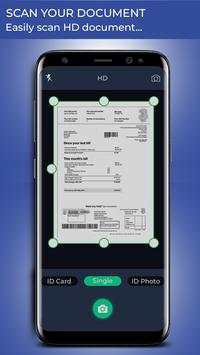
application you can scan documents, photos, id cards, receipts, bills, business cards, whiteboards and other papers.
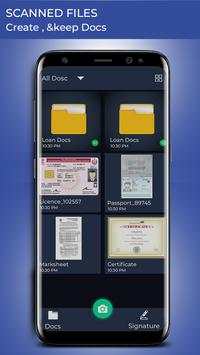
You can scan signature and create signature in 15 different color and save this Signature and Share from Direct Application by this
CamScanner
Application!!
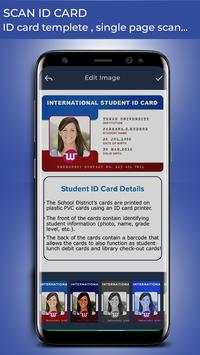
You can take image of "ID Card", "Id Photo" or "Single Photo" Front Image and Back Image then crop image and give filter color from 17 different effects.
An amazing feature is that you can save Scan document Front and back in only one Image.
Use of this
CamScanner
is easy for anyone to anywhere or anytime. What a wonderful Application!!
CamScanner
Application that turns your smart device into a scanner and make your life easier.
How to Use?
- Go to the play store and install
CamScanner
Application
- Open
CamScanner
Application in your device
- Click on "Document"
- Take Image of "ID Card", "Id Photo" or "Single Photo" and crop or rotate
- You can give any one effect out of 17 different filter effects
- Give permission then save and share this direct Application
- Click on Signature and type your signature
- Then click on color here 15 different color Available
- Select one which you like and give permission.
- Enjoy!!
FEATURES
- Easy to Use
- Take image of
ID Card, ID Photo or Single Image
- Rotate and Crop Image
- Different 17 filter effects
- Scan Signature
- Create amazing Signature
- Different 15 color effect
- Share with others
- FREE!!!

...

👉 For More Detail of CamScanner

#5 CamScanner mini

CamScanner mini
Rating: star 4.1 | Version: 1.0 | Size: 8.3MB
CamScanner mini screenshot 1 CamScanner mini screenshot 2 CamScanner mini screenshot 3

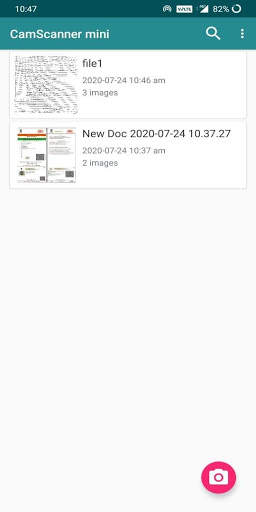
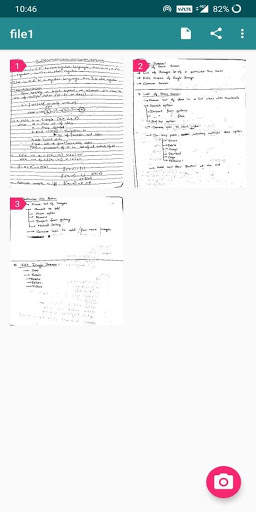
Camscanner Mini è un'applicazione offline gratuita progettata per scansionare rapidamente documenti ed esportarle in formati .pdf e .jpeg in formati
Camscanner Mini può creare, eliminare, condividere, salvare (per il dispositivo) documenti
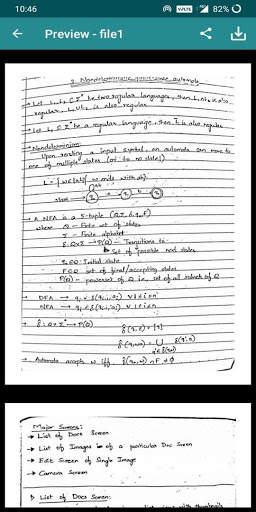
A CamScanner Mini, le immagini per i documenti possono essere prese attraverso la fotocamera o possono essere importate dalla galleria, le immagini all'interno del documentato possono essere ordinate manualmente, gli utenti possono modificare l'immagine selezionata e la modifica includono il ritaglio, rotante, filtri, luminosità, contrasto,ecc.
Jai Hind
- Camscanner Mini team

...

👉 For More Detail of CamScanner mini

Search Results

1/20

You may like

DOWNLOAD IS NOT SUPPORTED IN WEB STORE!
Use the latest version of 9Apps to download APK&OBB file of games in one click!
DOWNLOAD 9APPS