





DOWNLOAD IS NOT SUPPORTED IN WEB STORE!
Use the latest version of 9Apps to download APK&OBB file of games in one click!
DOWNLOAD 9APPS
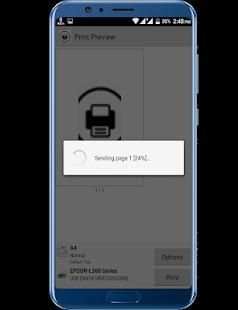
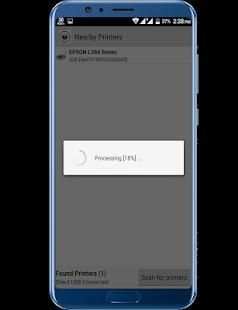
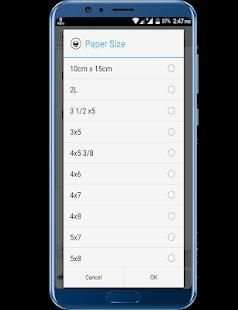
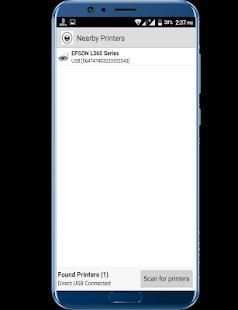
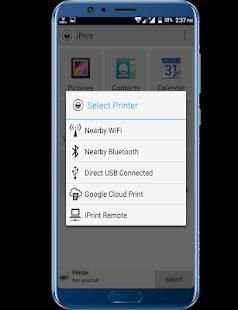
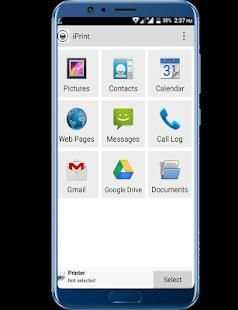
Print directly from Android phone or tablet to almost any printer! Print photos, emails, documents (including PDF, Microsoft® Word, Excel®, PowerPoint® and other files), bills, invoices, messages, web pages and more. PrinterShare makes printing easy and convenient whether your printer is right next to you or across the world!
*** Some of the features are NOT FREE! To unlock them you'll be prompted to purchase iPrint Premium Key.
With iPrint you can easily print images and photos (JPG, PNG, GIF), emails (from Gmail) and attachments (PDF, DOC, XSL, PPT, TXT), contacts, agenda, SMS and MMS, call log, web pages (HTML) and other digital content from device memory, cloud storage providers such as Google Drive, One Drive, Box, Dropbox and other applications using Share action. You even can print text messages for trial or legal matters!
Print UPS shipping labels directly from browser on Android device to supported thermal printers by logging to UPS website.
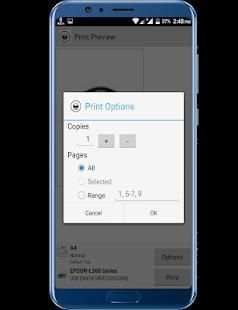
You can configure many printing options such as paper size, page orientation, copies, page range, one- or two-sided printing (duplex mode), print quality (resolution), color or monochrome, input tray and more.
With the free version of the app you can:
* Print with certain restrictions on nearby wireless (WiFi, Bluetooth) and direct USB-OTG connected printers;
* Print on Windows shared (SMB/CIFS) or Mac shared printers;
* Print via Google Cloud Print (including Save as PDF);
* Print 20 pages in remote mode over the Internet.
For unlimited printing, you need to purchase iPrint Premium Key, a separate small application that simply needs to be on the device to unlock Premium Features of the free app. Prior to buying the key we highly recommend printing the test page to ensure compatibility with your printer.
Premium Features:
* Unlimited Nearby direct printing (PDFs, documents, photos and more) via Wi-Fi or Bluetooth without a computer;
* Unlimited Remote printing. The receiving end (Windows or Mac) would not have to buy pages or subscribe.
iPrint supports a wide variety of HP (Officejet, LaserJet, Photosmart, Deskjet and other models including HP Officejet 100/150/200/250 Mobile series and HP Officejet H470), Epson (Artisan, WorkForce, Stylus and other series), Canon (PIXMA MP/MX/MG and other series), Brother, Kodak , Samsung, Dell, Ricoh, Lexmark, Kyocera, OKI and other printers including legacy networkable. A full list of supported printers available at http://printershare.com/help-mobile-supported.sdf. You can also print to unsupported and legacy printers with our free computer software for Mac and Windows available at http://printershare.com.
●POWERED BY PrinterShare●
Cetak langsung dari ponsel atau tablet Android ke hampir semua printer! Mencetak foto, email, dokumen (termasuk PDF, Microsoft® Word, Excel®, PowerPoint® dan file lainnya), tagihan, faktur, pesan, halaman web, dan banyak lagi. PrinterShare membuat pencetakan menjadi mudah dan nyaman apakah printer Anda tepat di samping Anda atau di seluruh dunia!
*** Beberapa fitur TIDAK GRATIS! Untuk membukanya, Anda akan diminta untuk membeli iPrint Premium Key.
Dengan iPrint Anda dapat dengan mudah mencetak gambar dan foto (JPG, PNG, GIF), email (dari Gmail) dan lampiran (PDF, DOC, XSL, PPT, TXT), kontak, agenda, SMS dan MMS, log panggilan, halaman web ( HTML) dan konten digital lainnya dari memori perangkat, penyedia penyimpanan cloud seperti Google Drive, One Drive, Box, Dropbox, dan aplikasi lain menggunakan aksi Bagikan. Anda bahkan dapat mencetak pesan teks untuk masalah percobaan atau hukum!
Cetak label pengiriman UPS langsung dari browser di perangkat Android ke printer thermal yang didukung dengan masuk ke situs web UPS.
Anda dapat mengkonfigurasi banyak opsi pencetakan seperti ukuran kertas, orientasi halaman, salinan, rentang halaman, pencetakan satu atau dua sisi (mode dupleks), kualitas cetak (resolusi), warna atau monokrom, baki masukan, dan lainnya.
Dengan versi gratis dari aplikasi yang Anda dapat:
* Cetak dengan batasan tertentu pada nirkabel terdekat (WiFi, Bluetooth) dan printer terhubung USB-OTG langsung;
* Mencetak pada Windows shared (SMB / CIFS) atau Mac printer yang dibagikan;
* Cetak melalui Google Cloud Print (termasuk Save as PDF);
* Cetak 20 halaman dalam mode jarak jauh melalui Internet.
Untuk pencetakan tanpa batas, Anda perlu membeli iPrint Premium Key, aplikasi kecil terpisah yang hanya perlu di perangkat untuk membuka kunci Fitur Premium dari aplikasi gratis. Sebelum membeli kunci, kami sangat menyarankan untuk mencetak halaman uji untuk memastikan kompatibilitas dengan printer Anda.
Fitur premium:
* Pencetakan langsung Tidak Terbatas di dekat (PDF, dokumen, foto, dan lainnya) melalui Wi-Fi atau Bluetooth tanpa komputer;
* Pencetakan Remote tidak terbatas. Ujung penerima (Windows atau Mac) tidak perlu membeli halaman atau berlangganan.
iPrint mendukung berbagai macam HP (Officejet, LaserJet, Photosmart, Deskjet dan model lainnya termasuk HP Officejet 100/150/200/250 seri Mobile dan HP Officejet H470), Epson (Artisan, Tenaga Kerja, Stylus dan seri lainnya), Canon ( PIXMA MP / MX / MG dan seri lainnya), Brother, Kodak, Samsung, Dell, Ricoh, Lexmark, Kyocera, OKI dan printer lain termasuk jaringan lama. Daftar lengkap printer yang didukung tersedia di http://printershare.com/help-mobile-supported.sdf. Anda juga dapat mencetak ke printer yang tidak didukung dan legacy dengan perangkat lunak komputer gratis kami untuk Mac dan Windows yang tersedia di http://printershare.com.
● DITIMBULKAN OLEH PrinterShare ●


added Slovenian translation
bug fixes and improvements


