






DOWNLOAD IS NOT SUPPORTED IN WEB STORE!
Use the latest version of 9Apps to download APK&OBB file of games in one click!
DOWNLOAD 9APPS

Soft Keys - Navigation Bar
Soft Keys - Navigation Bar
application can replace a failed and broken button for those people who has trouble using buttons or navigation bar panel is not working properly..
This
Soft Keys - Navigation Bar
app provides handy soft keys that simulate the three navigation buttons: Back, Home and Recent. It is easy to use and requires very low permission. It automatically starts when the device boots up and runs in the background.
The app consists of Trigger Spot and Pie Controls that shows up when Trigger Spot is pressed. Both of them are able to fade off automatically when you do not need it. It can be easily placed anywhere along the edges of the screen by drag and drop. The location of Trigger Spot can be set for landscape and portrait orientations respectively.
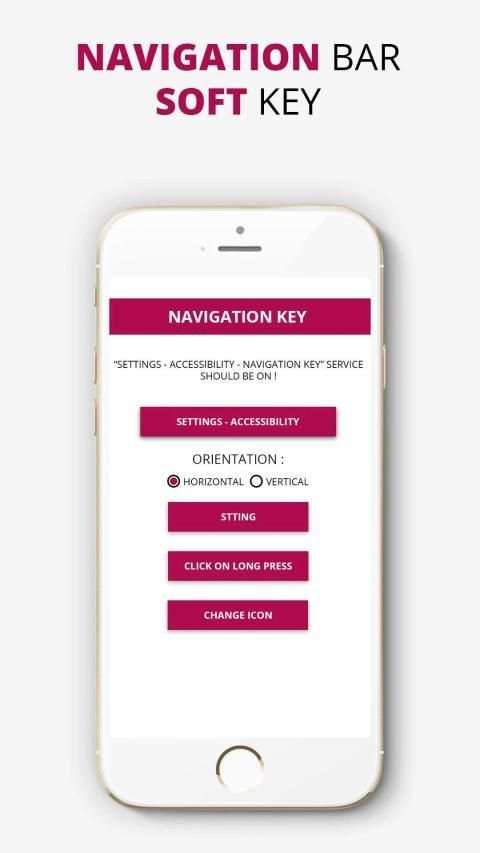
- The 'ACCESSIBILITY SERVICE' of SimpleControl will never access your personal and sensitive information.
Required
-> Setting
-> Accessibility
-> Simple Control [ON]
* Functions
- Home
- Back
- Recent
- Power menu
- Camera
- Noti panel
- Search
- Quick Setting
- Screen capture
- Volume control
- Voice command
Key Features:
:> Auto hide navigation bar
:> Easy to swipe up/down to show/hide navigation bar
:> Functions: Home, Back, Recent
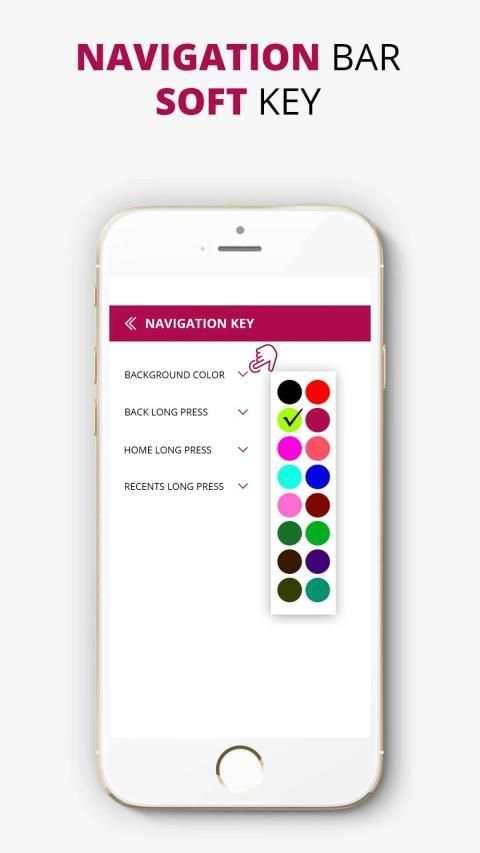
:> Ability to change navigation bar with background and button color
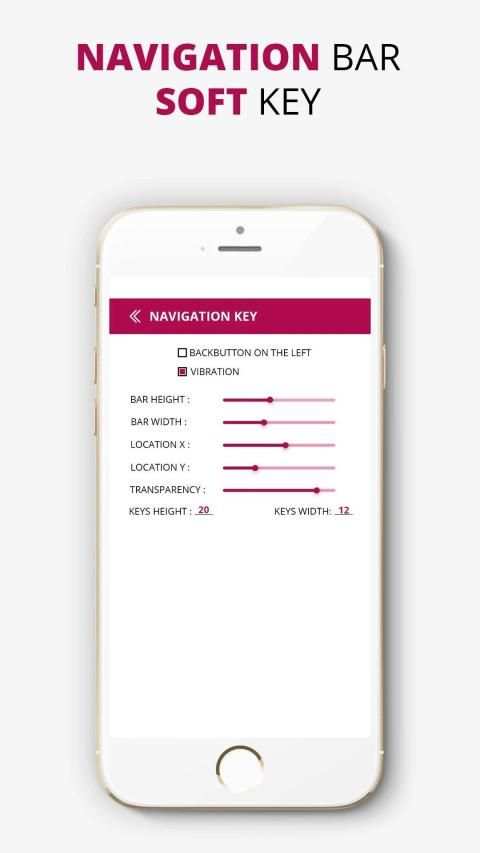
:> Ability to set navigation bar size with height
:> Options to lock navigation bar
:> Long press action for back, home, recent buttons
Configuration is available since version 2.0 where you are able to customize size, color and some behaviour to suit your needs.
Use It and Enjoy.
Tombol Lunak - Bilah Navigasi
Soft Keys - Navigation Bar aplikasi dapat menggantikan tombol yang gagal dan rusak untuk orang-orang yang mengalami masalah menggunakan tombol atau panel panel navigasi tidak berfungsi dengan benar ..
Aplikasi Tombol
Soft - Navigasi Bar ini menyediakan soft key praktis yang mensimulasikan tiga tombol navigasi: Kembali, Rumah, dan Terbaru. Sangat mudah digunakan dan membutuhkan izin yang sangat rendah. Secara otomatis dimulai ketika perangkat boot dan berjalan di latar belakang.
Aplikasi ini terdiri dari Trigger Spot dan Pie Controls yang muncul ketika Trigger Spot ditekan. Keduanya dapat memudar secara otomatis ketika Anda tidak membutuhkannya. Ini dapat dengan mudah ditempatkan di mana saja di sepanjang tepi layar dengan drag dan drop. Lokasi Trigger Spot dapat diatur untuk orientasi lanskap dan potret masing-masing.
- 'PELAYANAN AKSESIBILITAS' dari SimpleControl tidak akan pernah mengakses informasi pribadi dan sensitif Anda.
Diperlukan
-> Pengaturan
-> Aksesibilitas
-> Kontrol Sederhana [ON]
* Fungsi
- Rumah
- Kembali
- Terbaru
- Menu Daya
- Kamera
- Panel Noti
- Pencarian
- Pengaturan Cepat
- Cuplikan Layar
- Pengatur suara
- Perintah suara
Fitur Utama:
:> Bilah navigasi sembunyikan otomatis
:> Mudah untuk menggesek ke atas / bawah untuk menampilkan / menyembunyikan bilah navigasi
:> Fungsi: Beranda, Kembali, Terbaru
:> Kemampuan untuk mengubah bilah navigasi dengan latar belakang dan warna tombol
:> Kemampuan untuk mengatur ukuran bar navigasi dengan tinggi
:> Opsi untuk mengunci bilah navigasi
:> Tekan lama untuk kembali, beranda, tombol baru-baru ini
Konfigurasi tersedia sejak versi 2.0 di mana Anda dapat menyesuaikan ukuran, warna dan beberapa perilaku yang sesuai dengan kebutuhan Anda.
Gunakan Ini dan Nikmati.
![Best Apps & Mods For Hiding Android's Soft Keys [How-To] screenshot 1](https://i.ytimg.com/vi/-xPFcW8V_Lo/mqdefault.jpg)
![Softkeys Ninja: Hide soft keys anytime, anywhere [Android App Demo] screenshot 2](https://i.ytimg.com/vi/LdtG1KfiDlI/mqdefault.jpg)

![How to enable soft keys / Navigation bar in any Andriod Devices | build.prop tweaks [ ROOT ] screenshot 4](https://i.ytimg.com/vi/rJ520SZMt3o/mqdefault.jpg)


