









DOWNLOAD IS NOT SUPPORTED IN WEB STORE!
Use the latest version of 9Apps to download APK&OBB file of games in one click!
DOWNLOAD 9APPS

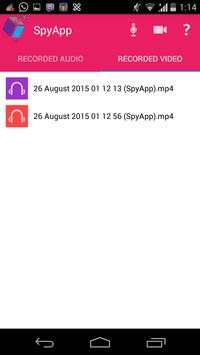
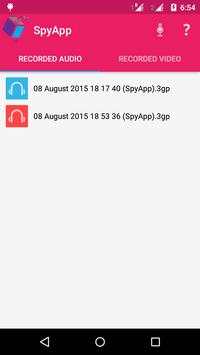
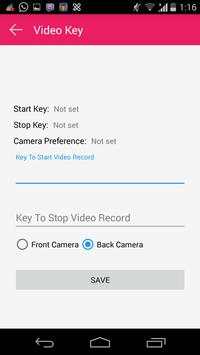
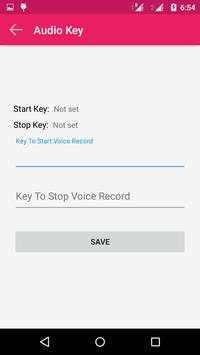
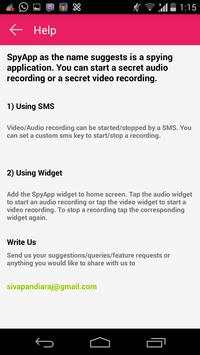

You can start a secret audio recording or a secret video recording.
1) Using SMS
Video/Audio recording can be started/stopped by a SMS. You can set a custom sms key to start/stop a recording.
2) Using Widget
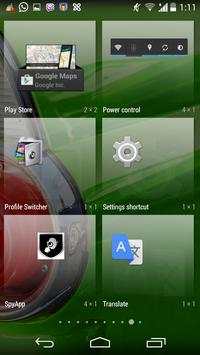
Add the SpyApp widget to home screen. Tap the audio widget to start an audio recording or tap the video widget to start a video recording. To stop a recording tap the corresponding widget again.
Instructions:
After installing SpyApp open application and click help (?) which will give you an overview.
There are two ways to start secret audio/video recording. They are using
1) SMS
2) Widget
Using SMS:
- Click mic/video symbol in tool bar.
- Once clicked a page will be opened where you can add a key to start/stop a recording.
- Give a key to start recording eg: "start audio" and a key to stop recording eg: "stop audio".
- Then send a SMS to the mobile in which SpyApp is installed. The SMS should be the key word you have set.
- Please note that the SMS you send and the keyword you have saved should match and is case sensitive.
Using Widget:
- Add SpyApp widget to home page.
- The widget added will have two icons to start recording an audio or video.
- You can click any one icon to start corresponding recording.
- Click the same icon to stop recording.
- Please note that your mobile will go to silent mode once recording starts.



- Unlimited Video Recording
- Recorded video/audio list delete options added
- SMS key video recording added.
- App Widget
- Improved audio recording quality


