
DOWNLOAD IS NOT SUPPORTED IN WEB STORE!
Use the latest version of 9Apps to download APK&OBB file of games in one click!
DOWNLOAD 9APPS
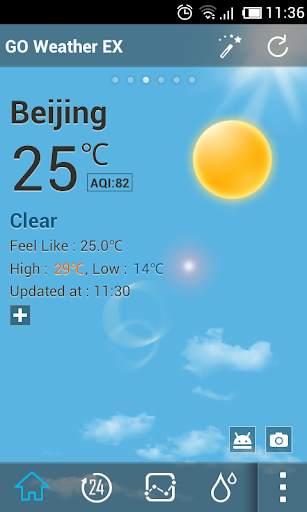
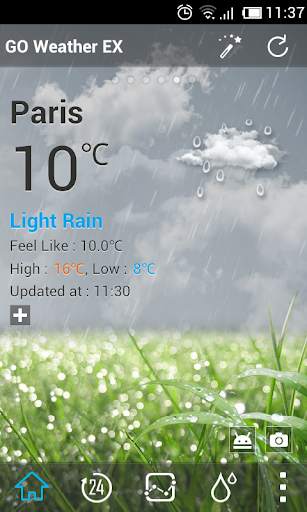
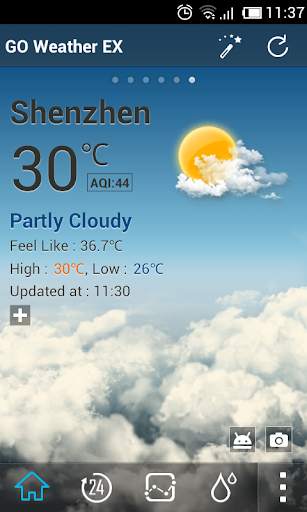
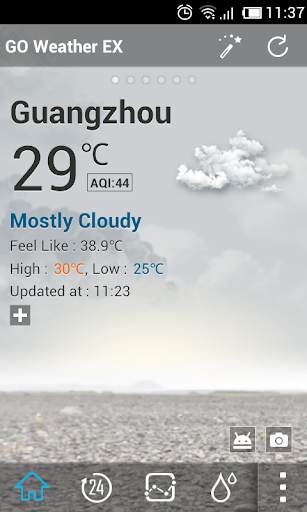
This dynamic background is the Default Dynamic of
GO Weather EX
. It is the same as default dynamic background.
The default background would be improved to Default Dynamic 2.0 in the next version of GO Weather EX. If you like default dynamic 1.0, you can download and apply it now.
Default Dynamic1.0 displays dynamic backgrounds for 7 weather conditions: sunny, rainy, snowy, thunder, cloudy, overcast, foggy, etc.
GO Weather EX - To Be Your Best Weather Prophet Forever!
◆How to apply the theme?
1. Make sure you have installed the latest version of GO Weather EX
2. Open the GO Weather EX->Press the themes->Click the "Installed" Tab->Click the "background"
3. Find the theme you have installed in "Background" and click to apply it.
![Taylor Swift - The Fate of Ophelia (Tradução / Legendado) [Clipe Oficial] screenshot 1](https://i.ytimg.com/vi/JiJ0QClGaSc/mqdefault.jpg)



Temple Run 2
4.4122.1MB

Candy Crush Saga
4.491.1MB

Facebook Lite
4.02.5MB

Dearmet: Video Chat, Live Talk
4.043.4MB

Quikr – Search Jobs, Mobiles,
4.120.8MB

imo beta -video calls and chat
4.394.0MB

Mushroom Takeover
4.569.0MB

ShopClues
3.816.4MB

Talking Tom
3.963.0MB

Offline Music Mp3 Player- Muso
4.535.9MB