wave lock screen on 9Apps

Free download latest wave lock screen for Android here and enjoy it with your phone. Below you can download a list of top and latest apps related to wave lock screen . 9APPS is a fast, safe app store. With 9APPS, you can save a lot of time on searching and downloading apps.

#1 Water Wave Lock Screen
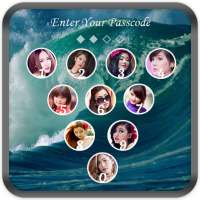
Water Wave Lock Screen
Rating: star 3.0 | Version: 1.1 | Size: 9.8MB
Water Wave Lock Screen screenshot 1 Water Wave Lock Screen screenshot 2 Water Wave Lock Screen screenshot 3

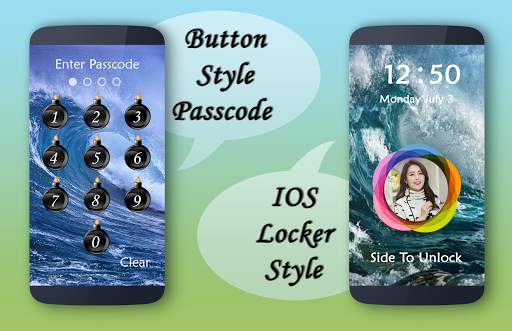
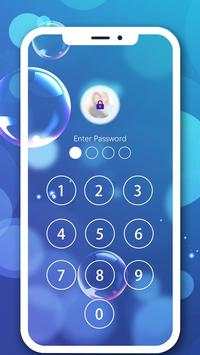
water wave Keypad Lock screen is the best Lock screen app with passcode/pattern lock
Lock screen by passcode
The best lock screen keypad
The best
water wave lock screen application, to help you protect your privacy, prevent others invade your phone illegally
Some applications do not perform the origin of the HOME button, BACK, RECENT
this application can do that.
Some applications do not protect your privacy when just a phone call to your phone, your phone will automatically open to allow strangers intrusion ...
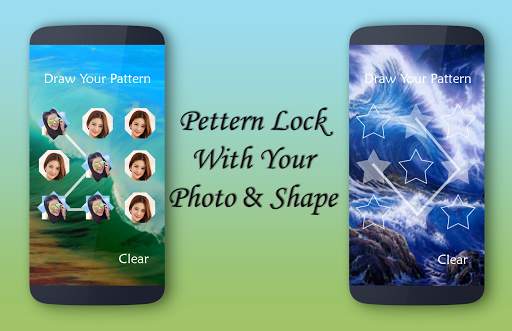
in this app you also set your name with your photo. water wave DIY Lock Screen is application to protect your smartphone through using pin/passcode or pattern, no one can enter into your phone without correct four digit password or current pattern.
water wave Keypad Lock screen is one of the best
Lock screen application with passcode and pattern lock screen
For increased security
You have to just enable pin lock in settings in this application
and create own password for unlock phone screen.
Features
*Slide to unlock.
*Enter pin to unlock.
*A lot of beautiful water wave wallpapers to choose
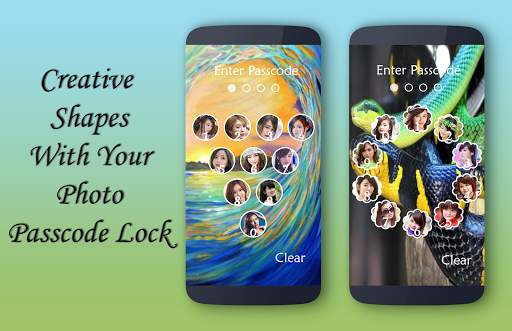
* PIP lock screen with passcode style.
*Choose Unlock Animation
*Keypad Lock Screen also allows to use wallpaper from Your gallery
*Unlock sound enable/disable.
*Unlock vibration enable/disable.
* customize your passcode style page with photos with different type of creative objects.
* set your name with wide collection of fonts and color
* Keypad lock screen with lots of customization
* allow to use wall paper from gallery or take real photo from camera.
* fast simple and very easy to use.
* lock screen by passcode
* select from a wide range of Hd backgrounds.
* allow to use color as lock screen background
* water wave lock screen will consume less memory and battery
* simple and clean User interface
* set password with number
* set passcode using pattern draw.
* attractive designs for your DIY lock screen
* allow to disable default lock screen.
* Personalize your lock screen.
* so many locker button are designed just for you
* Also you can select your favourite wallpaper, it could be someone you love, your love, your child ...
* The application is really simple and easy to use, you just select function allows key, then enter password so that your device is protected.

...

👉 For More Detail of Water Wave Lock Screen

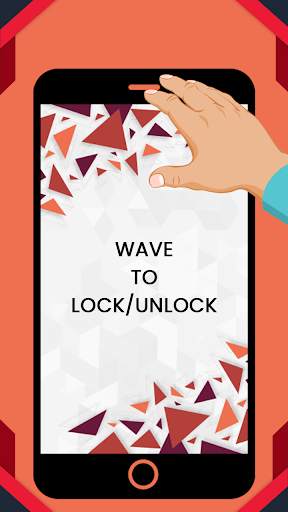
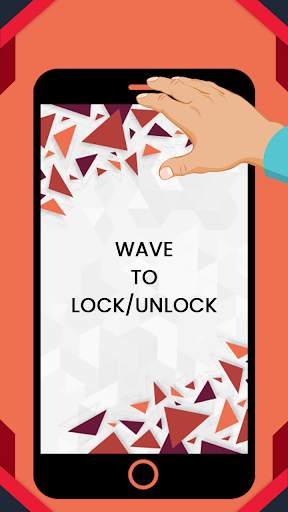
#2 Wave to Lock/Unlock Screen

Wave to Lock/Unlock Screen
Rating: star 4.1 | Version: 5.0 | Size: 7.8MB
Wave to Lock/Unlock Screen screenshot 1 Wave to Lock/Unlock Screen screenshot 2 Wave to Lock/Unlock Screen screenshot 3

onda para bloquear y desbloquear la pantalla Características
★ Puede agitar su mano para desbloquear el dispositivo
★ Cubierta a la pantalla de bloqueo, puede cubrir el sensor de proximidad para bloquear el dispositivo.
★Cuando su teléfono esté bloqueado, agite la mano sobre el sensor para despertar la pantalla móvil.
★ Cuando la pantalla de su teléfono esté encendida, cubra el dispositivo del sensor de proximidad a bloquear el dispositivo (puede habilitar esta función en la configuración, de forma predeterminada esno habilitado).
★ La opción vibrar le notifica a la detección de la proximidad para evitar bloquear el teléfono accidentalmente
★ La opción excluyendo las aplicaciones evitan el bloqueo si una de estas aplicaciones en primer plano.
= & gt; Cómo usar
★ Para habilitar la aplicación, haga clic en el interruptor de encendido/apagado del servicio.
★ Ahora está listo para desbloquear la pantalla de su dispositivo ondeando la mano sobre la pantalla.
★ Gire el dispositivo de su dispositivoDispara simplemente cubriendo el sensor de proximidad durante aproximadamente un segundo.Esta característica no está habilitada de forma predeterminada.
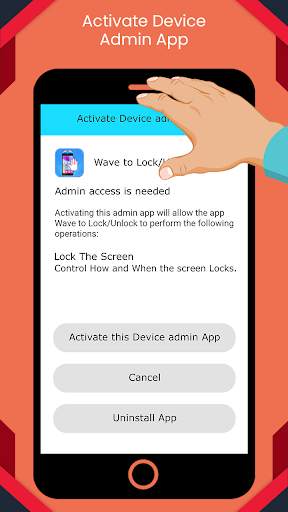
★ Haga clic en la fila de pantalla de bloqueo. Luego se le pedirá que agregue la aplicación como administrador del dispositivo para habilitar la función.
Simplemente habilitarlo y estará listo para usarlo.Para apagar la pantalla, cubra el sensor de proximidad de su dispositivo durante 1 segundo o más.
nota:
-Sewave El servicio de desbloqueo/bloqueo comienza automáticamente en reinicio
-para el servicio de bloqueo que necesita paraActive el acceso de administrador
-Este es un pequeño esfuerzo de nuestro equipo y aún así tiene alguna sugerencia, entonces puede contactarnos en cualquier momento en jivubaadeveloveloper@gmail.com y si le gusta nuestro trabajo, seguramente dígale a su amigo y compartir con ellos para que ellosTodos también pueden disfrutar.

...

👉 For More Detail of Wave to Lock/Unlock Screen

#3 Wave - Customizable Lock scree

Wave - Customizable Lock scree
Rating: star 3.7 | Version: 4.11.22 | Size: 6.1MB
Wave - Customizable Lock scree screenshot 1 Wave - Customizable Lock scree screenshot 2 Wave - Customizable Lock scree screenshot 3

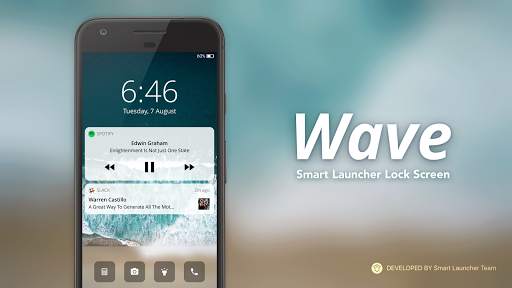
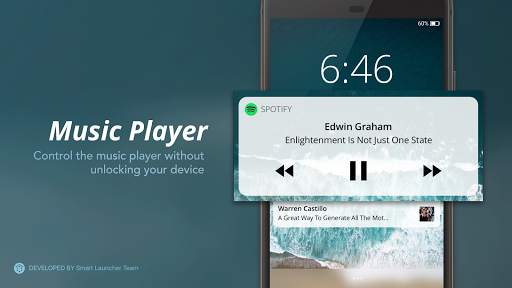
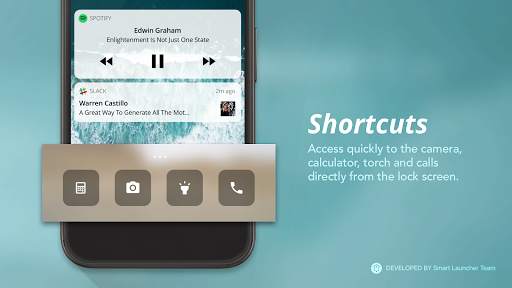
Wave is a lock screen that allows you to unlock your phone by swiping to left or right.
- Control panel: quickly access torch, dialer or camera
- Security: it runs over your device lock screen supporting pin, pattern and fingerprints.
- Customization: pick the wallpaper you want for your lockscreen
- Notifications on screen
- Regularly updated
- Low resources usage
- Music controls (If you experience any problem with music control and Spotify please check this tutorial: https://youtu.be/sgf0SSduaN8 )
- Compatible both with smartphones and tablets

...

👉 For More Detail of Wave - Customizable Lock scree

#4 Lock Screen

Lock Screen
Rating: star 3.8 | Version: 1.8 | Size: 65.1KB
Lock Screen screenshot 1 Lock Screen screenshot 2 Lock Screen screenshot 3

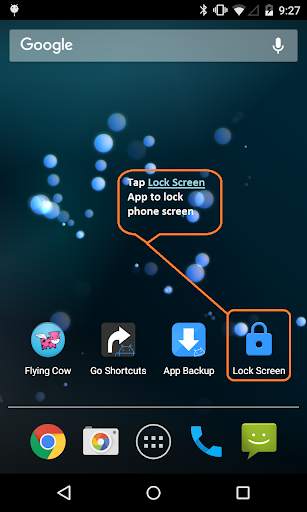
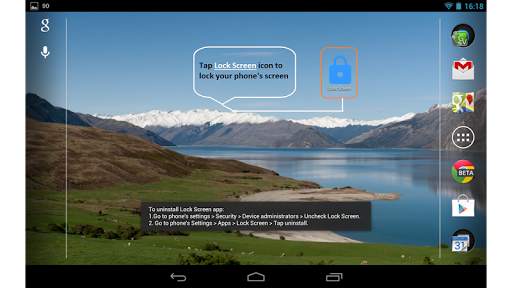
A Lock Screen app is a very light (apk file size less than 72kb) and convenient app that help you to lock your phone's screen easily without having you to press the hard Power button.
You will find it useful when:
✓ You just want a quick and convenient way to lock screen immediately.
✓ You don't want to always press hard power button to turn off / lock screen.
✓ No Ads!
To uninstall Lock Screen app:
1. Go to phone's settings > Security > Device administrators > Uncheck Lock Screen.
2. Go to phone's Settings > Apps > Lock Screen > Tap uninstall.
Notes:
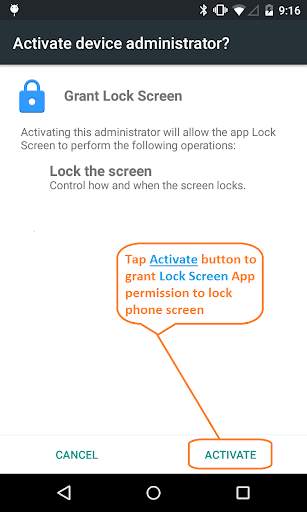
✓ This app uses the Device Administrator permission to lock your phone's screen.
✓ Only available on Android P and newer: This app uses the new Accessibility Service APIs to lock your phone's screen without disabling the fingerprint on the lock screen. As result of using new APIs; new user permissions have to be included (i.e. WRITE_EXTERNAL_STORAGE ).
Like it? Find it useful? Share it and give a positive rating.
Questions / Inquiries? Report bug? Suggest new improvement / feature? Click Email Developer link below.

...

👉 For More Detail of Lock Screen

#5 Lock screen

Lock screen
Rating: star 4.5 | Version: 1.1.7 | Size: 11.7MB
Lock screen screenshot 1 Lock screen screenshot 2 Lock screen screenshot 3

La mejor aplicación de pantalla de bloqueo
La mejor aplicación de pantalla de bloqueo puede ayudarlo a proteger su privacidad y evitar que otras personas se entrometan ilegalmente en su teléfono
Algunas aplicaciones no hacen el origen, ATRÁS o RECIENTE del botón INICIO, que la aplicación puede hacerlo.
Cuando haces una llamada telefónica, ciertas aplicaciones no protegen tu privacidad y tu teléfono se abre automáticamente para permitir que extraños invadan ...
La aplicación también realizará todas las operaciones.
Admitimos varios tipos de pantallas de bloqueo:
Modo de pantalla de bloqueo
Pantalla de bloqueo de contraseña
Marco de contraseña de la pantalla de bloqueo
Deslizadores de la pantalla de bloqueo
Puede cambiar el fondo de pantalla
Estos fondos de pantalla tienen muchos tipos diferentes de fondos para elegir y están bellamente diseñados y hermosos.
- También puede elegir su propio fondo de pantalla favorito, pueden ser sus seres queridos, sus amantes, sus hijos ...
: esta aplicación es realmente fácil de usar, solo seleccione la función para permitir la clave, luego ingrese la contraseña d para proteger su dispositivo.
Siempre nos esforzamos por brindarle la mayor comodidad.
Gracias por usar esta aplicación.

...

👉 For More Detail of Lock screen

Search Results

1/20

You may like

DOWNLOAD IS NOT SUPPORTED IN WEB STORE!
Use the latest version of 9Apps to download APK&OBB file of games in one click!
DOWNLOAD 9APPS